Kostenlose Webinare:

Einblicke in DELTAproject.

Projektmanagement und Bauadministration, einfach perfekt organisiert.

DELTAdevis receives CRB certification for NPK-based estimating, valid until 2029.

CRB-certified until 2029.


DELTAdevis has successfully obtained CRB certification for NPK-based estimating, valid until 2029. The CRB (Swiss Central Office for Construction Rationalisation) requires software solutions to be recertified every five years to maintain high quality standards.

DELTAdevis has passed this review, ensuring continued access to NPK/CAN/CPN data for the next five years.

Applications

Manage construction projects

Centralise and share data and documents.

The DELTAproject base module covers essential office tasks such as address management, correspondence, meeting minutes, project tasks, drawing management and distribution.

Required modules: #DELTAproject
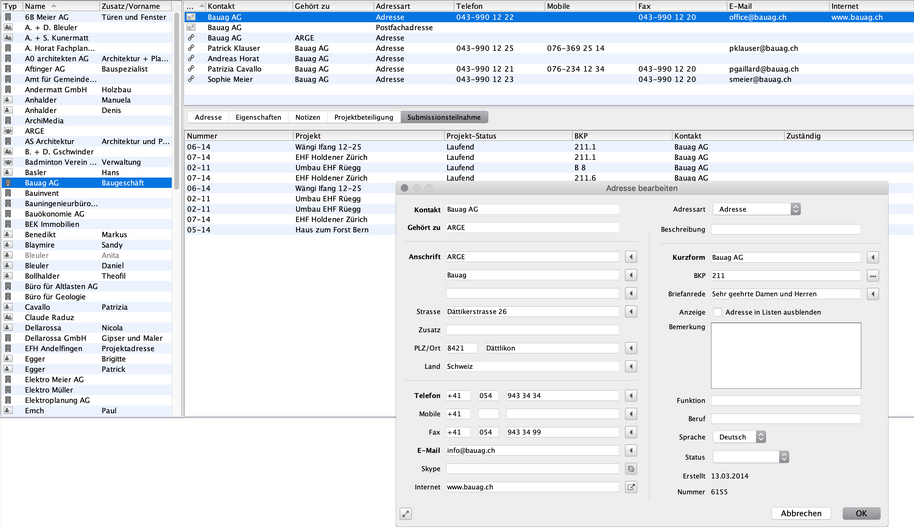
In DELTAproject, everything that the employees of an architecture firm need to have access to is managed centrally. This means that all employees have access to the same addresses at all times. If an address is changed, it is immediately available to everyone. The same applies to all documents. They are also available to everyone involved at all times. You can easily control who can edit the document layouts via the authorisations.


Standardised appearance.

Many companies carefully develop their own corporate identity, the standardised external appearance. DELTAproject ensures that everyone works with the same, always up-to-date templates. This makes it easy for the team to adhere to the corporate design.


Logical data structure.

And what to do with the many documents that are created every day? DELTAproject automatically stores them logically. Always in the right place, so that everyone can find the letter, minutes, plan despatch list etc. they are looking for in no time at all.


The effort fully under control.

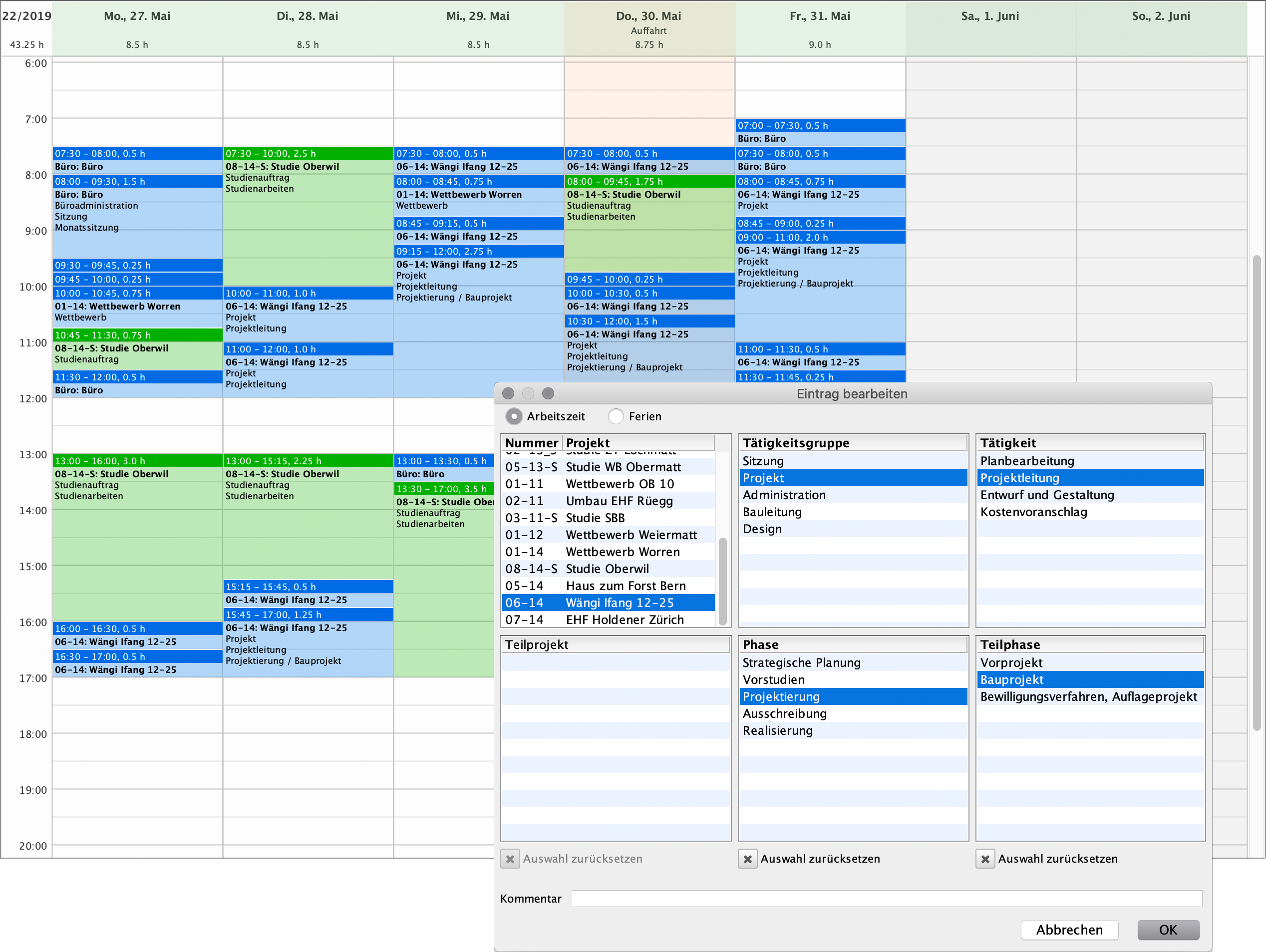
In DELTAproject, employees record their workload in an elegant graphical time recording system. The hours are assigned to the right project and the right phase and can be analysed at the touch of a button. The time entries can also be annotated.


Construction project management for all employees.

The basic DELTAproject module covers the most important office tasks such as address management, correspondence, meetings with minutes, project tasks, plan management and plan dispatch.


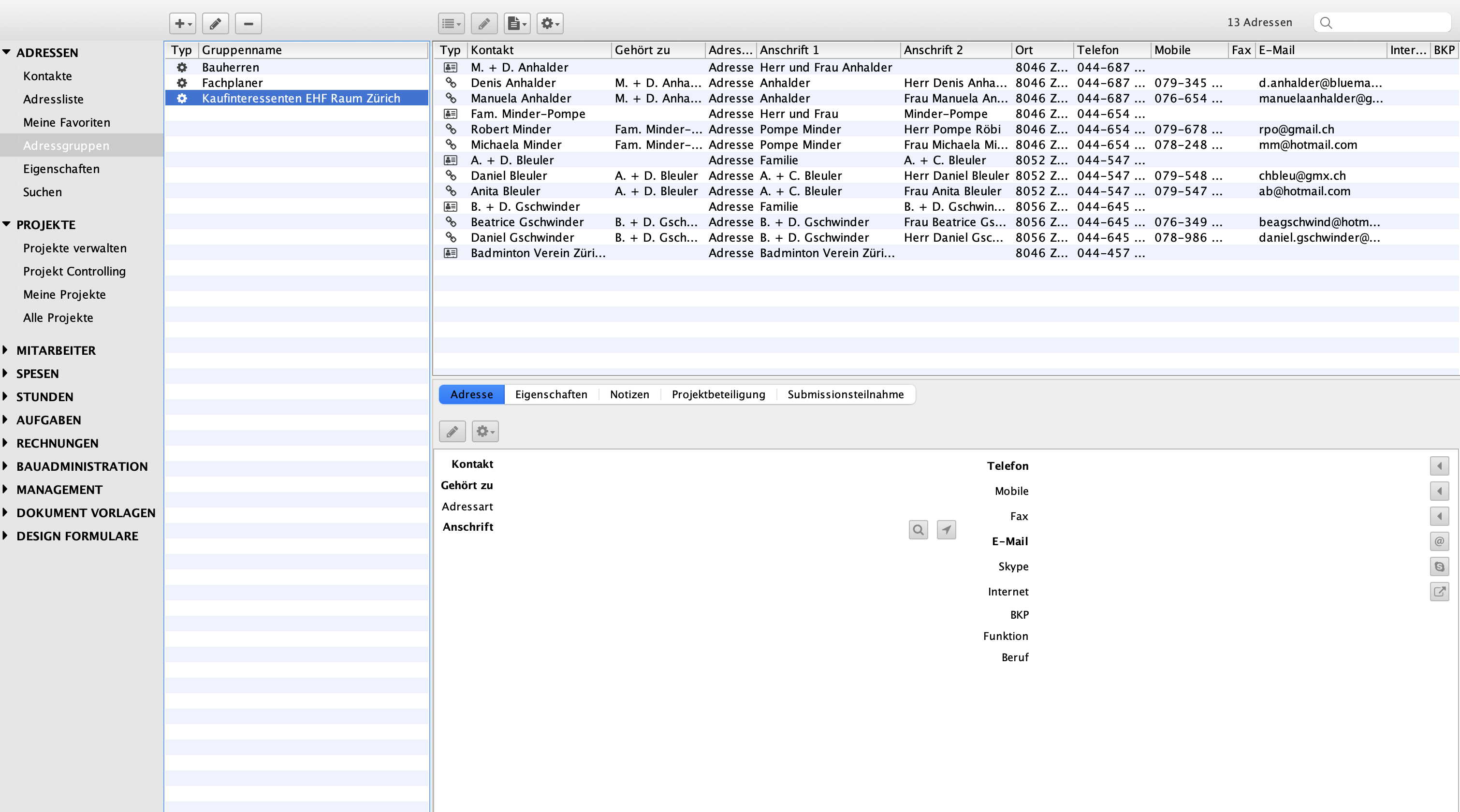
Manage contacts and addresses.

All data is managed centrally in a database in DELTAproject. All employees have access to the same, always up-to-date address database. Address management forms the basis for all work in the projects.


Intelligent address groups.

Intelligent address groups group addresses according to properties. This means you can always access current selection lists without having to search through the addresses. The list of all specialised planners is always to hand. For example, if you assign the Christmas card property to an address during the course of the year, at the end of the year you can see exactly who should all receive a Christmas card. Several such properties can be combined with each other. Examples would be «builder and Christmas card» or «prospective buyer and Christmas card».


Further advantages of address management in DELTAproject.

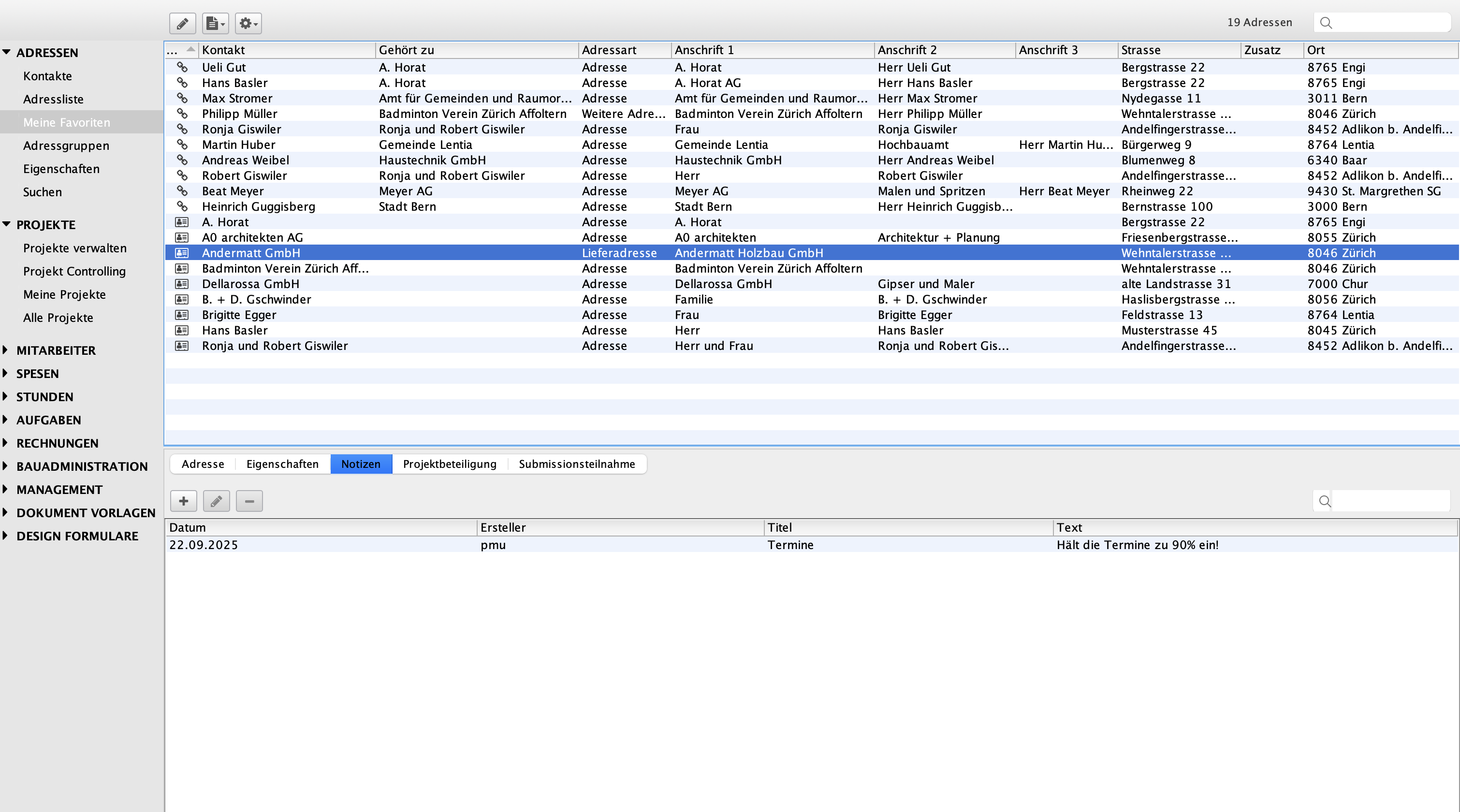
Each employee can create personal address favourites. Any number of notes can be saved for each address, and a contact can be linked to several addresses and employees – ideal for people who work in several companies. In addition, import and export functions, for example for vCards, enable simple data transfer.


Project organisation.

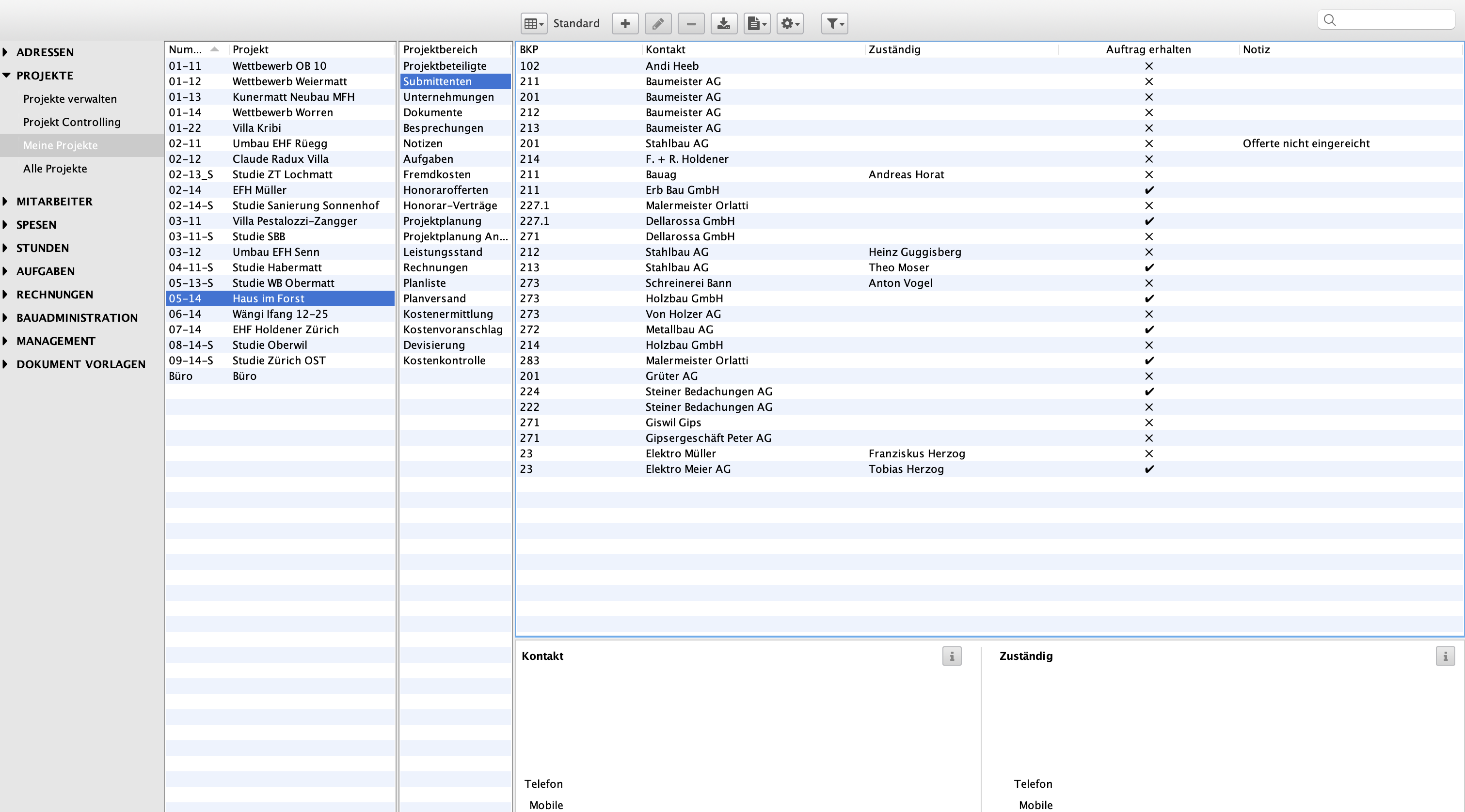
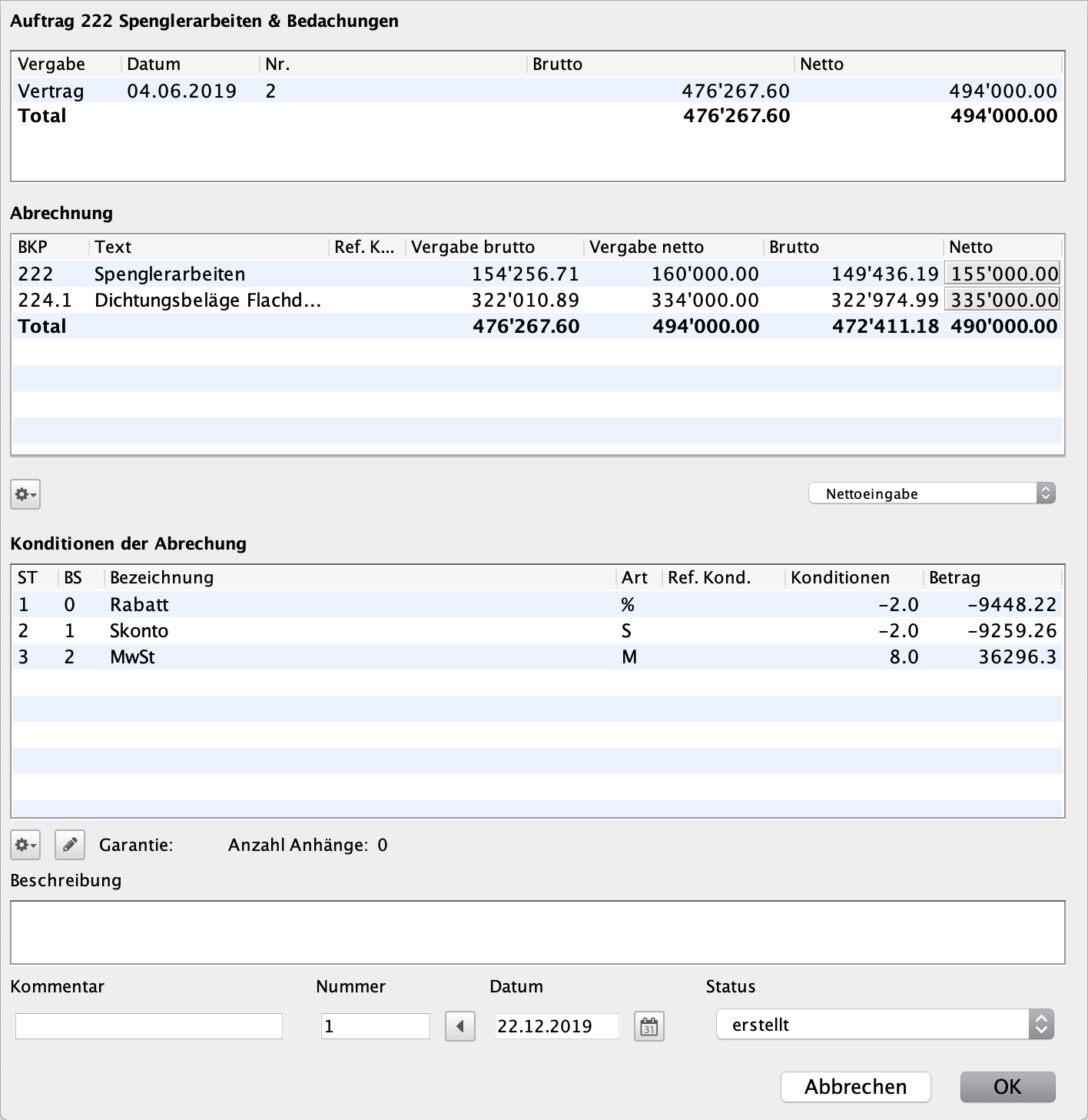
Correspondence and logs are automatically filed in the correct project. The lists of subcontractors and contractors are always up to date. In the plan list you will find the valid plans, all project-related invoices or tasks that have not yet been completed. The site manager keeps track of all service specifications created. The management calculates the fees and monitors the performance status and payments. All information and documents come together here.


Correspondence.

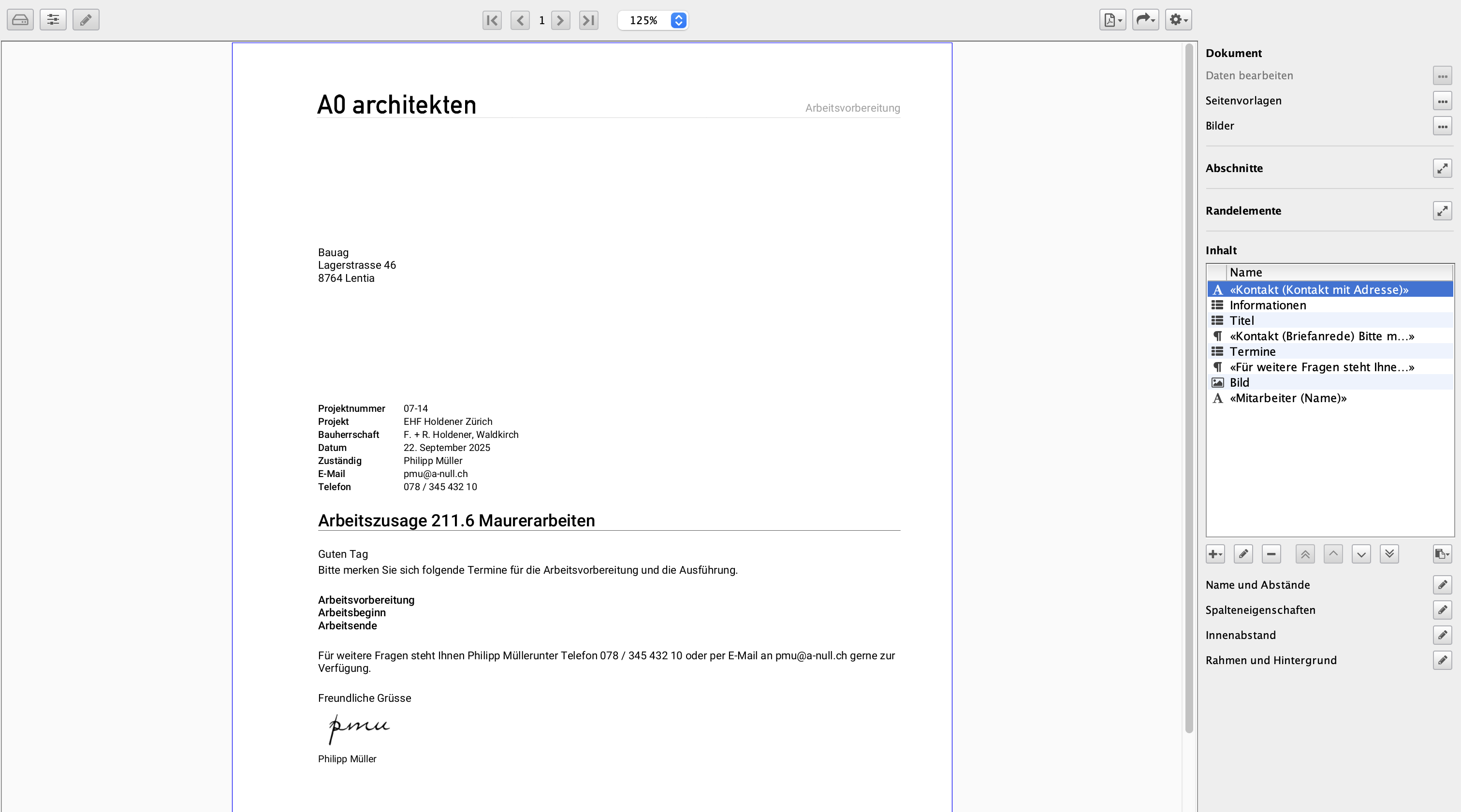
You can create serial letters at the touch of a button using the intelligent address groups. Each individual letter is assigned an address and a project. Whether it's a planning delivery note, a covering letter for a tender, a letter of rejection or just a short letter to an authority, nobody loses track of the correspondence relating to a project or the entire correspondence with the client. No document is lost. If you wish, you can handle the correspondence with an external Office programme. DELTAproject fills in addresses and project information automatically.


Meetings and minutes.

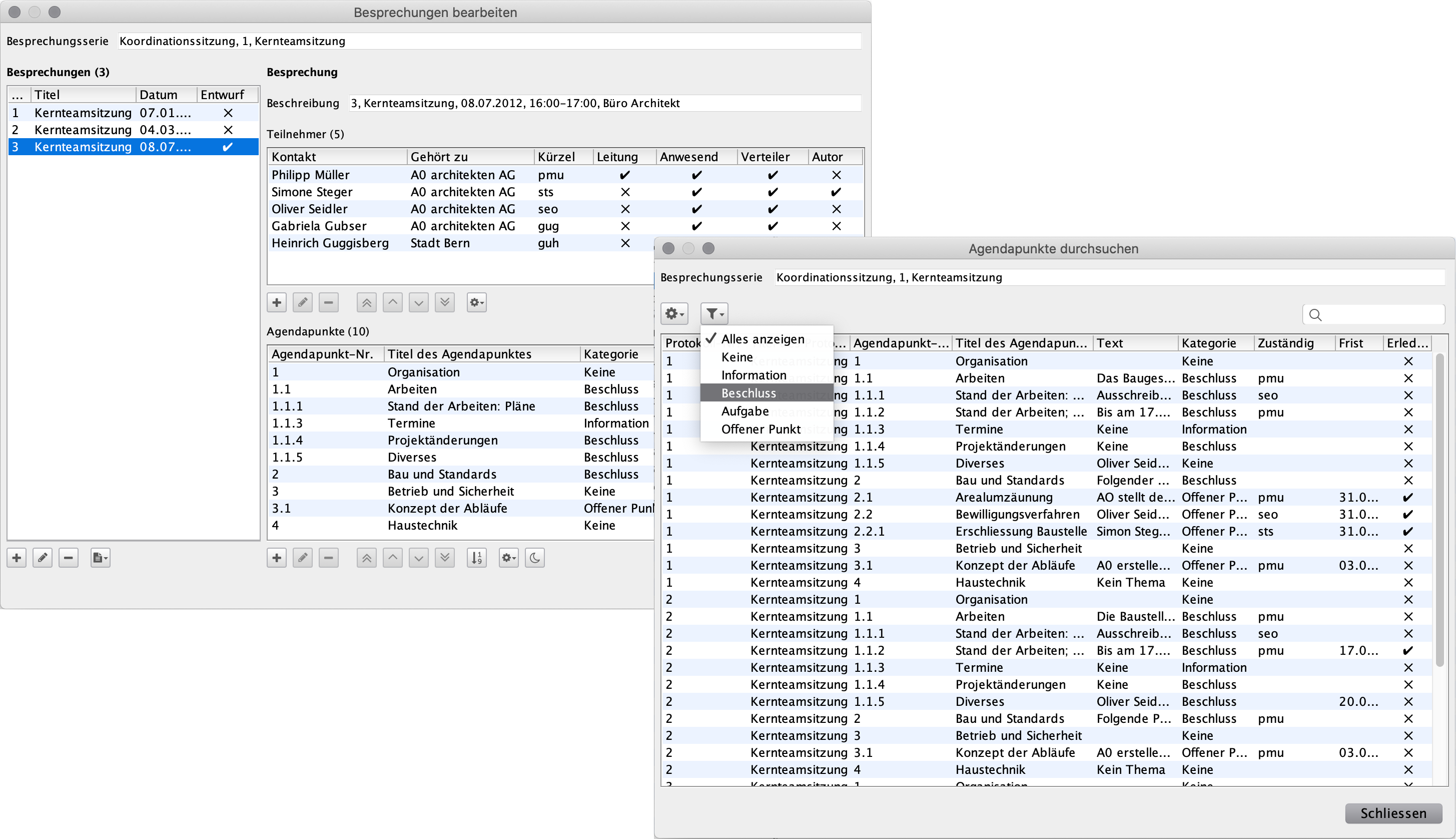
You structure meetings and minutes according to your own ideas. You create an agenda for each meeting. You attach a task list with the participants to the minutes. Users can print out the current minutes at any time or view the entire history of a series of meetings.


Plan management.
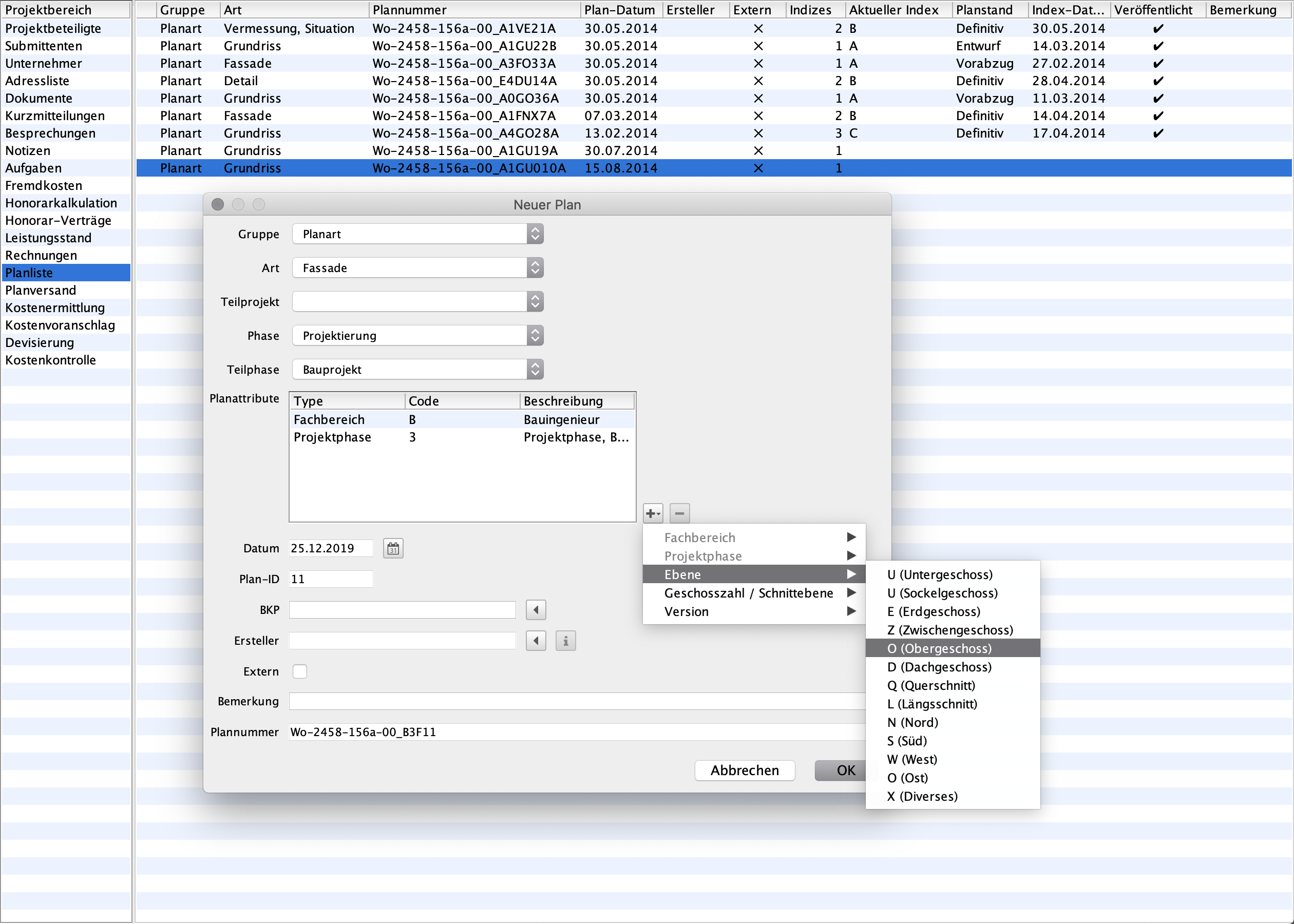
Plan management offers a variety of useful functions for the efficient management of plans. A complete history of a plan enables changes and versions to be tracked at any time. Plan rules can also be set up to generate the plan number at project level to ensure unique identification. Plans are dispatched with a detailed plan delivery note, while a list of plans that have not yet been dispatched makes it easier to keep track of outstanding consignments.


Design and templates.
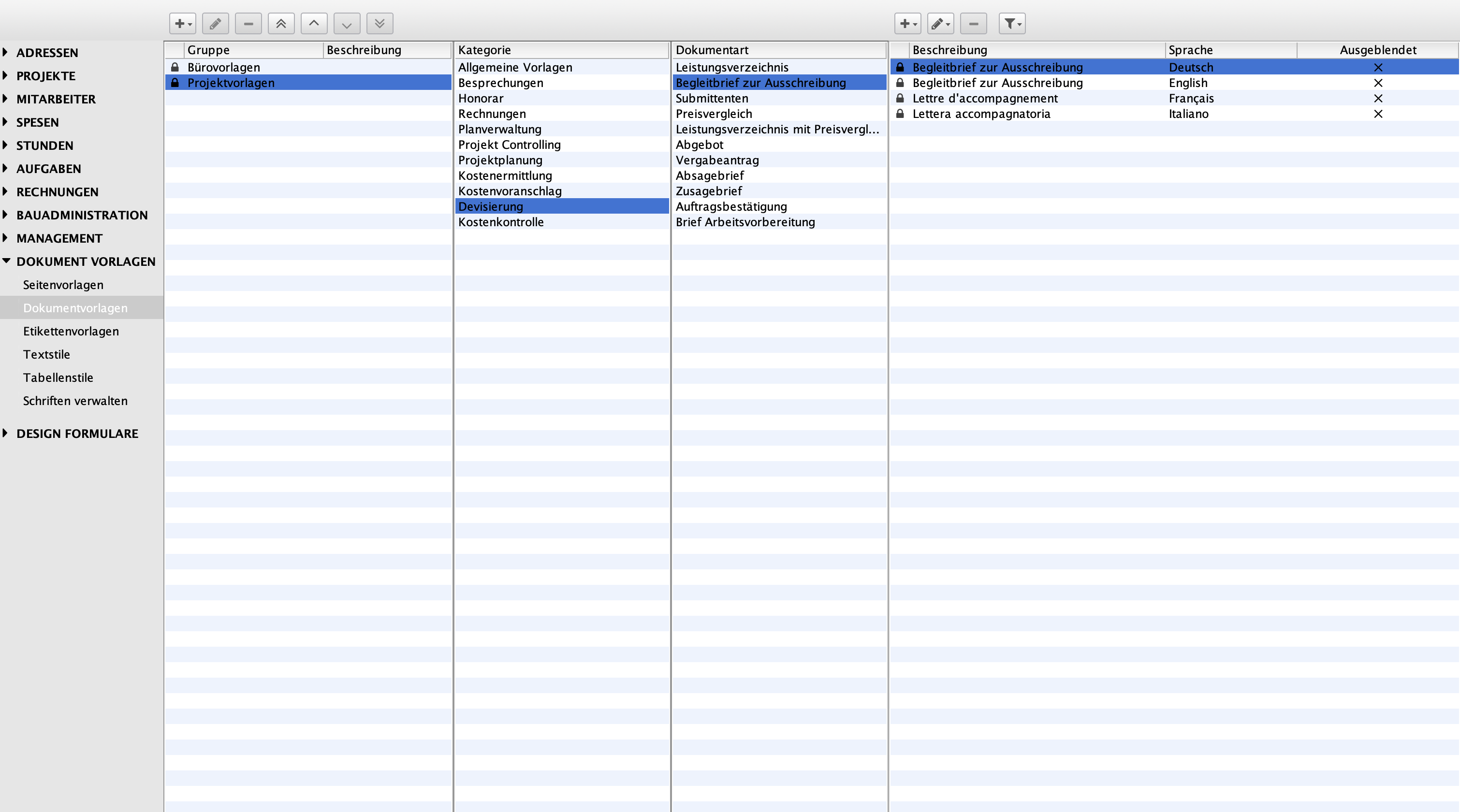
You design your documents so that they largely correspond to your corporate design and determine which information should appear on a document and which should not. If necessary, you can create project-specific templates. This is the case if an office requires specific information on a document or if you are carrying out a project together with another company.


Other features and functions.
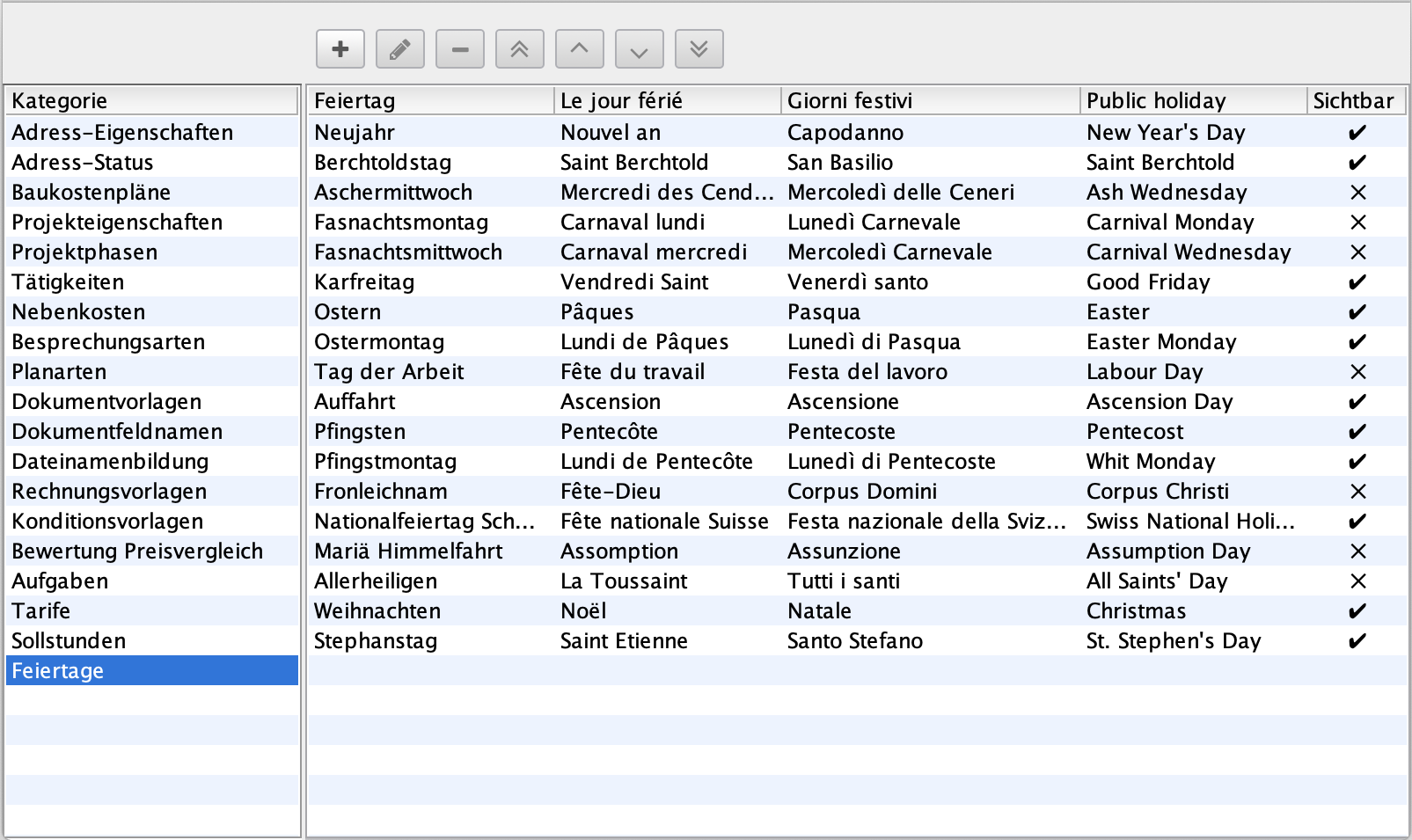
Important information is stored centrally in the project notes. User and employee management ensures structured organisation of all team members. Company-specific specifications such as local public holidays or target hours can be individually defined in the administrator area. A sophisticated rights and roles system ensures that sensitive data is only accessible to authorised persons. In addition, the integrated expense recording function makes it easier for employees to claim expenses.

Project documents and correspondence.

Create documents quickly and efficiently.

Ideal for letters, mail merges, delivery notes and other project documents. Documents can be saved as PDFs, printed and reused (e.g., sent by email).

Required modules: #DELTAproject

Multi-page documents with text, lists and images.
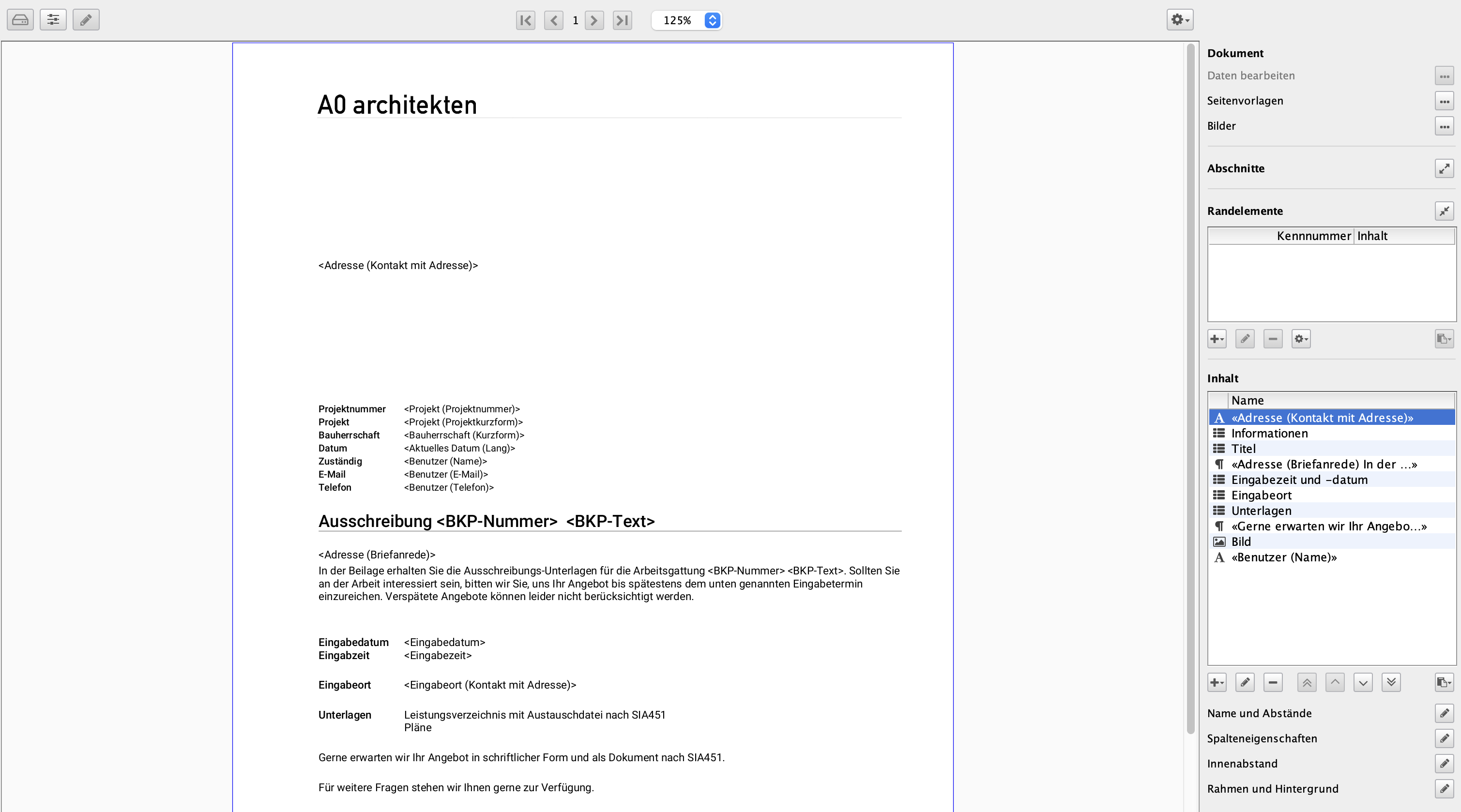
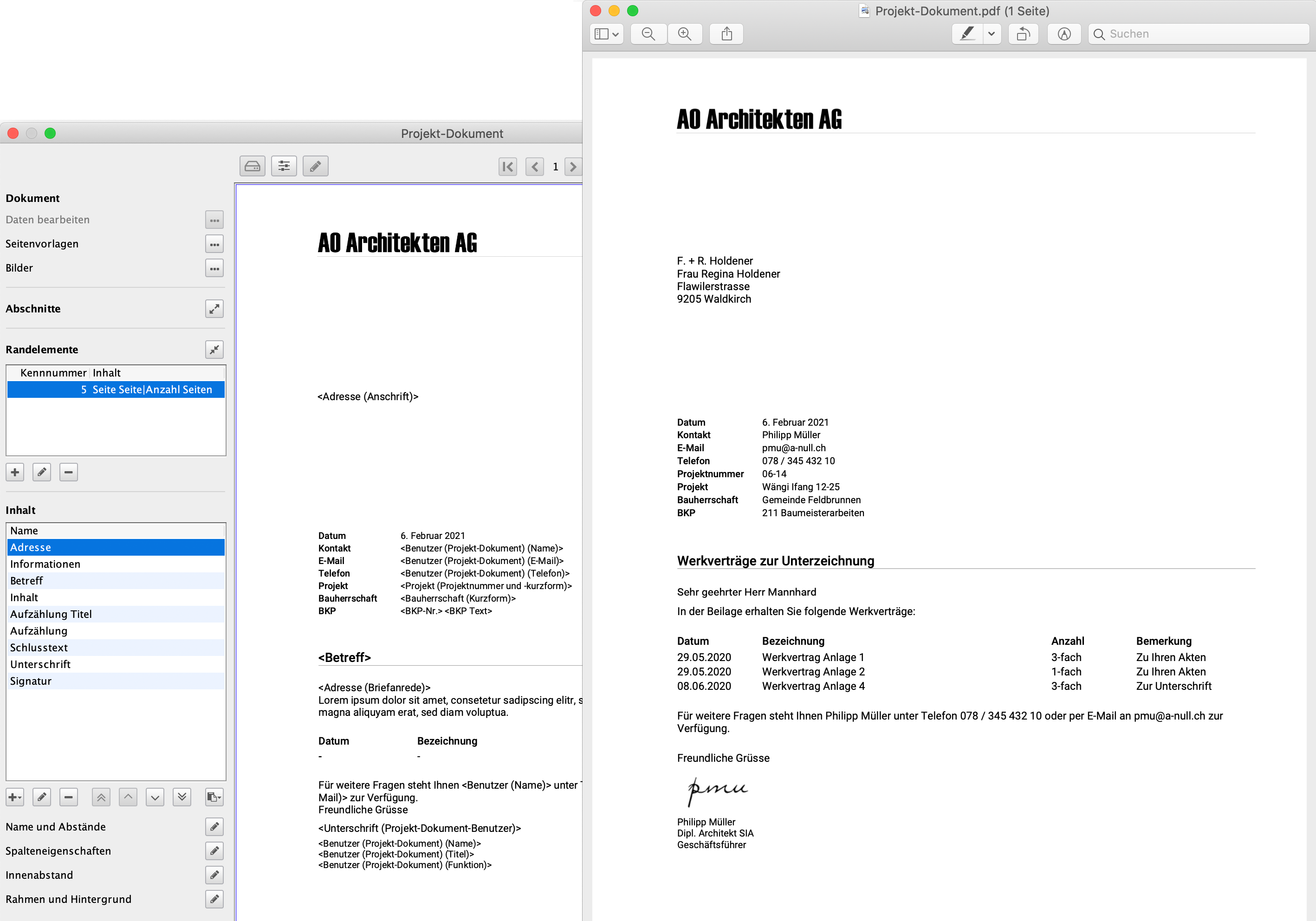
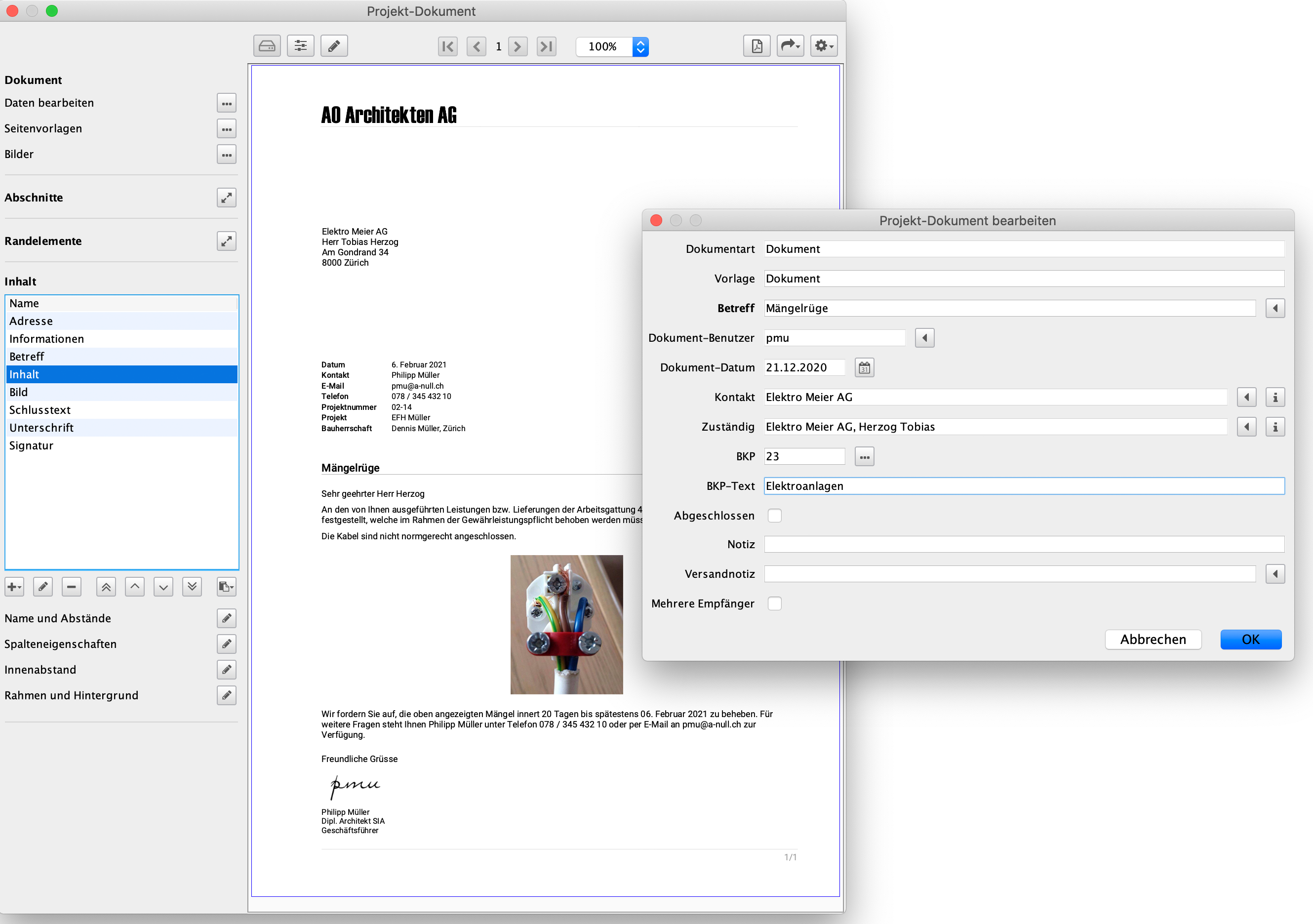
Multi-page documents can be created and edited on the basis of your own, freely customisable document templates. All employees manage project and office-related documents in DELTAproject and can also create a PDF file from them, which can be filed directly in DELTAproject.


Automatic filling of data fields.
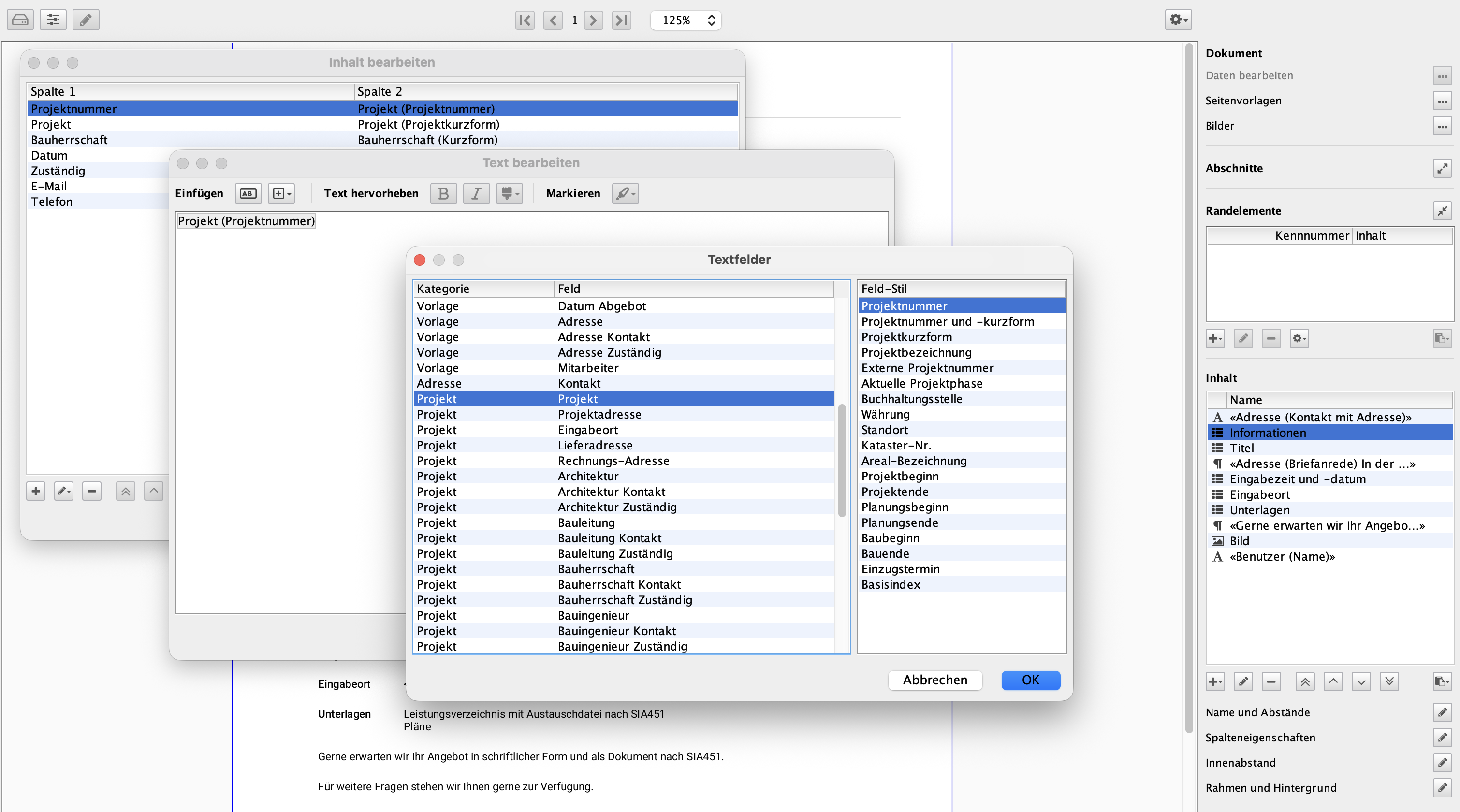
The templates contain data fields according to your specifications, which are automatically filled with the correct and always up-to-date information when the documents are created. This allows employees to concentrate on the essentials when creating documents, while DELTAproject takes care of the rest.


Further functions.
DELTAproject offers other useful functions that make daily work much easier. An integrated browser makes it easy to select text modules, addresses and BKP items. Several sections can be flexibly combined to form a complete document and content can be easily copied between documents. In addition, various elements such as lists or images can be added while a document is being edited – for structured and clear documentation.

Time tracking.

Efficient time recording for projects and staff.

All staff continuously log their hours. Project managers analyse booked hours, compare them against budgets and steer projects accordingly. Administration generates monthly staff timesheets. Management maintains full visibility over projects and the office.

Required modules: #DELTAproject
The #DELTAcontrol module is required for certain additional tasks.


Graphical working time recording.
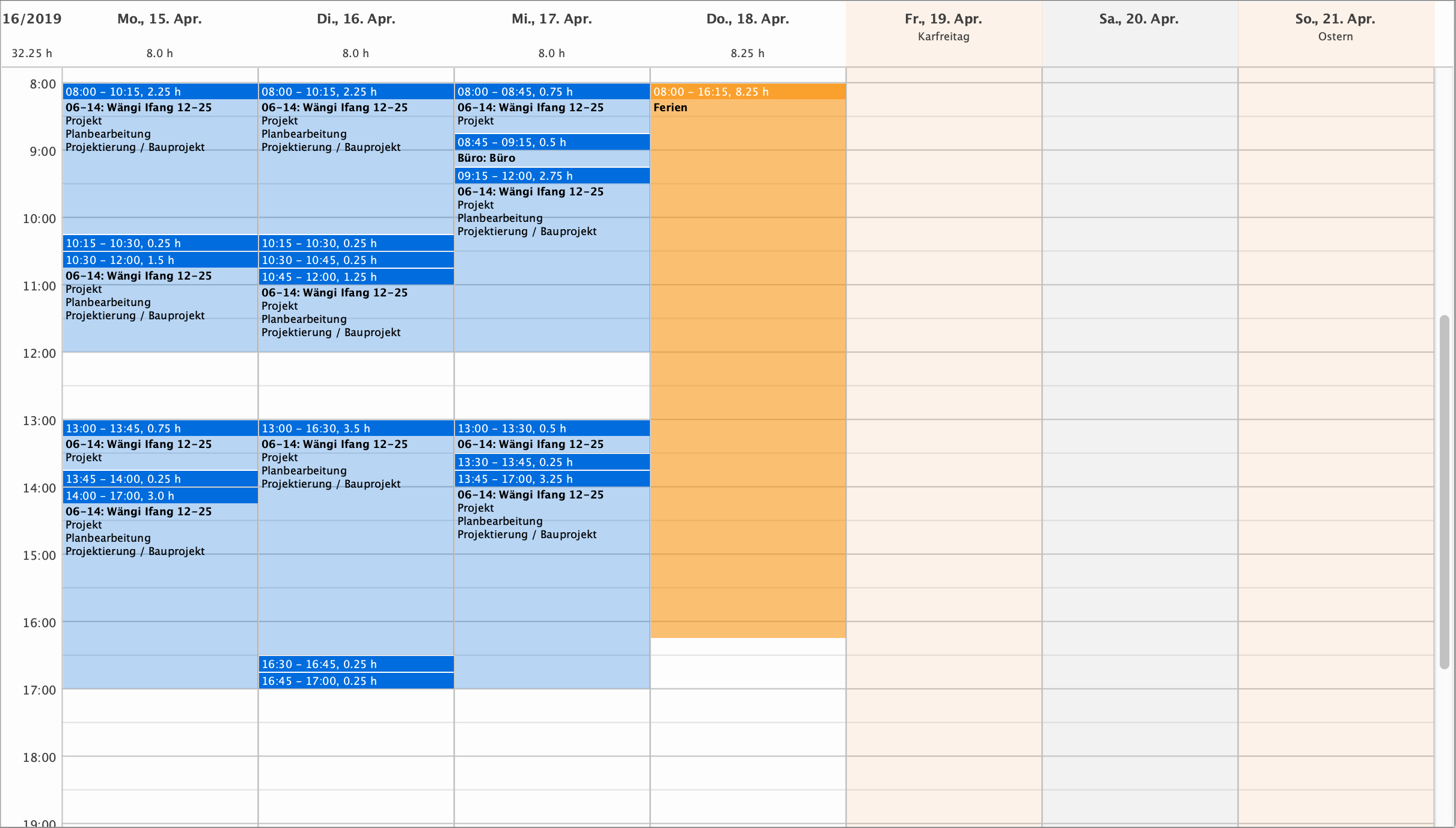
With DELTAproject's graphical time recording, employees can quickly record their personal work performance in the weekly view. At the end of the month, the timesheets of all employees are ready for signature at the touch of a button. Gone are the days when Excel lists had to be prepared for project management to analyse. The project managers carry out the time analyses themselves. With always up-to-date, centrally stored data, if required even weekly or quickly before a meeting with the client. And the overtime check? You can save yourself this every month by printing out your employees' timesheets at the touch of a button. Always with an up-to-date holiday and hours balance and the overtime in your office won't get out of hand.


Time recording for employees.
The hours recording in DELTAproject offers clear and detailed working time recording. Public holidays – both full-day and half-day – are displayed automatically. The integrated holiday and overtime management makes planning and tracking easier. Users can view their hours overview flexibly by month, quarter, half-year or year. A detailed hours report lists all booked hours per month including daily totals. In addition, employees always have an overview of their personal hours, holiday and overtime balance.


Time recording for the project.
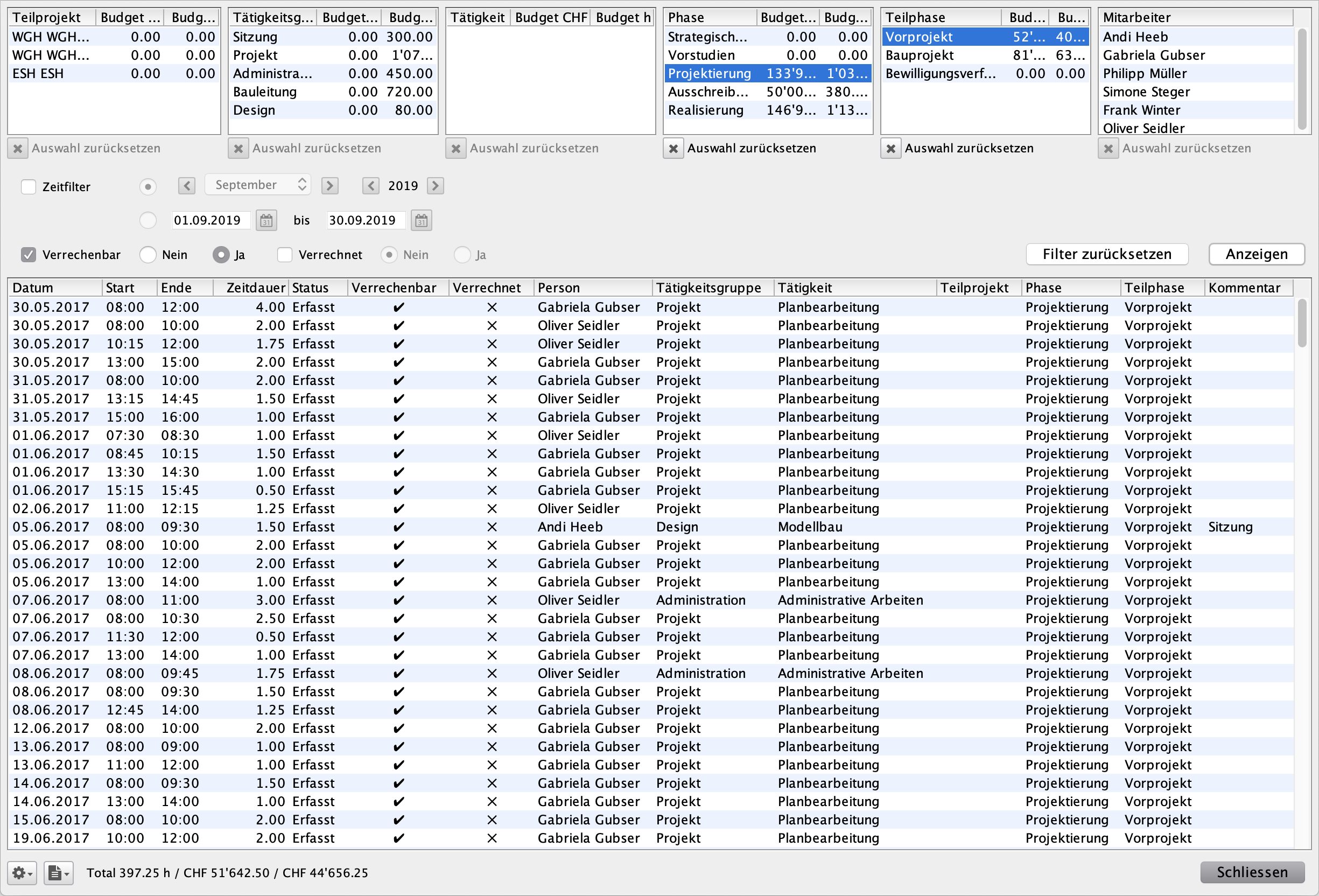
When creating a new project, you specify the activities to which the time entries are to be posted. If selected correctly, employees hardly ever have to write a comment on an hourly entry and the activities help the project management with project controlling. It compares the recorded hours with the phases and sub-phases from the fee contract.


DELTAcontrol offers even more.

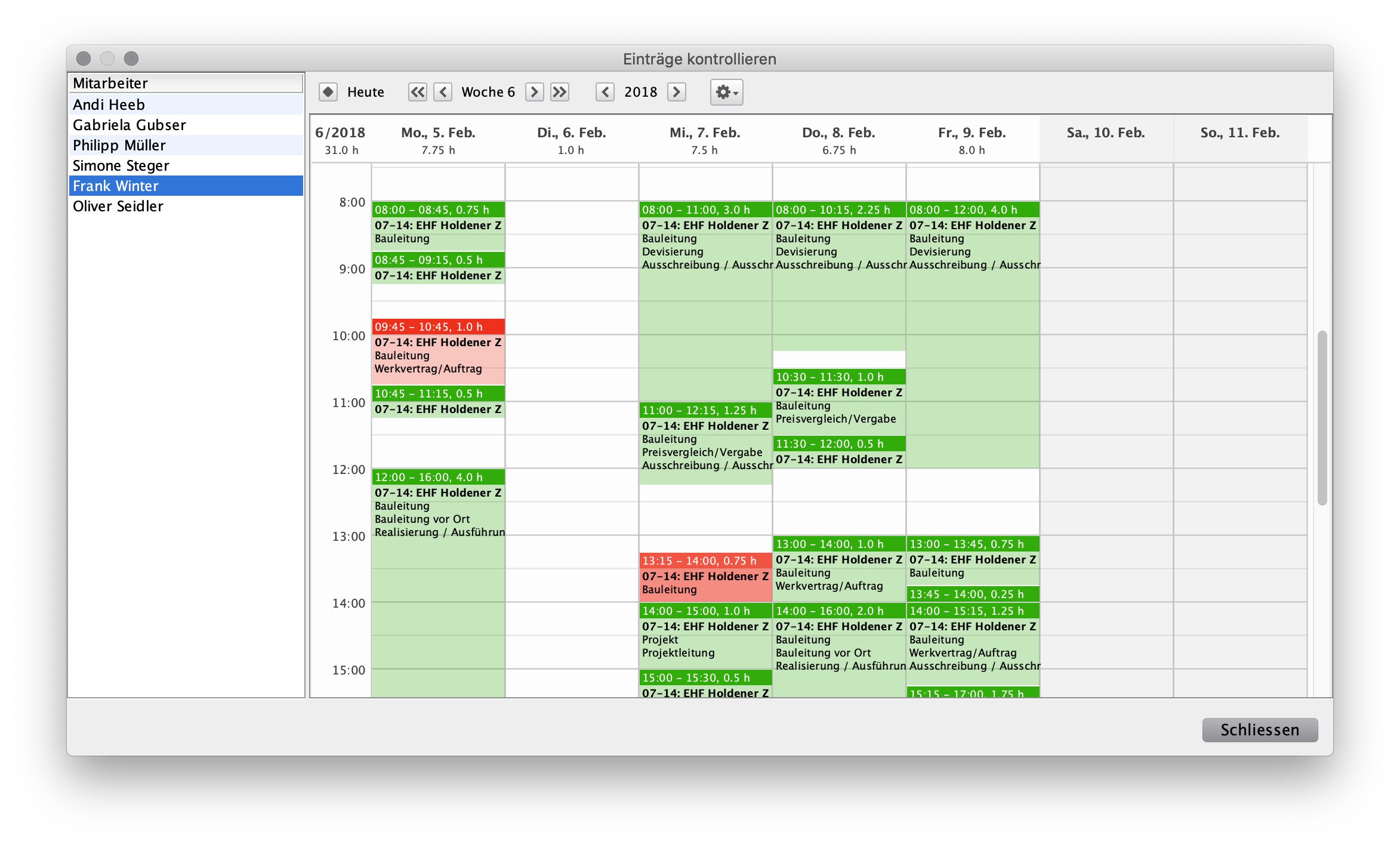
he DELTAcontrol module is specially tailored to the needs of architecture, construction management and engineering firms. The module enables efficient preparation of invoice items and offers project managers a function for approving or rejecting the recorded work. Approved hourly entries can be frozen to prevent subsequent changes. Structured time reports and summaries by employee are also available. The recording and management of external costs and expenses are also seamlessly integrated. #DELTAcontrol


Professional hours controlling in the planning office.
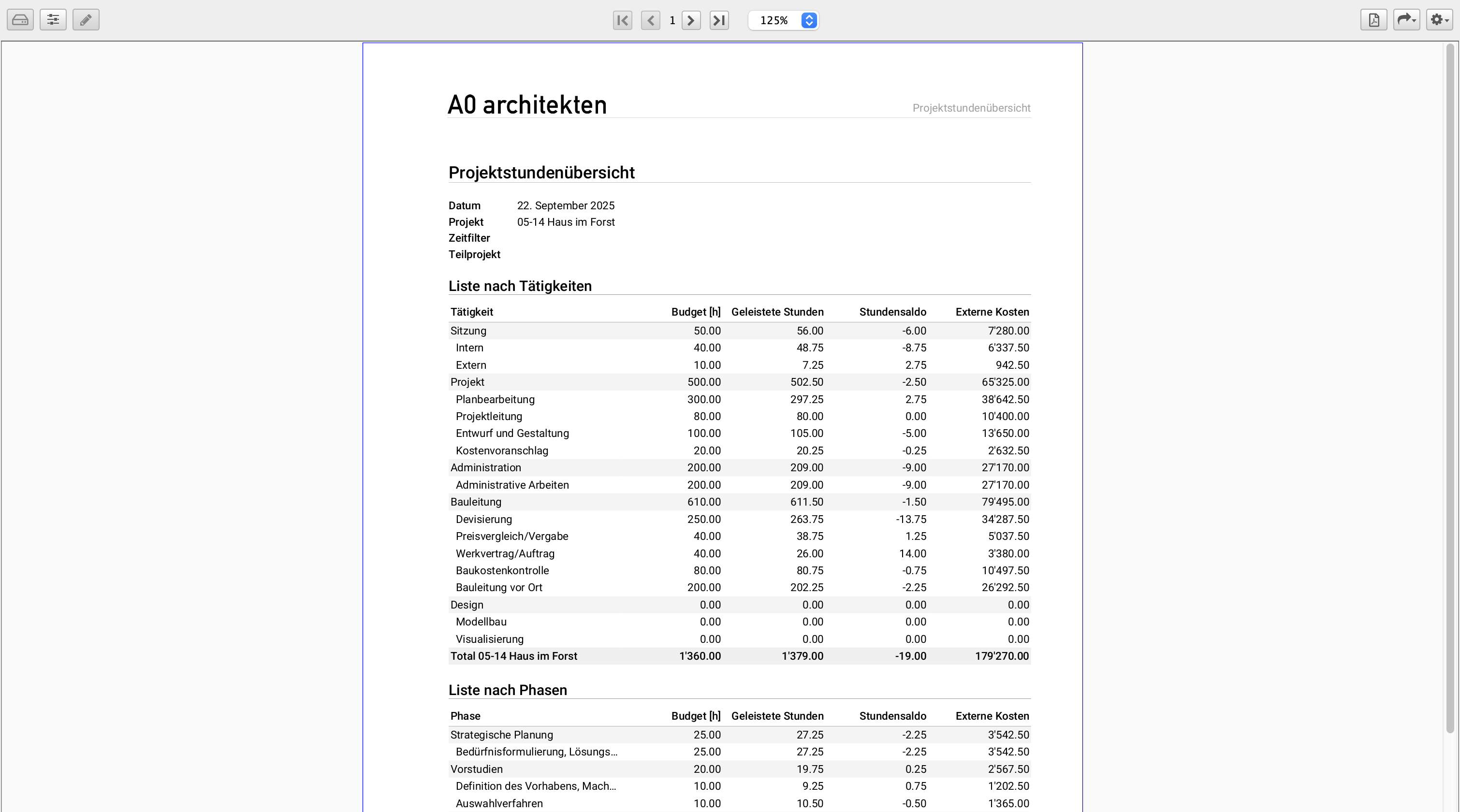
Project managers use DELTAproject to monitor and analyse the hours worked by phase, activity, sub-project and employee in any combination. Powerful filter functions help to immediately create the required documents such as time reports and timesheets as enclosures to the invoice to the client. Comparing the hours worked with the hours budget in the fee contract helps to manage projects in a targeted manner and avoid budget or cost overruns. The invoice items are created from the booked hours and external costs.


Working time recording for the management.

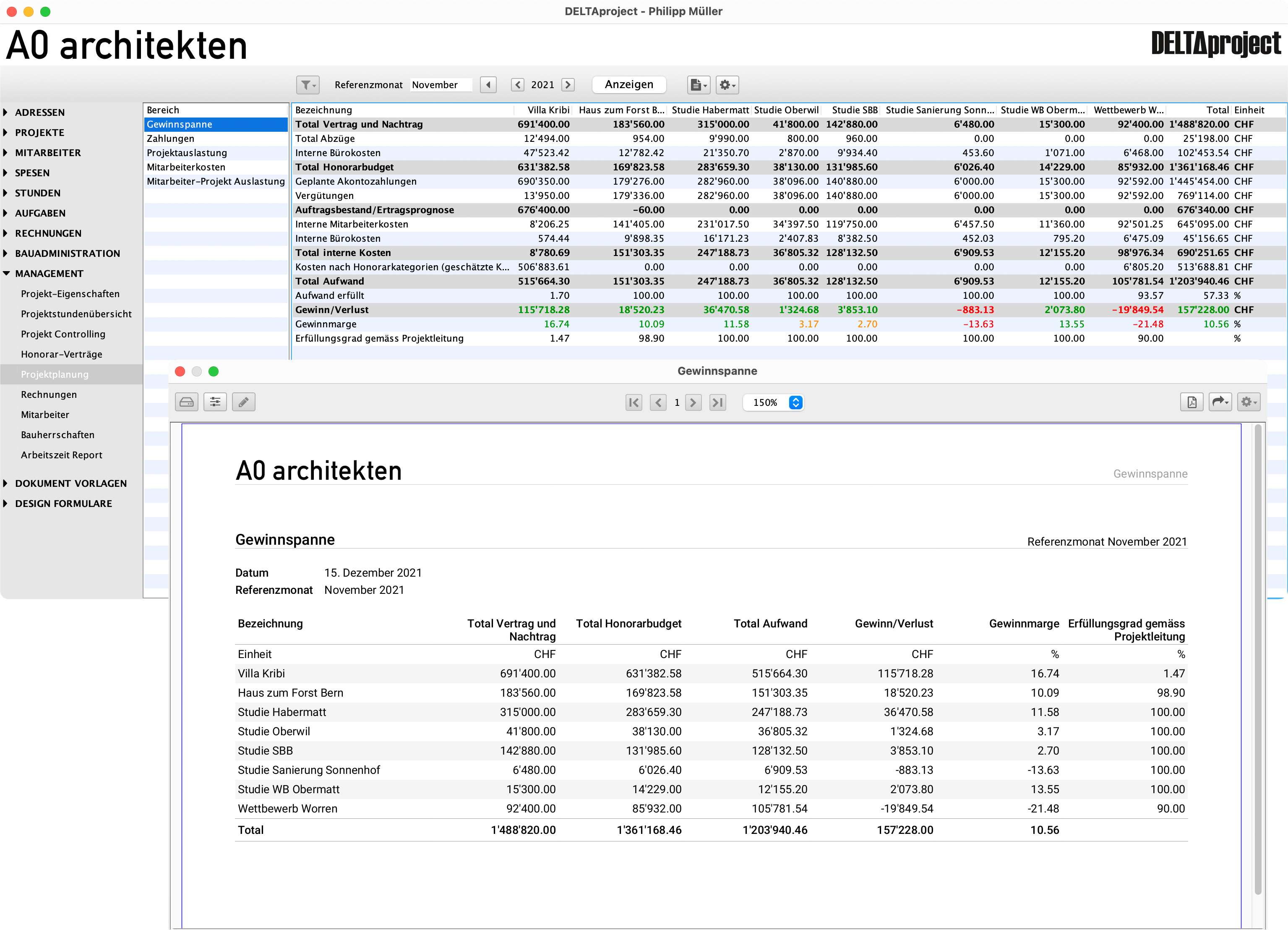
The control functions give management an overview of the hours balance, expense reimbursement and hours worked on all current projects at all times. Comparisons between internal and external costs are displayed for each project and client. Individual projects can be monitored according to activities and phases. #DELTAcontrol

Project effort planning and analysis.

Plan hour budgets and track project success.

With DELTAplanning, you plan and control your projects. Create monthly budgets from fee agreements and allocate team resources effectively. Regularly review internal workload against plans.

Trends and deviations are immediately visible. You always know the project status and profit forecast.

Required modules: #DELTAplanning
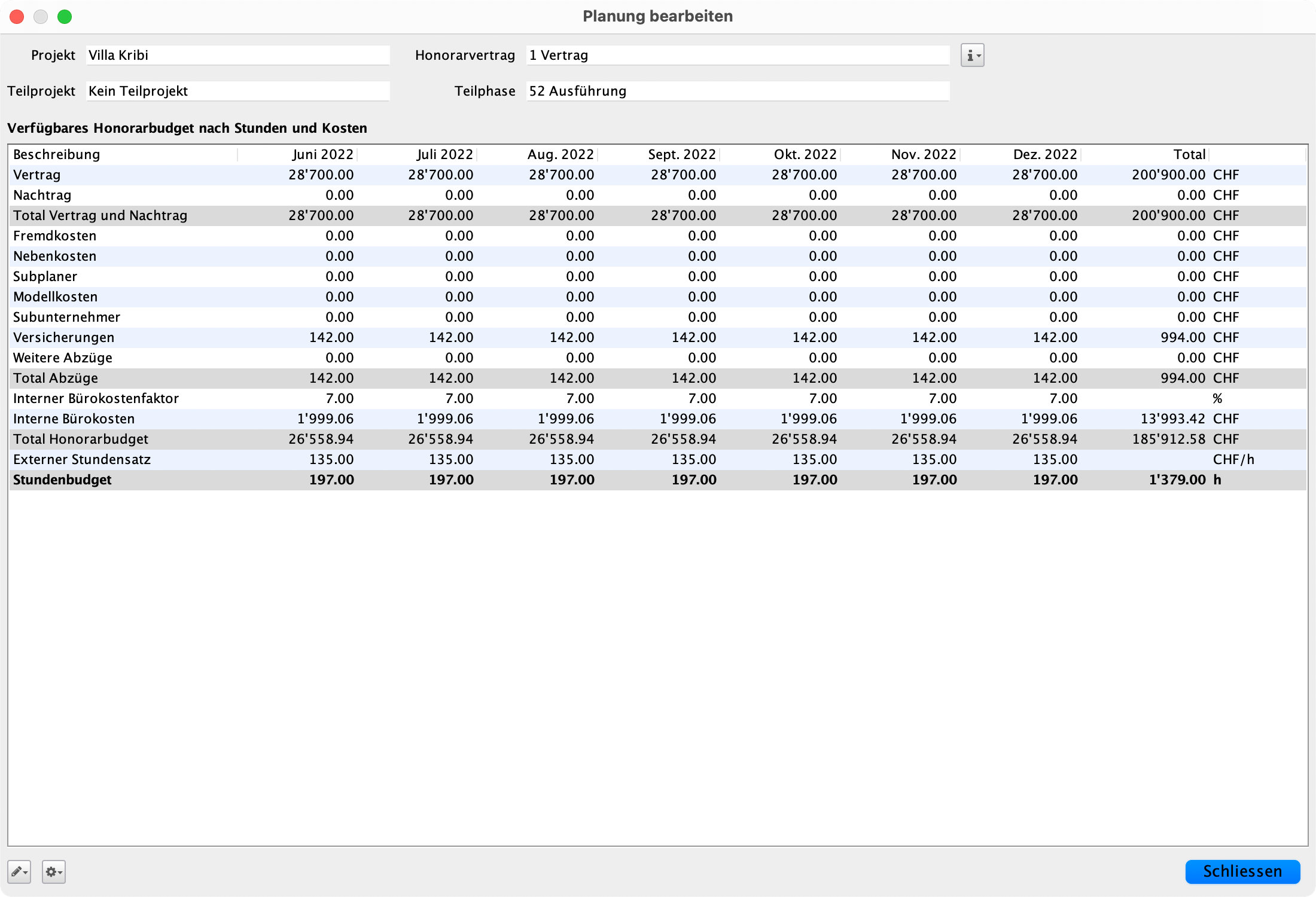

Determination of the hourly budget and the project team.
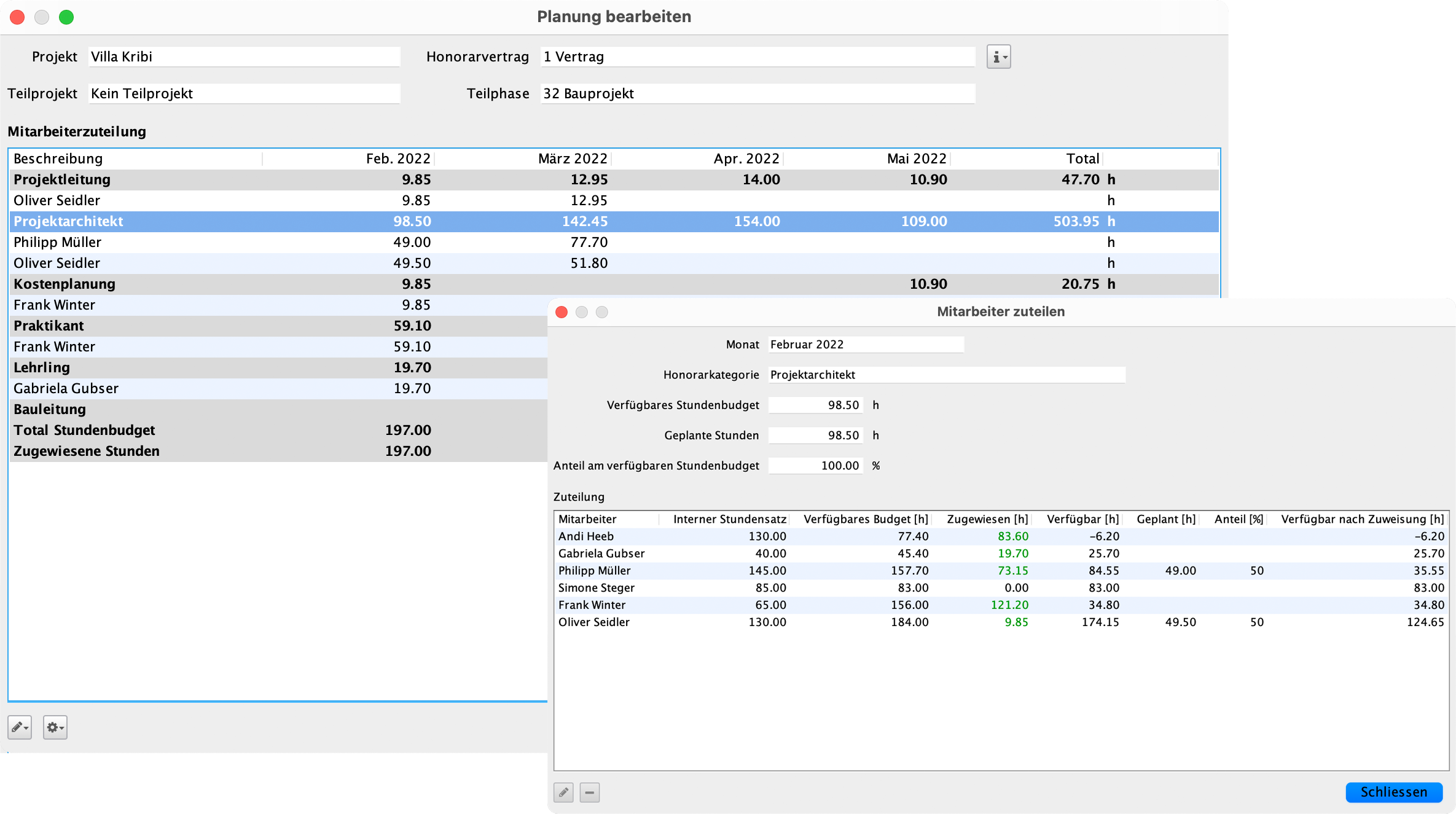
You determine the monthly hourly budget for each sub-phase of the fee contract. Deductions such as ancillary costs or expenses for sub-planners and sub-contractors are included in the calculation. From the calculated hourly budget, you determine an initial forecast of the internal costs of the project with the help of fee types. The resource planning tool supports you in selecting the project team.


DELTAplanning for employees.
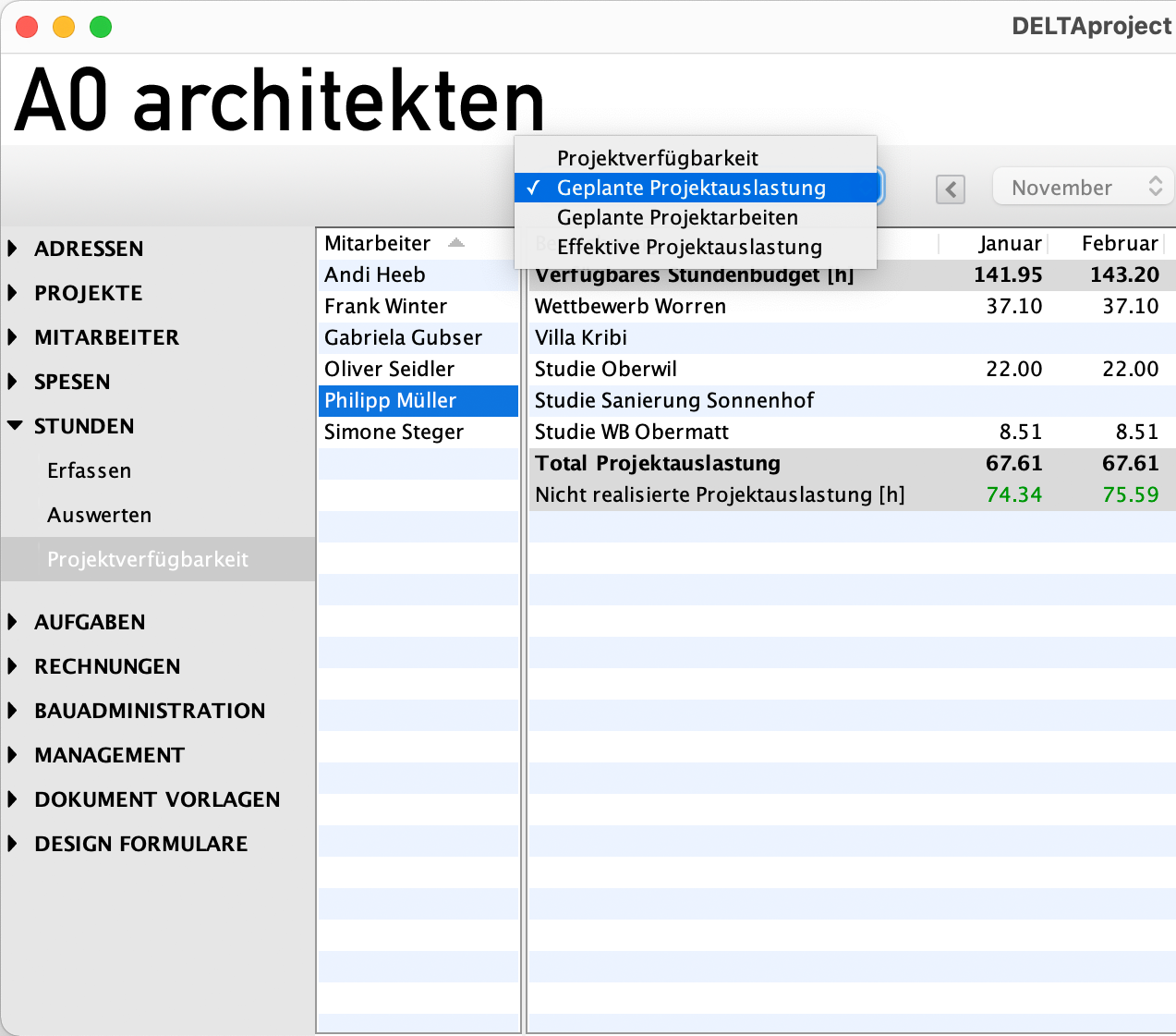
DELTAplanning gives employees a transparent overview of their own work planning. The available hourly budget for project work can be compared with the planned workload, so you always have an overview of your own capacities. Planned project work and absences are clearly displayed. Employees can also see how many hours have been worked on each project – for targeted and efficient self-organisation.


Deployment of employees according to availability.
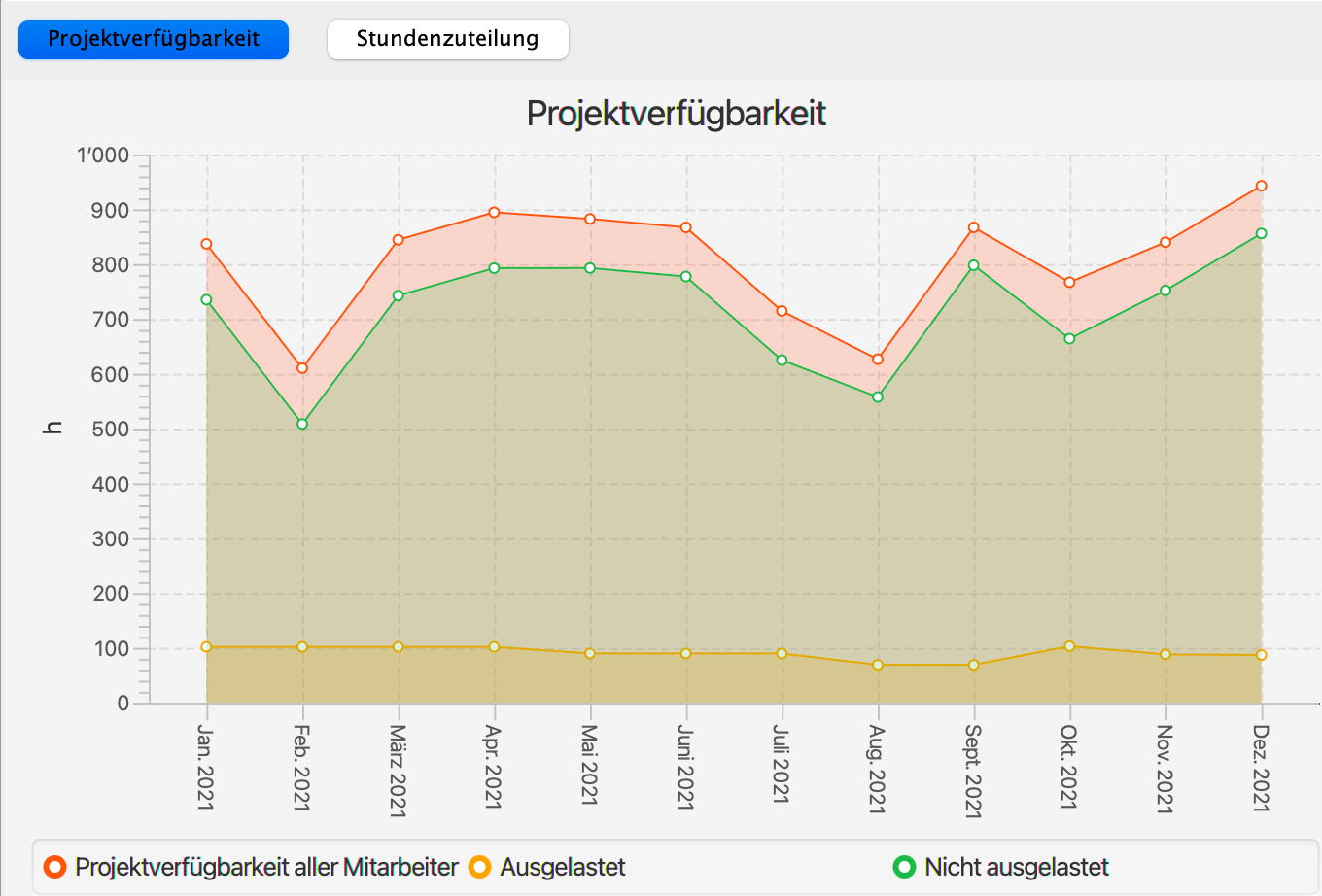
You refine the planning on an ongoing basis by assigning employees to the project month by month according to their availability. At the same time, you distribute the work among the employees. The available hourly budget, the hours already allocated and the planned hours are displayed for each employee. The values calculated with the resource planning tool can also be called up as a proposal. This helps you to avoid unnecessary overtime in the office.


Project status.
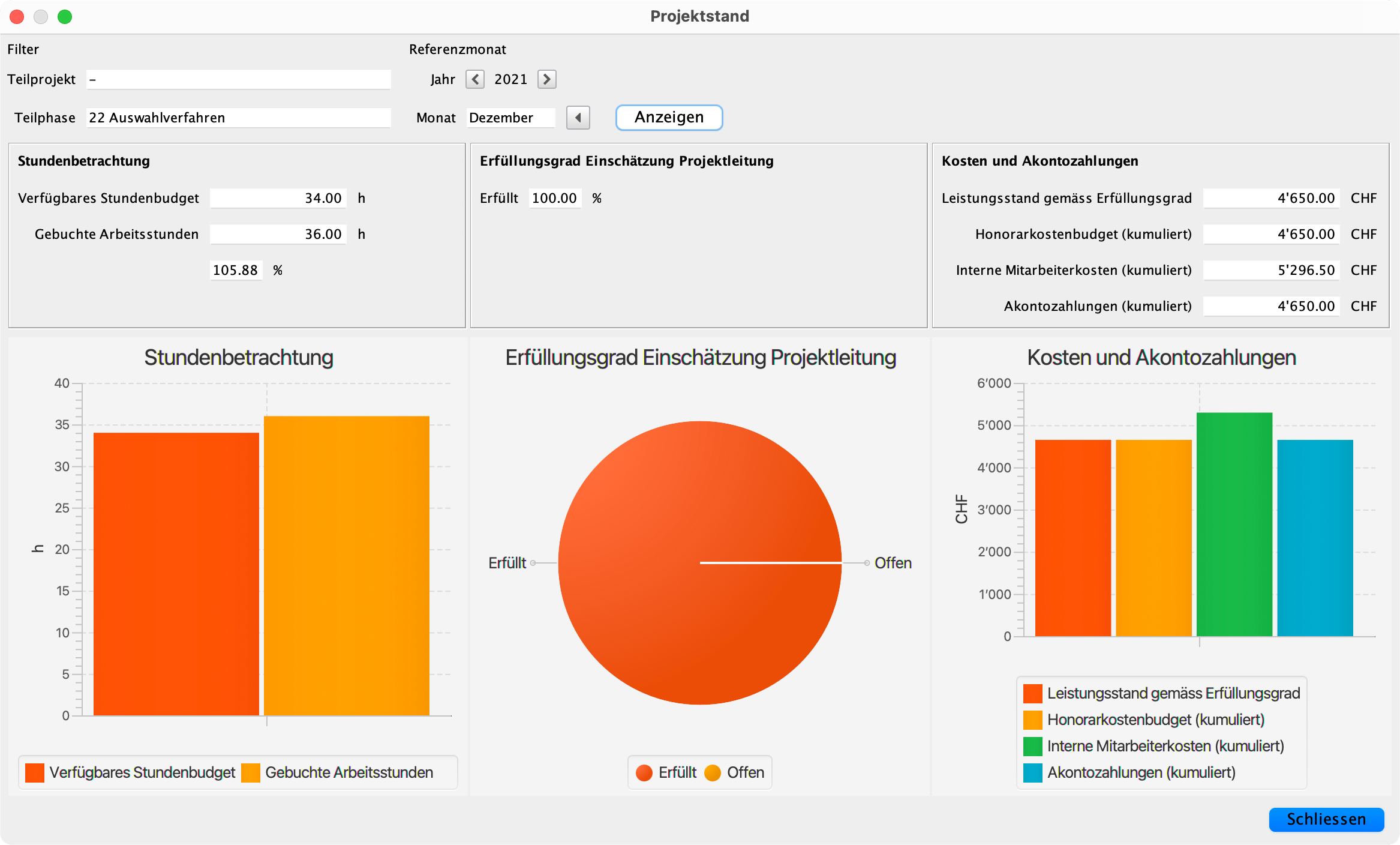
The project status shows the available hourly budget and the booked working hours of the employees. You can compare these figures with the planned payments on account and the internal personnel costs. This allows you to see the most important key figures for your project each month.


Forecast income, expenses and profit.
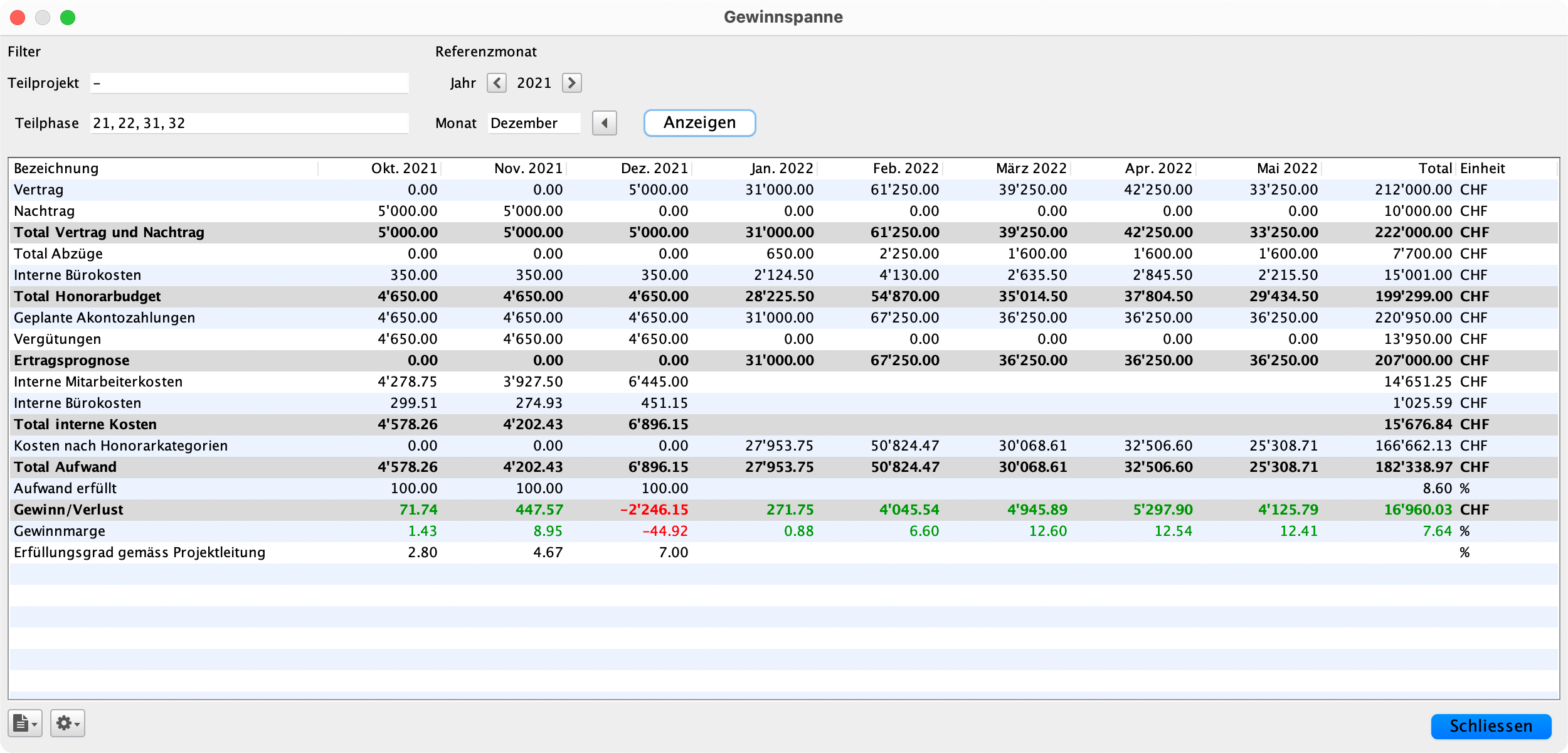
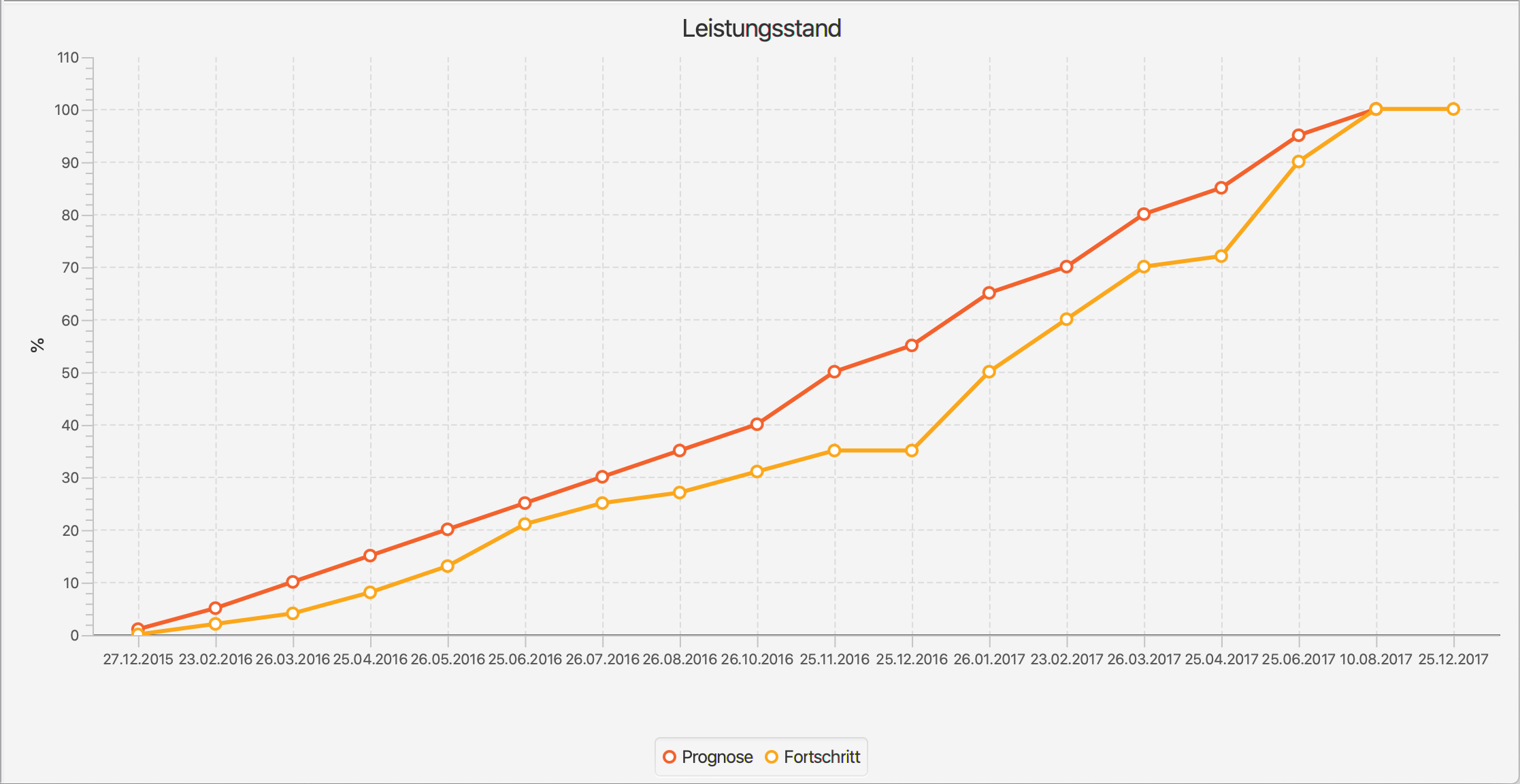
DELTAplanning allows you to compare the fee budget with the income and internal costs up to the desired cut-off date on a monthly basis. From this month onwards, future expenses are estimated by fee type and included in the forecast. You receive a statement about the profit and contribution margin of your project. The work progress estimated by the project manager serves as a benchmark.


Project evaluation by sub-phases and over the course of the project.
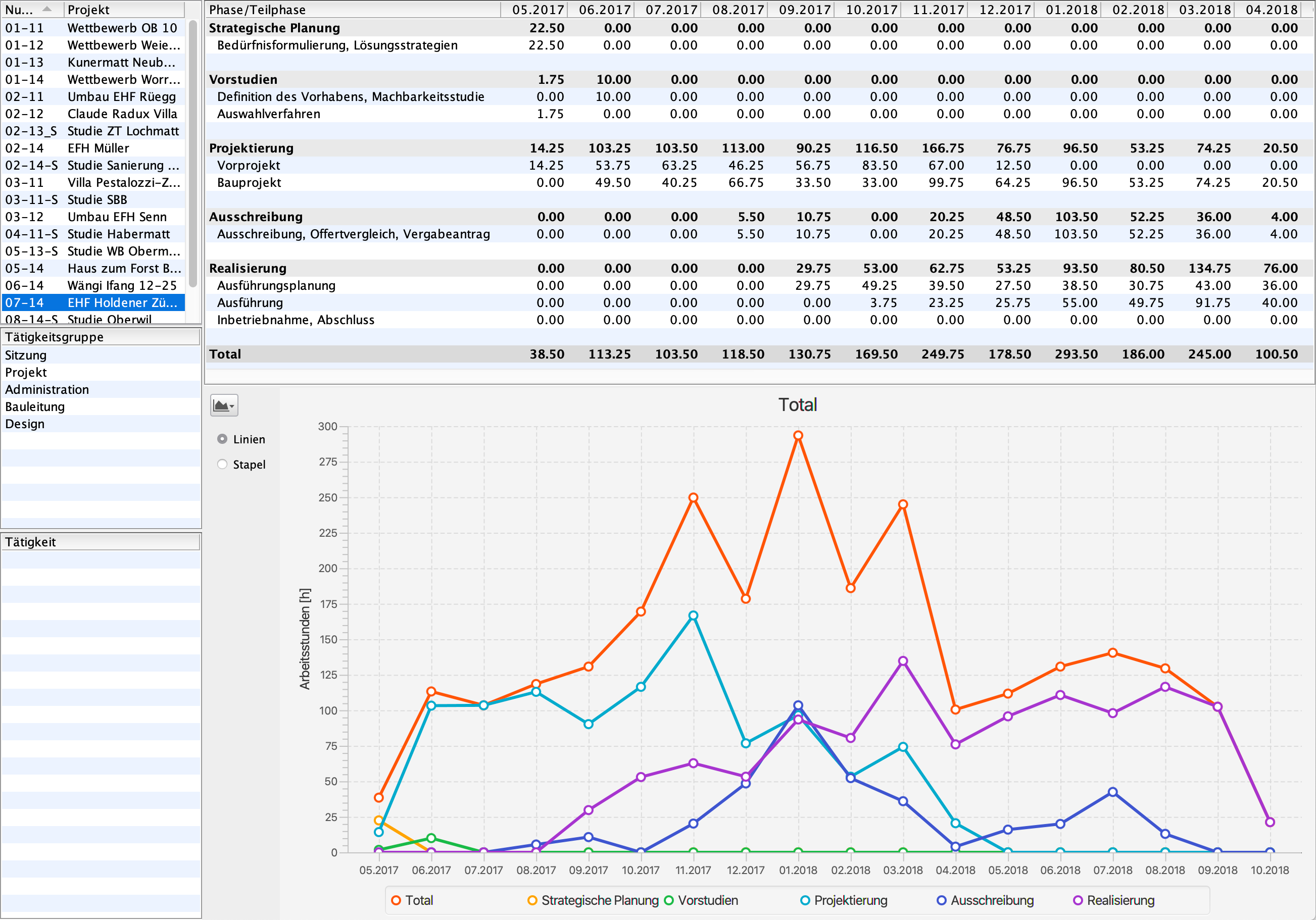
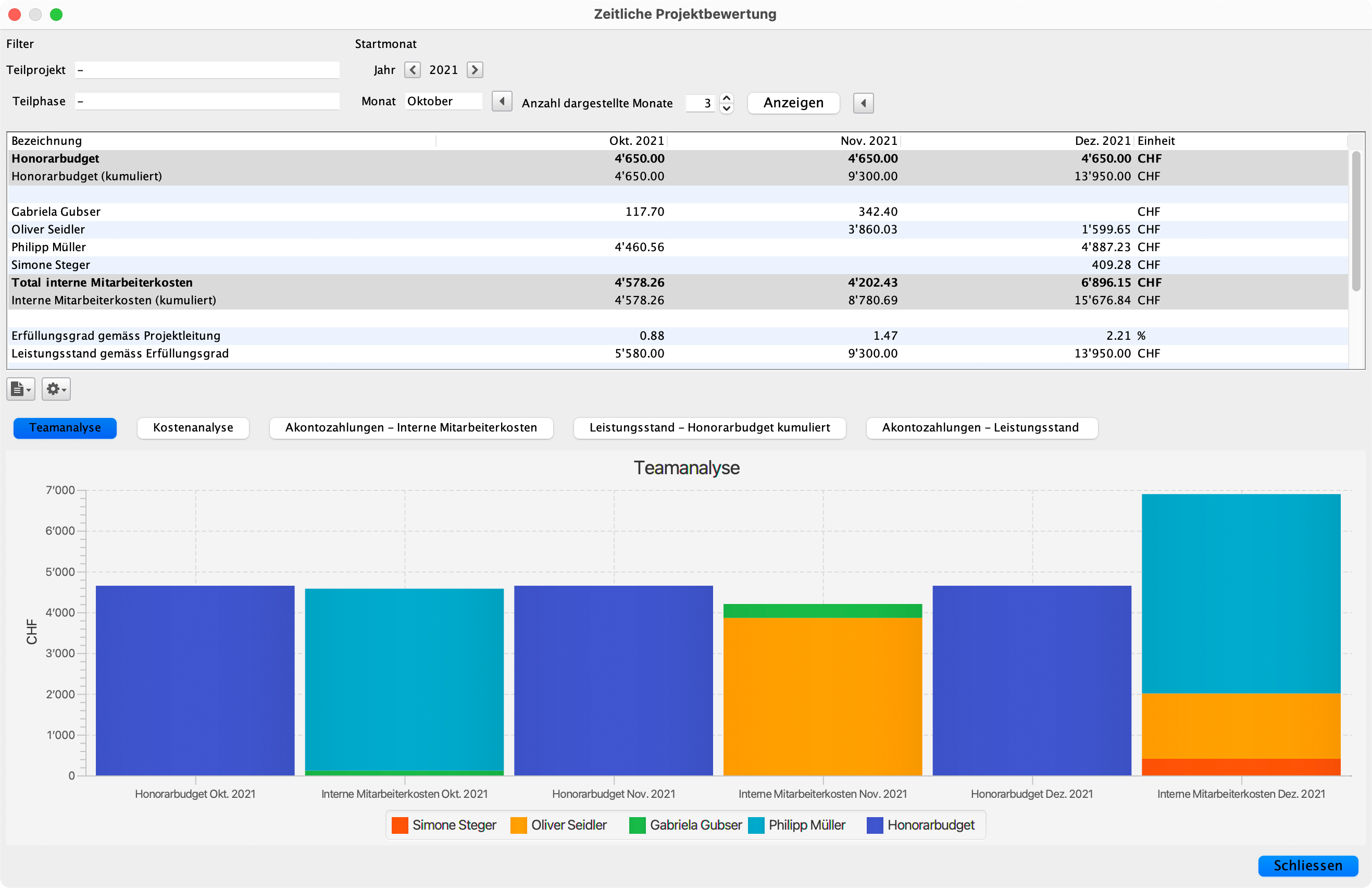
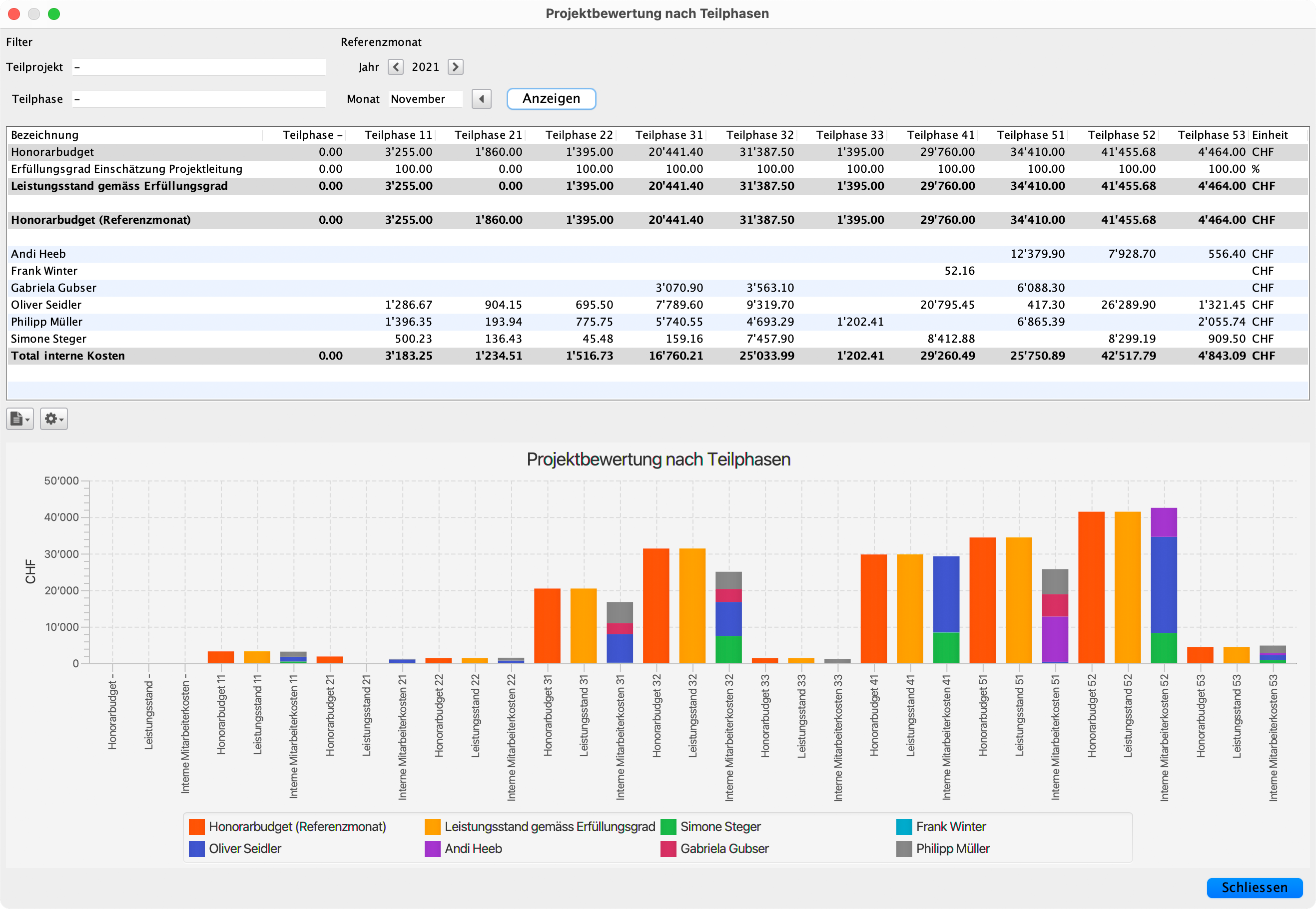
Based on the monthly planning, you compare the budget targets and the internal costs over the course of the project. It doesn't matter whether you are looking at just one sub-phase, several sub-phases together or the entire project. This allows you to react quickly to deviations from the budget targets or the payments on account received. You can also recognise whether you have deployed your team correctly.


More control and transparency for project managers.
The project can be analysed by sub-phases or by time, and the performance status is reported and monitored on a monthly basis. This allows the project manager to keep track of project progress at all times. They can also compare the fee budget with the internal expenditure and thus react to deviations at an early stage. Detailed planning by sub-project is also optimally supported.


Contribution margin for the company.
You gain an overall picture of your office from the individual project plans. You focus on the forecast and contribution margin of current projects and take a look at the utilisation and availability of employees from time to time. In this way, you avoid unnecessary overtime for your employees and have clarity about your profit.


Dashboard for management.
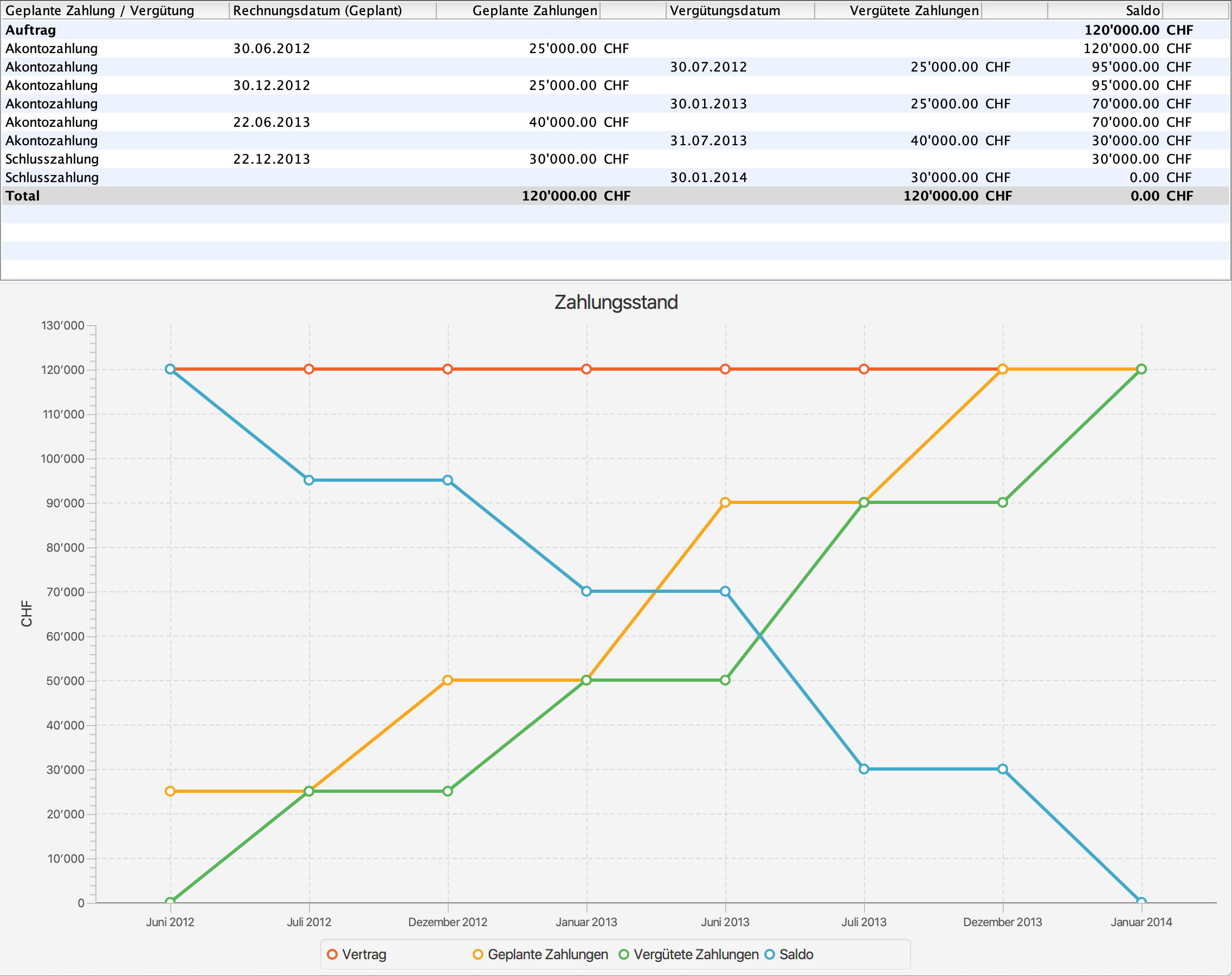
DELTAplanning allows management to keep track of all ongoing projects at all times. Centralised monitoring enables project progress to be monitored in real time. Planned payments on account and remuneration can be clearly viewed across all projects. In addition, the system provides a clear overview of the project availability and hourly utilisation of all employees. Internal personnel costs arising from unrealised project utilisation are also displayed transparently – for well-founded decisions and optimal resource planning.

Fee agreements and invoices.

Architect fee calculation and invoice planning.

Calculate your fee based on actual time or construction costs. Generate payment schedules and prepare invoices. Compare incoming payments against actual time and project progress.

With DELTAfaktura, you create invoices at the click of a button, including QR codes for printing.

Required modules: #DELTAhonorar, #DELTAfaktura
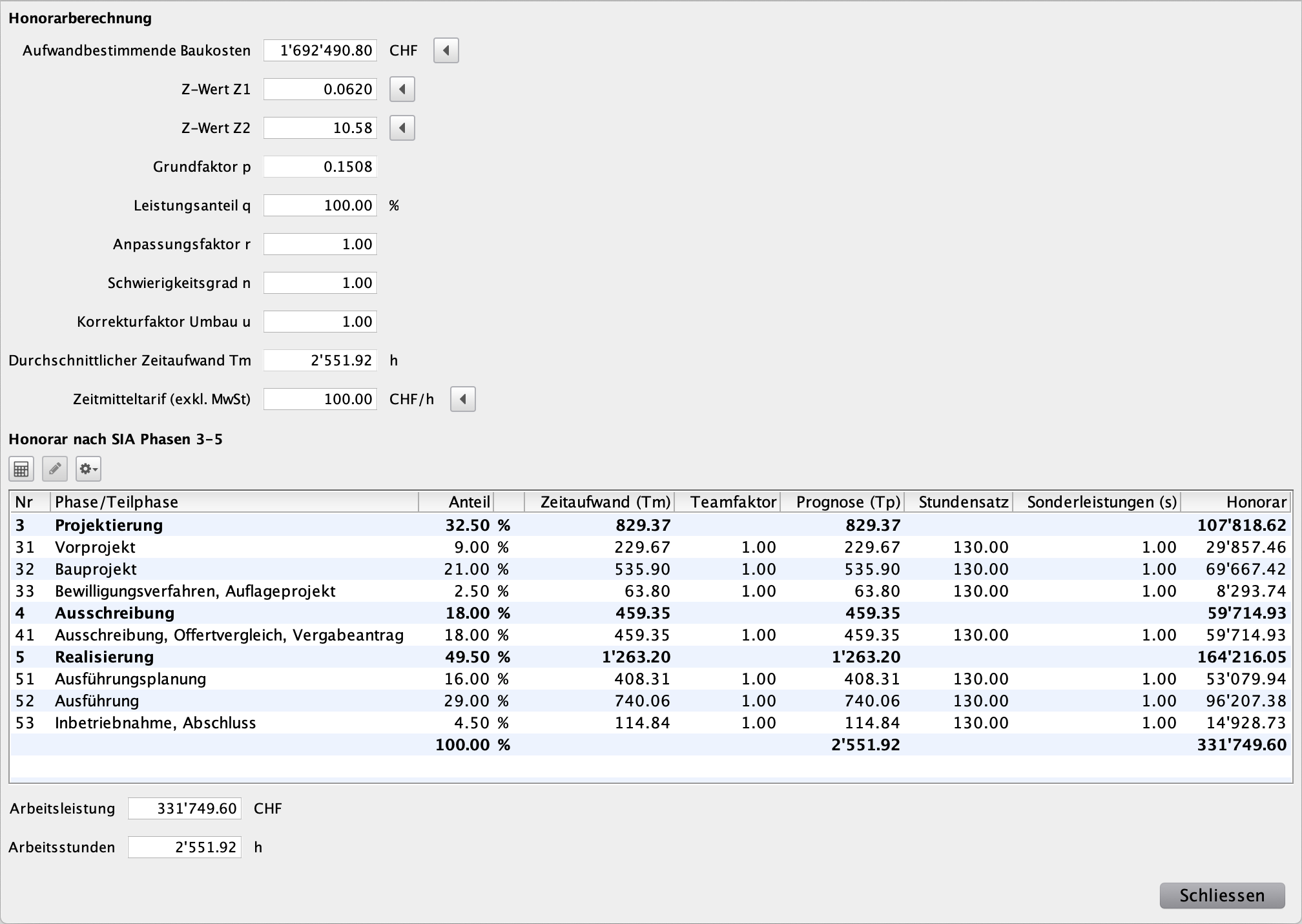

Calculation of fees.
DELTAhonorar simplifies your fee calculation. You can directly transfer the fee-entitled construction sum from the cost estimate for the planned construction project. You calculate the fee according to the actual expenditure or according to the construction costs. You create the fee contract from the calculation. The calculated labour and ancillary costs serve as budget specifications for the project work.


Management of planners and sub-planners.
In DELTAhonorar, you manage the contracts of planners and sub-planners with the planned payments and fees. This allows you to keep track of outstanding payments at all times.


Review of the payment status.
The management compares the payments received with the planned payments for each contract, ensuring an overview of the payment status of the projects.


Even more in DELTAhonorar.
DELTAhonorar offers powerful features for precise project controlling. Comparing forecasted and actual performance enables a realistic assessment of project progress. Ancillary costs can be calculated in detail and integrated into the fee invoicing. Overviews of due payments and fees support financial management. In addition, DELTAhonorar shows the performance status in relation to payments received and the actual effort delivered – for maximum transparency and control over the fee budget.


Fee invoices.
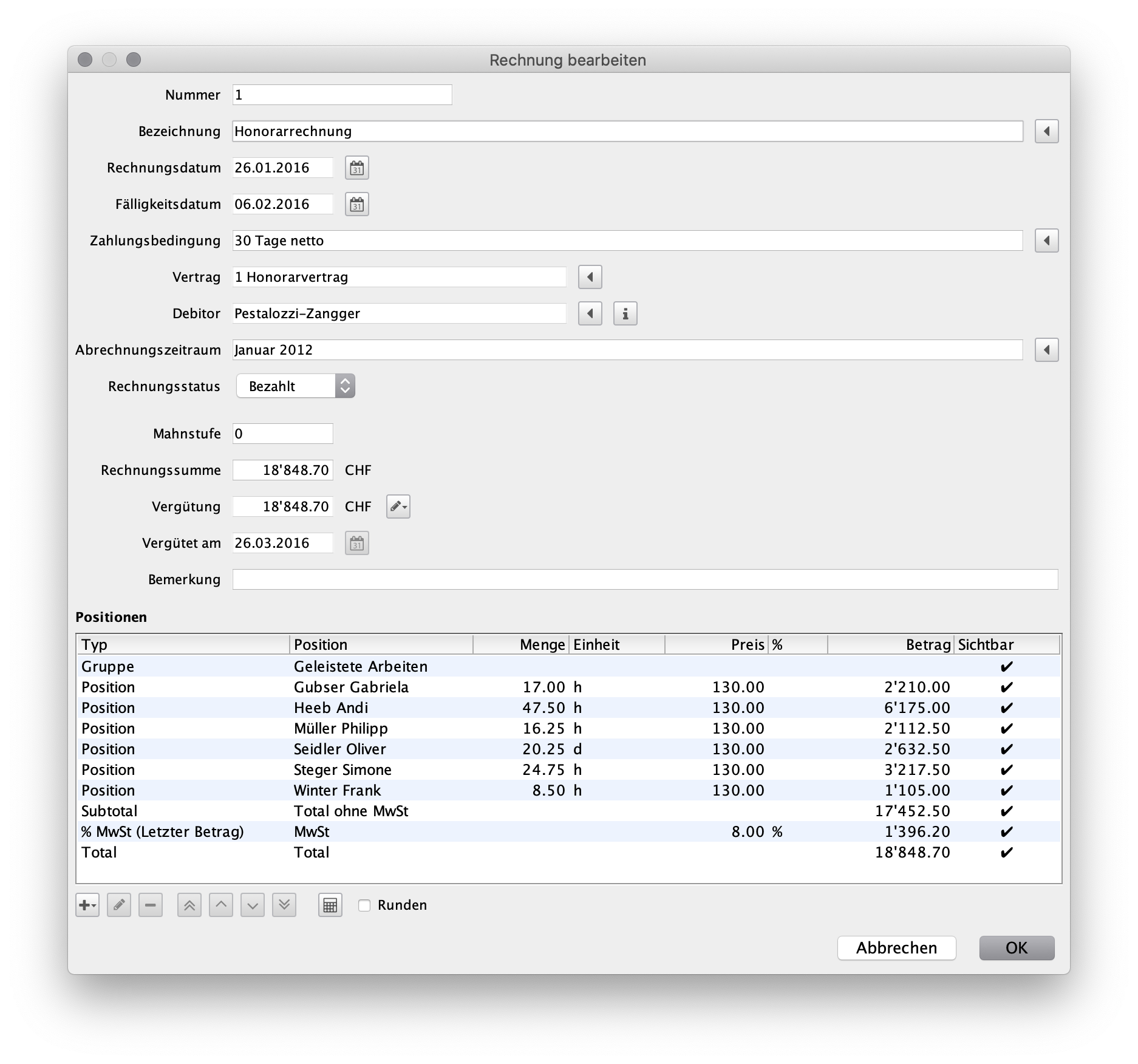
After concluding the fee agreement, you prepare the invoices in DELTAfaktura. The management continuously sends the planned invoices to your clients and monitors incoming payments. Senior management has full control at all times over all planned, paid and outstanding invoices. For any chosen period, you can list all invoices, set a cut-off date, and immediately see which invoices have been paid by that date and which are still outstanding.


Creating QR invoices.
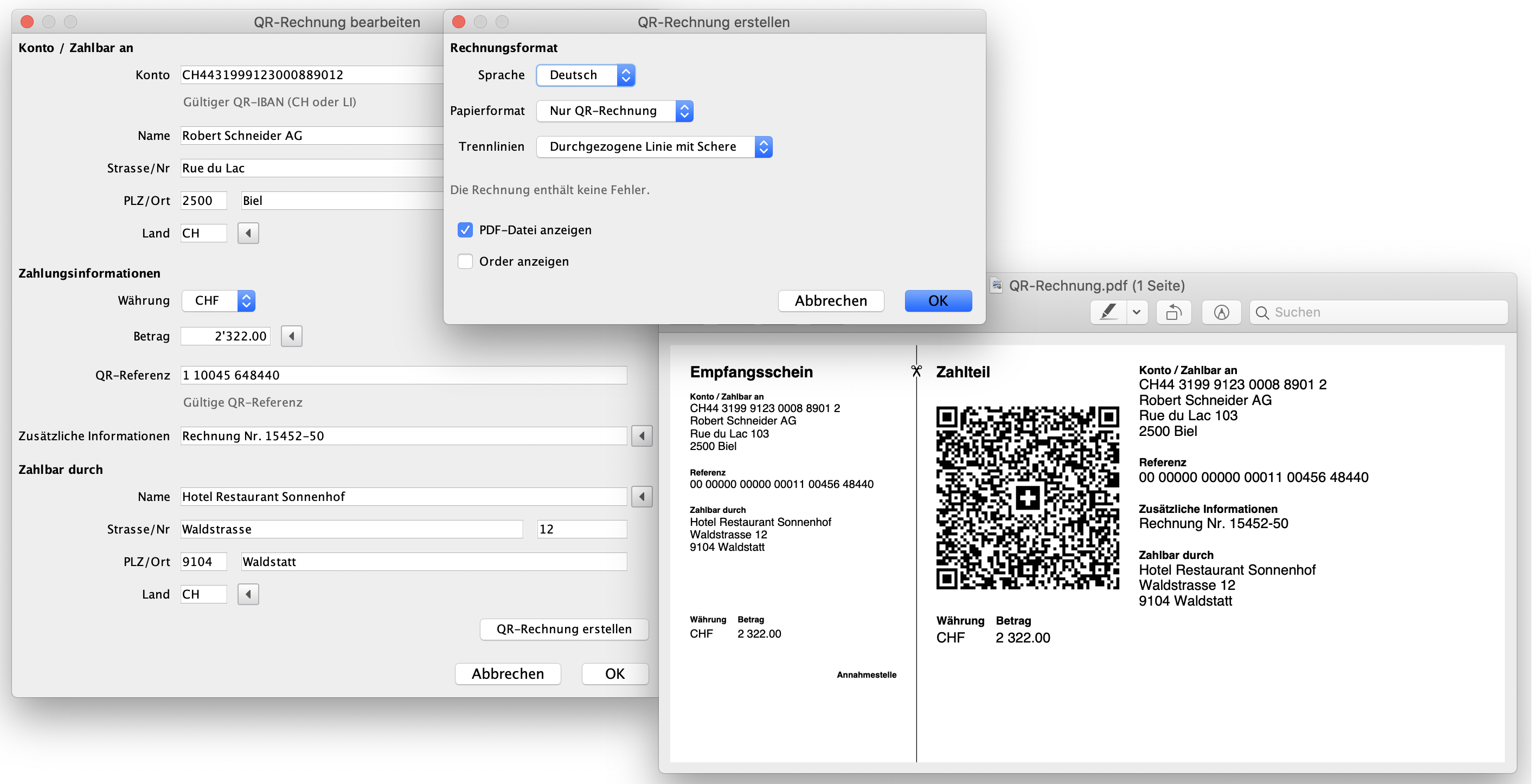
For each fee invoice, you can use DELTAfaktura to generate a PDF file with the corresponding QR invoice. The central element is the QR code, which contains all invoice and payment information. The payment slip consists of a receipt section and a payment section. Four languages and several options are available for the output format.


Even more in DELTAfaktura.

DELTAfaktura offers comprehensive features for efficient invoice management. Both fee invoices and ad hoc invoices can be created flexibly. An integrated calculation scheme supports the precise definition of invoice items. An invoice control function is available for administration, providing a clear overview of all processes. In addition, there is a clear list of all planned, sent, unpaid and paid invoices. Invoice balances can be analysed by invoice date, payment date and due date – for maximum transparency in financial management. #DELTAfaktura

SIA-compliant business metrics.

Always in control of workforce productivity.

DELTAreport calculates key performance indicators from staff time entries, distinguishing billable and non-billable hours, and displays workload statistics. These metrics enhance transparency of effort and support financial management in planning offices.

Required modules: #DELTAreport
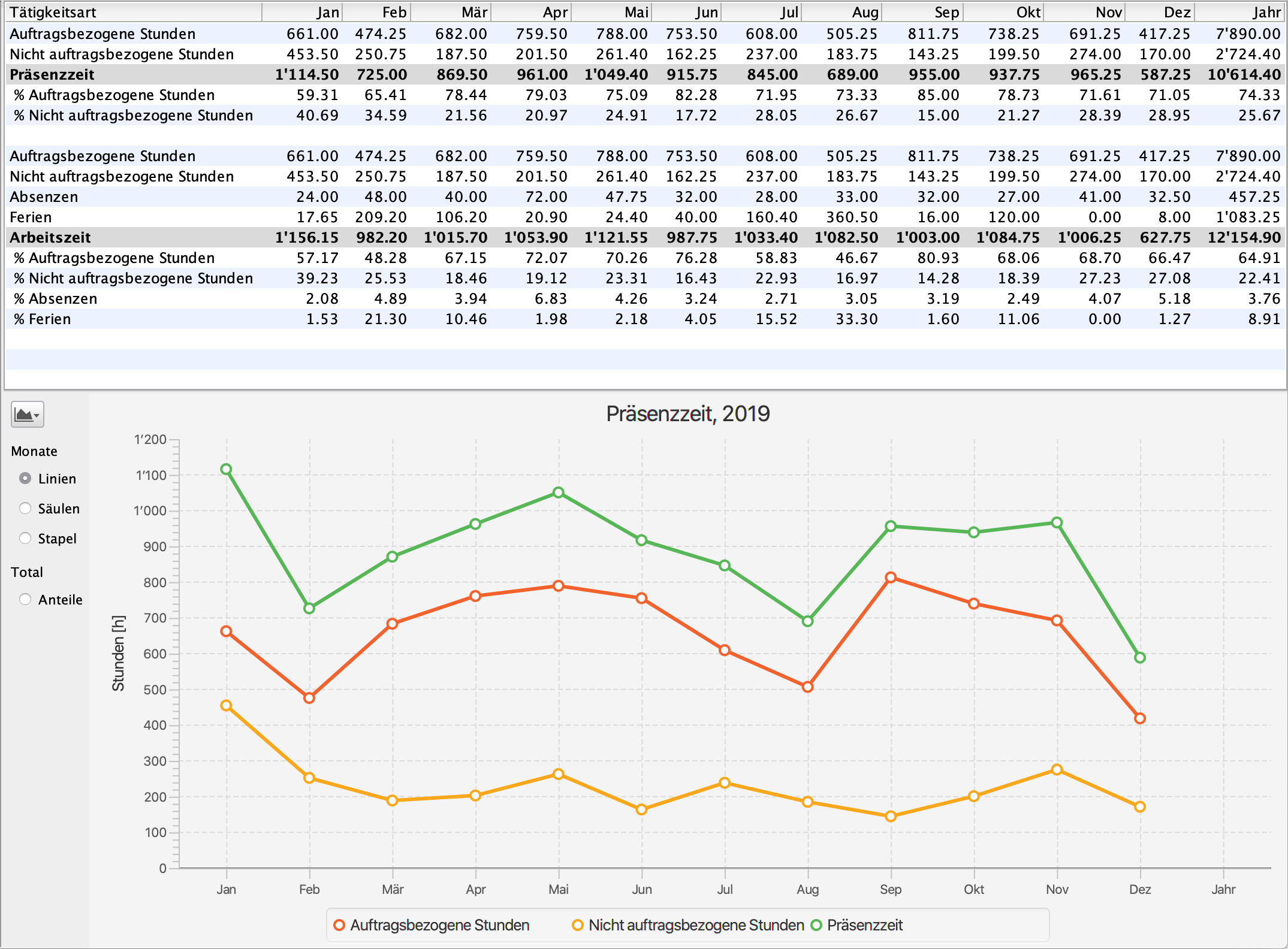

Productivity in the planning office.
The recorded working hours are used to monitor compliance with your employees’ weekly working hours as well as adherence to and control of the hour budgets per SIA phase of ongoing projects. A third view additionally provides important information on the productivity of your office.


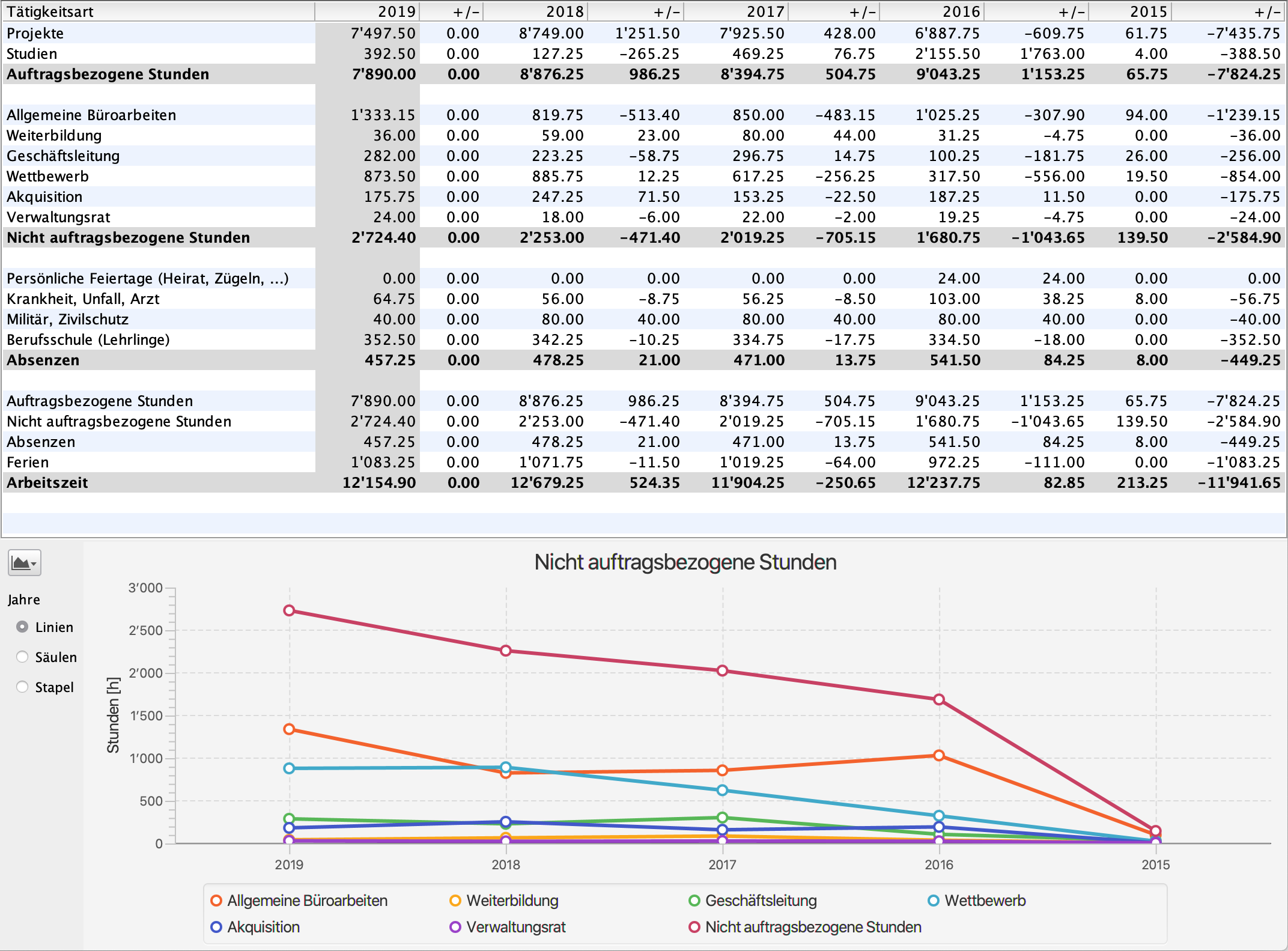
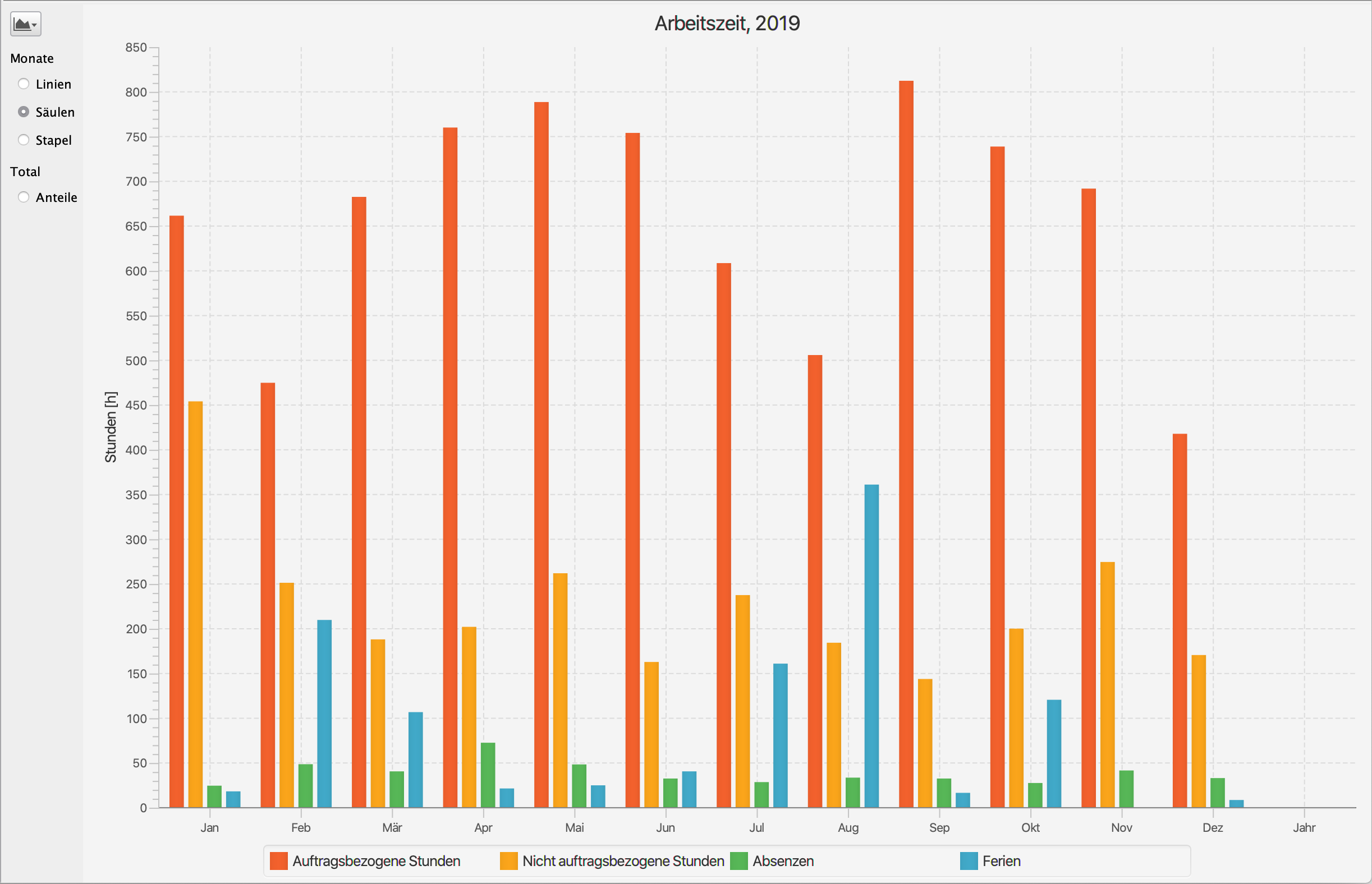
Non-project-related activities in annual comparison.
Operational key figures only gain their full significance when compared over time. You can compare your office’s key figures with the SIA’s biennial Survey of Operational Key Figures and see how you perform in comparison with other planning offices.


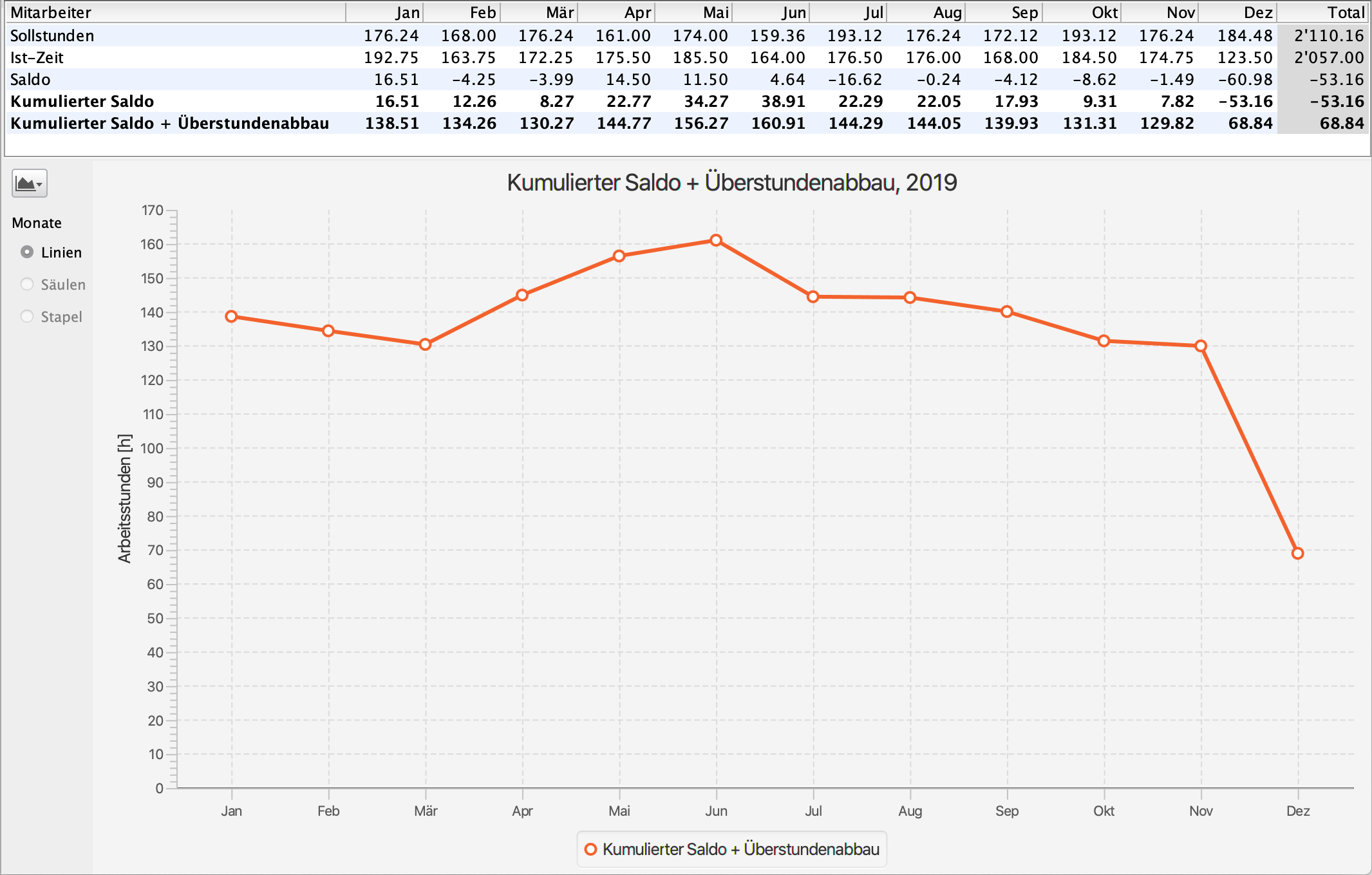
Monitoring overtime.
In architectural, construction management and engineering offices, weekly working hours cannot always be adhered to exactly due to project requirements. Overtime is often accumulated and must be reduced in the following year. It is therefore all the more important to monitor the reduction and identify trends at an early stage, so that overtime does not get out of balance over the years.


DELTAreport offers even more.
DELTAreport provides extensive evaluation options for well-founded analyses and decisions. Projects and activities can be analysed per calendar year – with comparisons over up to ten years. Thanks to the well-designed classification of activities, no additional input is required from employees during time recording: they simply record their working hours, while all relevant evaluations are generated automatically. Clearly presented charts provide a quick and clear overview of trends and correlations.

Construction administration.

Modern construction management.

Most architects, engineers and site managers now use professional software for construction administration. Legally compliant bills of quantities are created exclusively using NPK. SIA451 has become the standard format for data exchange. eBKP is gaining importance through BIM. DELTAproject’s construction administration is based on CRB standards and runs on macOS and Windows.

Required modules: #DELTAbauad, #DELTAbaucost, #DELTAeBKP, #DELTAdevis
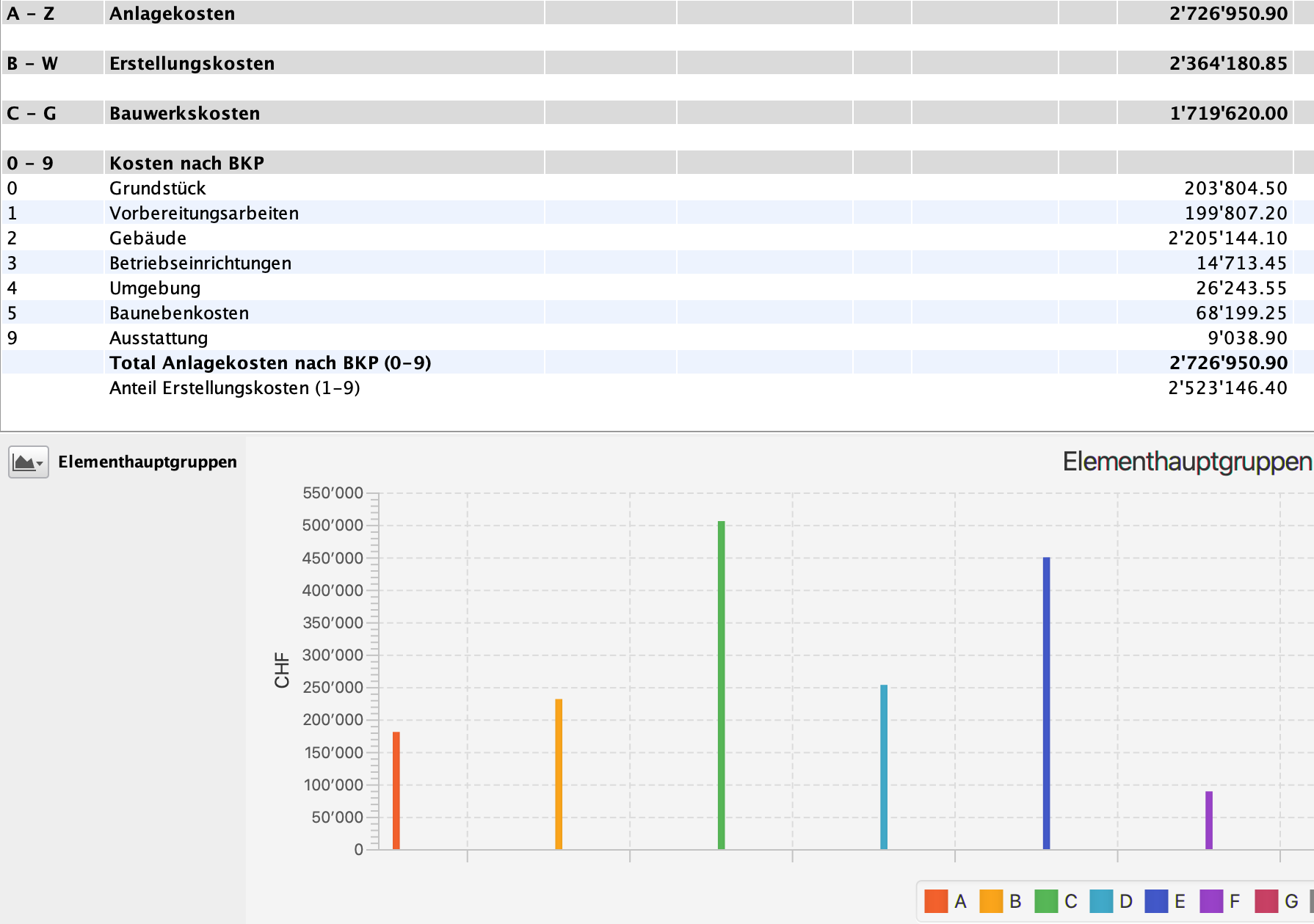

Determination of construction costs.

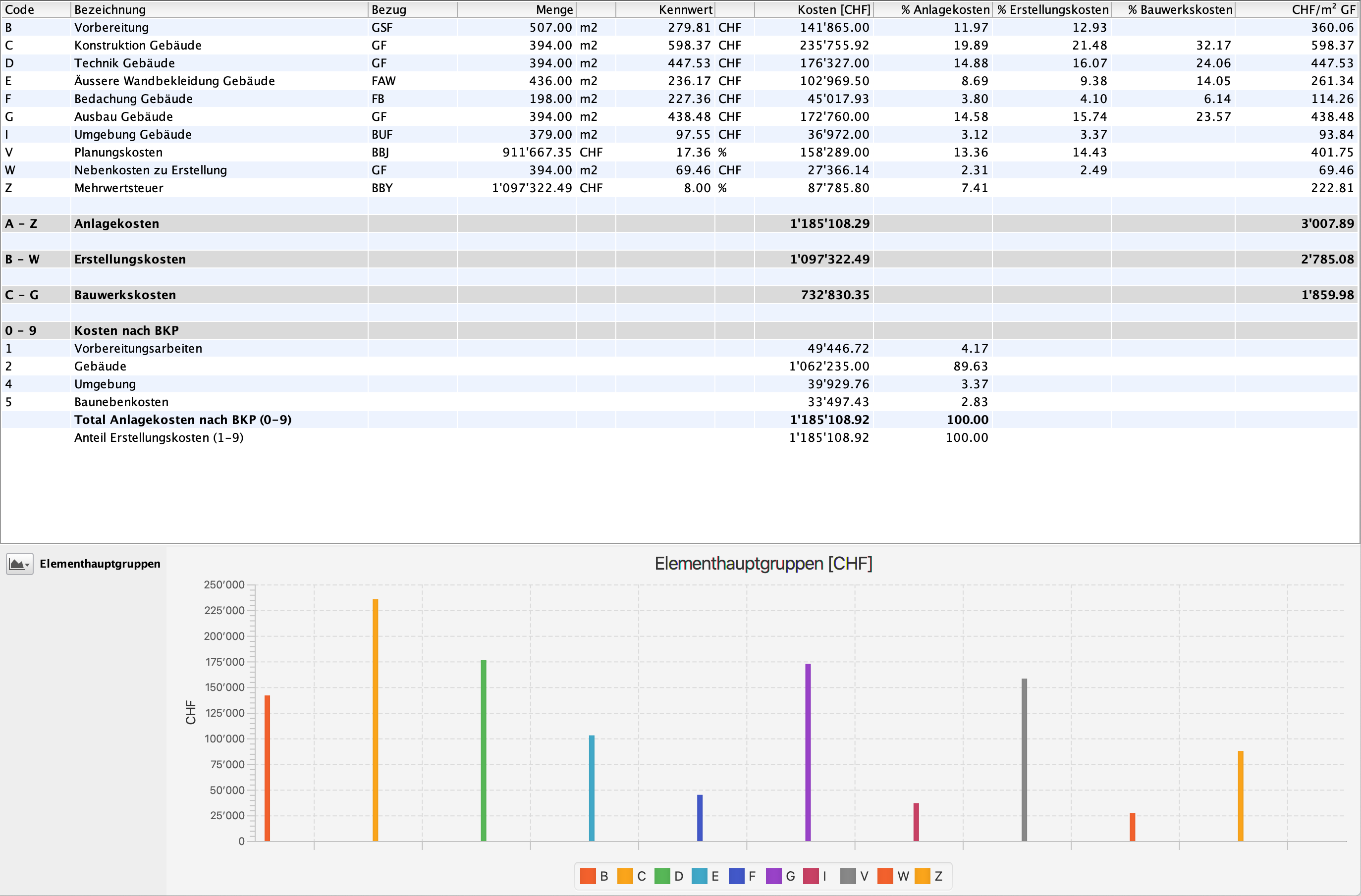
You create cost estimates with the eBKP based on the element method. The eBKP gate links seamlessly to the elements and enables precise cost calculations on the basis of sub-elements and components through to the cost estimate in accordance with BKP. #DELTAebkp


Cost estimate.

When preparing the cost estimate, you calculate the individual trades. At the same time, you create the building specifications and determine the fee rate for the construction sum. #DELTAkv


Tendering and awarding contracts.

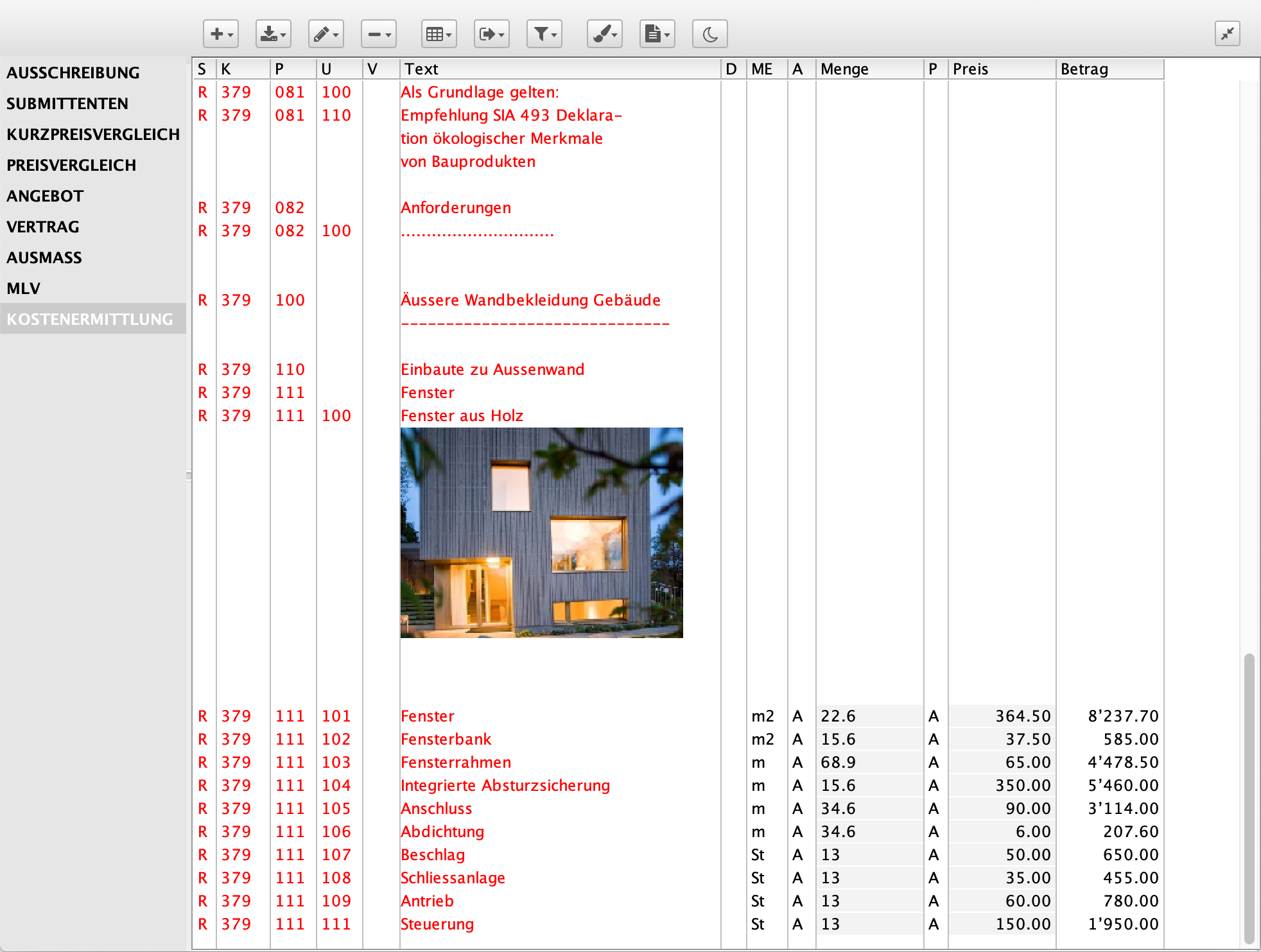
Illustrate tenders with construction details or photos. This creates clarity for the contractors right from the start. After the price comparison and signing of the contract for work, the administration sends the letter of acceptance. The contract for work flows directly into the construction accounting system. #DELTAdevis


Control of the construction costs.

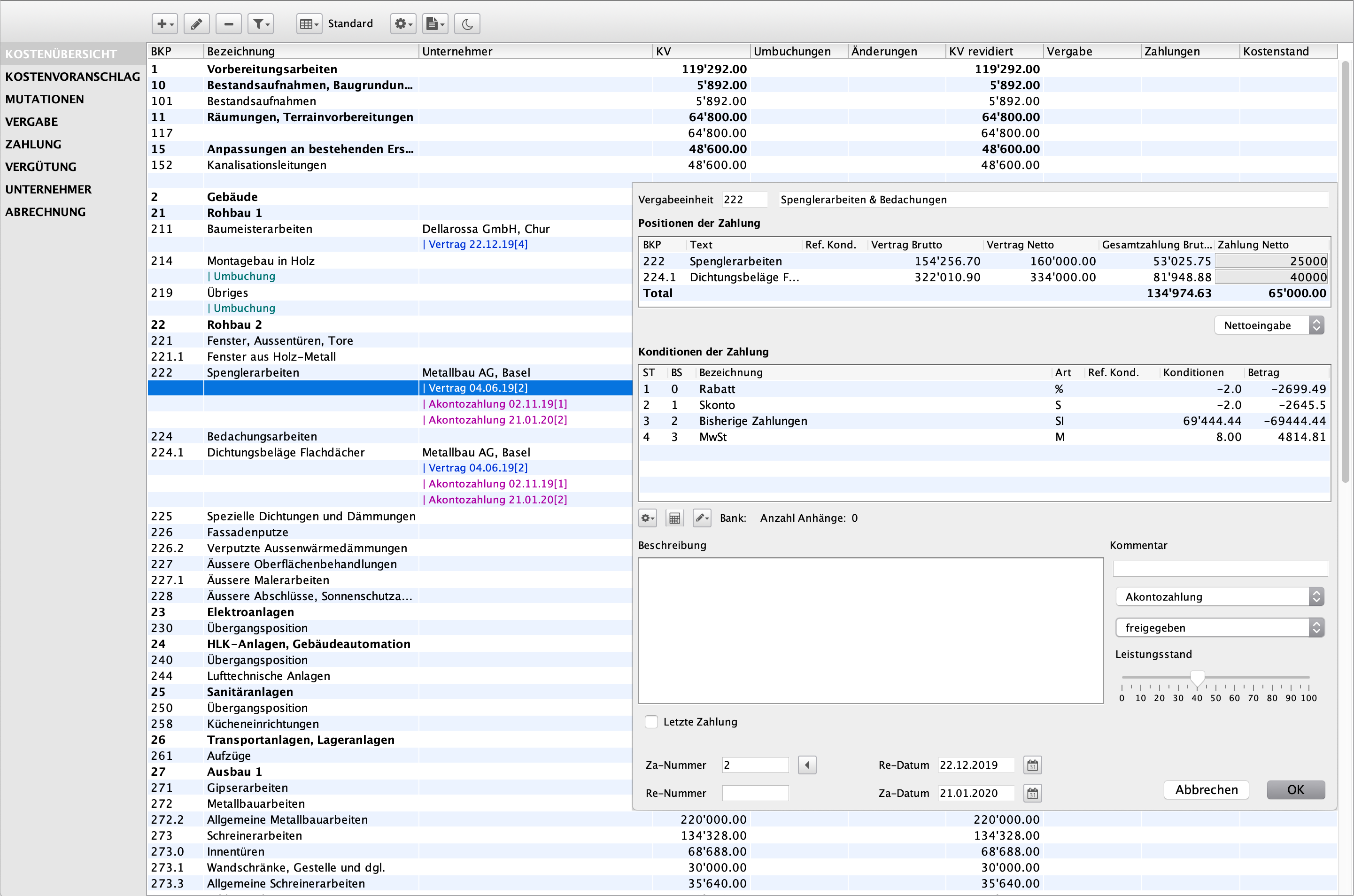
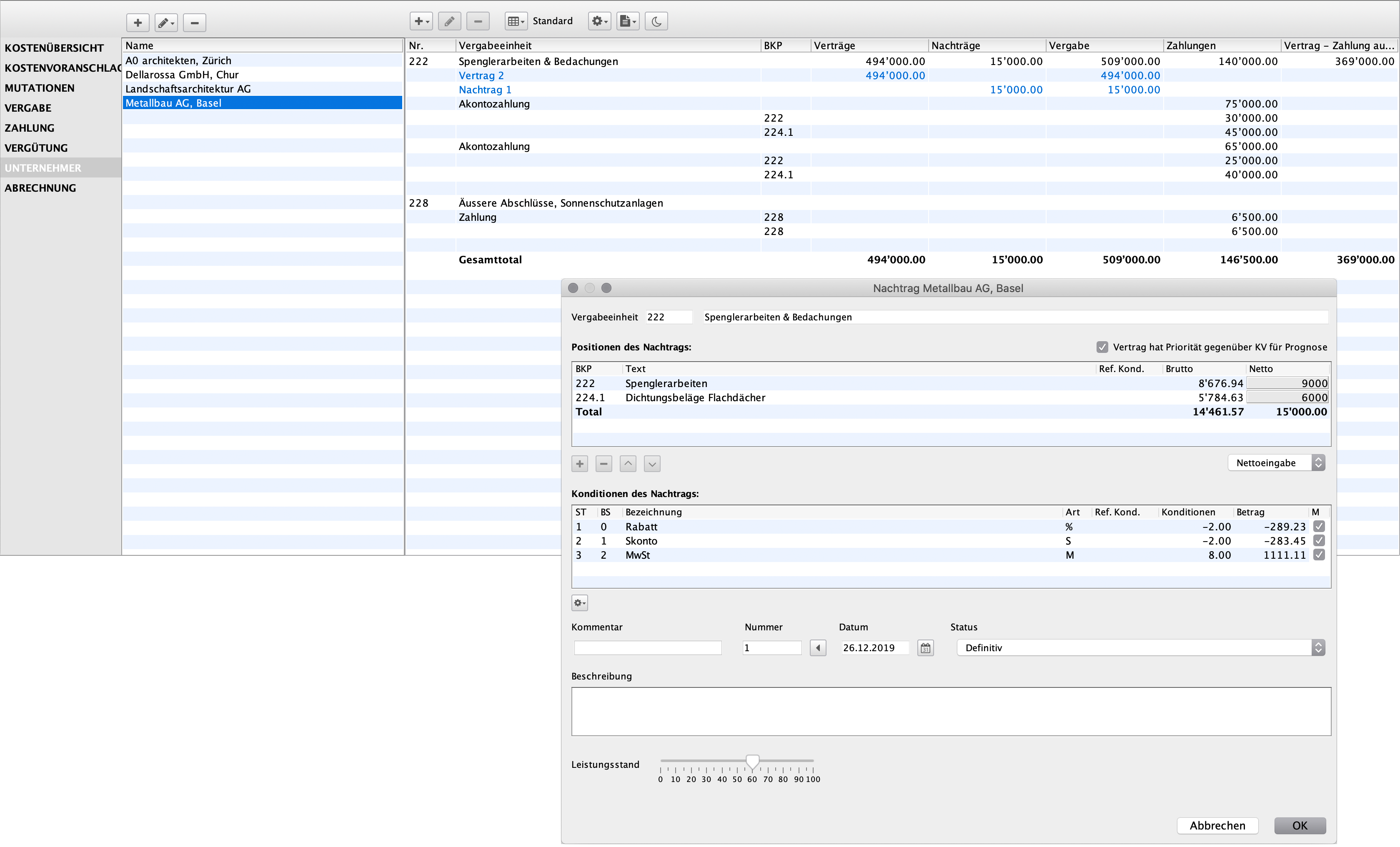
From the cost estimate to the works contract to the final invoice. You post supplements and payments and ensure transparency in the construction costs. You reimburse payments on behalf of the client and prepare the contractors' final invoices.
In the contractor accounts, you can directly check the current status of each company across all BKP. 
#DELTAbaucost

Cost estimation using eBKP.

Cost estimation based on the elemental method.

With eBKP, you perform cost estimates using the elemental method. By systematically assigning quantities to individual elements, you quickly determine total project costs.

Required modules: #DELTAeBKP
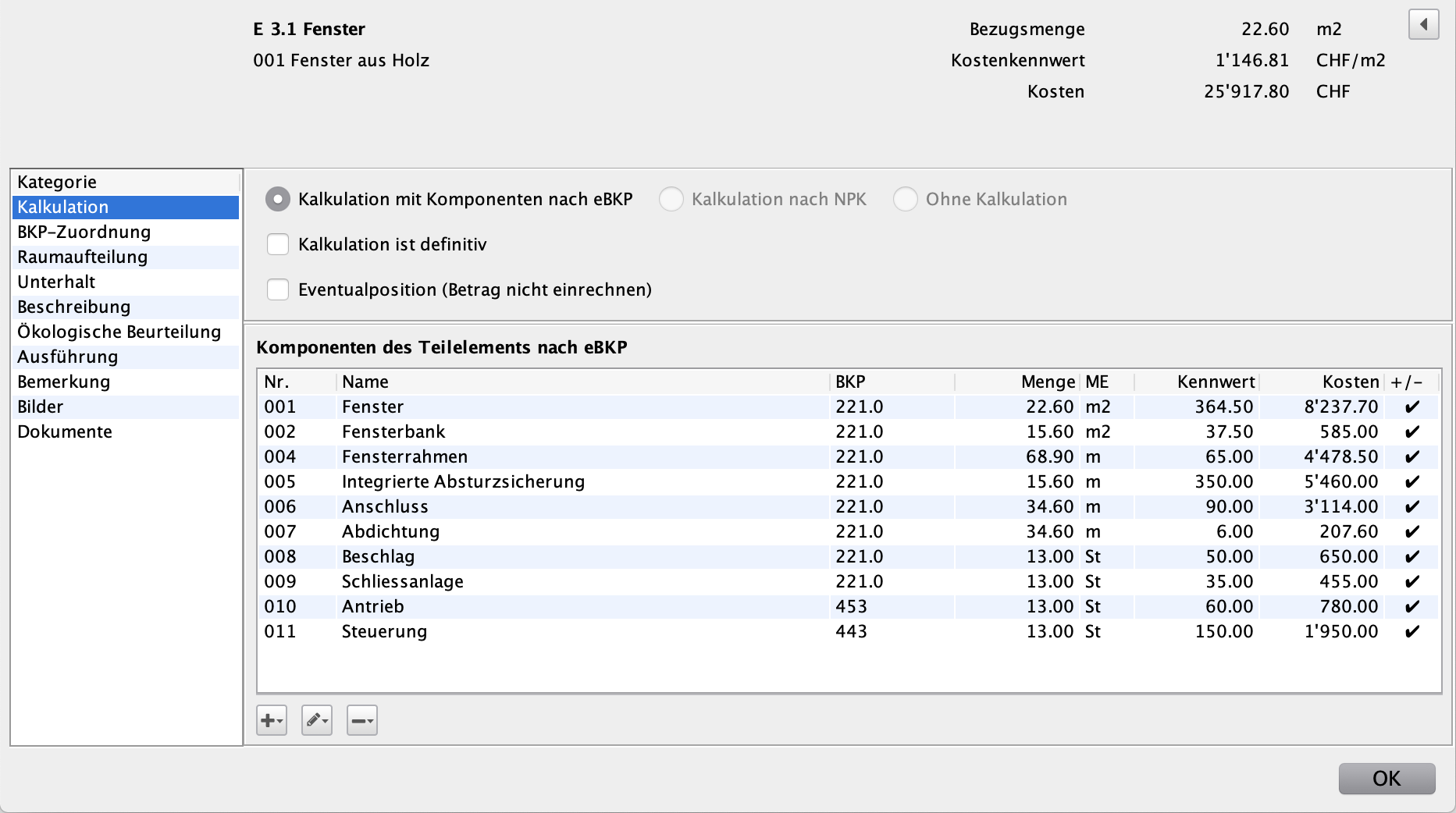

Costs are calculated according to the top-down principle.

You assign the corresponding unit price to each element, which you take from the characteristic value database or from previous cost determinations. If no price is available or if an element is to be analysed in more detail, divide it into sub-elements. If necessary, subdivide these sub-elements further into components. Calculate items with a high influence on the investment costs precisely; for less important items, use a characteristic value at element level. This method is also known as the top-down principle. It also allows you to control the accuracy of the calculation.


Directly to the cost estimate according to BKP.
You assign items from the BKP construction cost plan to the individual elements according to eBKP or sub-elements. You are supported by an adaptive assistant. This allows you to quickly create the cost estimate according to BKP, which later flows into the construction cost control of the construction project and forms the basis for cost planning.


Directly to the NPK estimate.
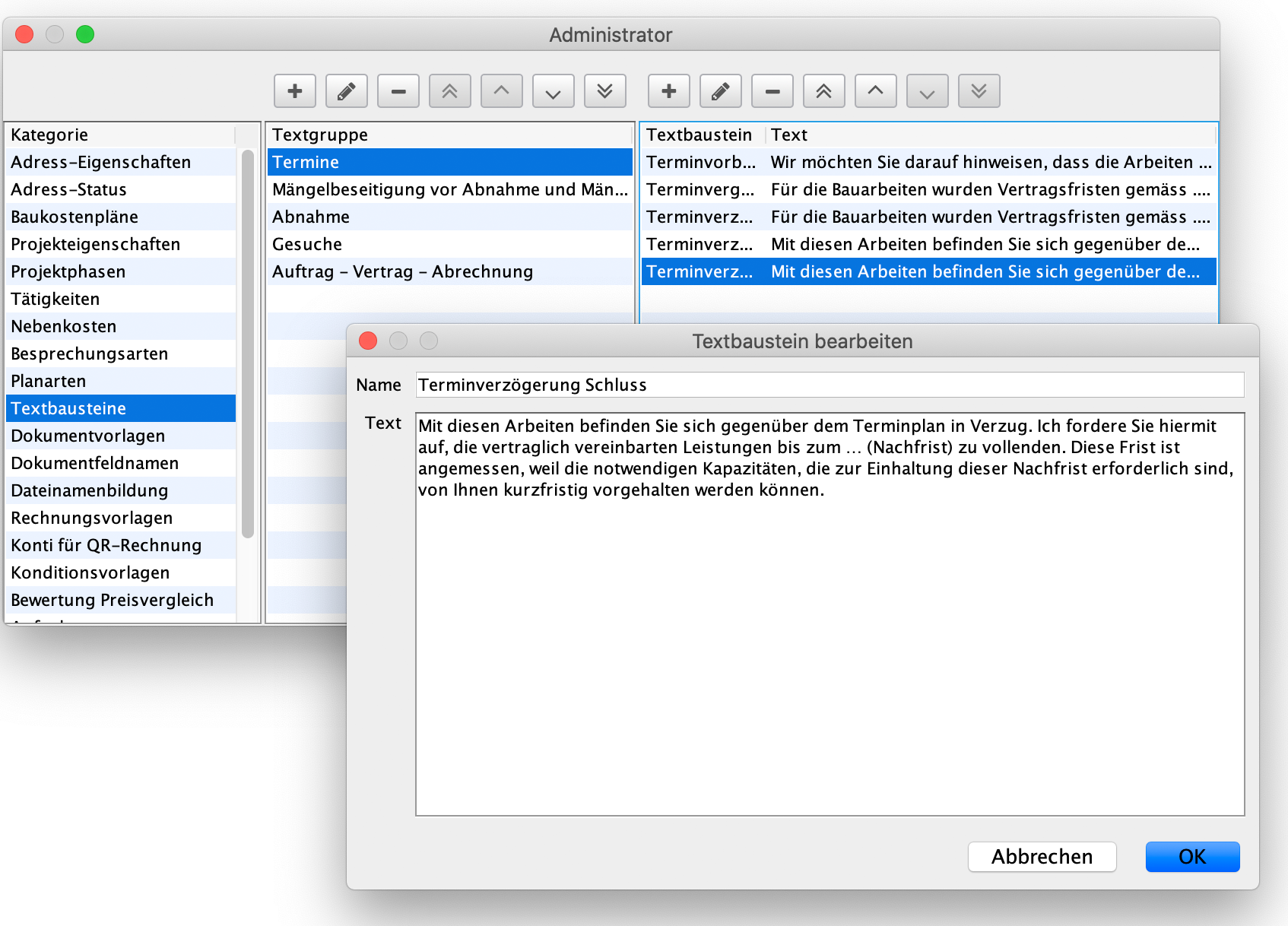
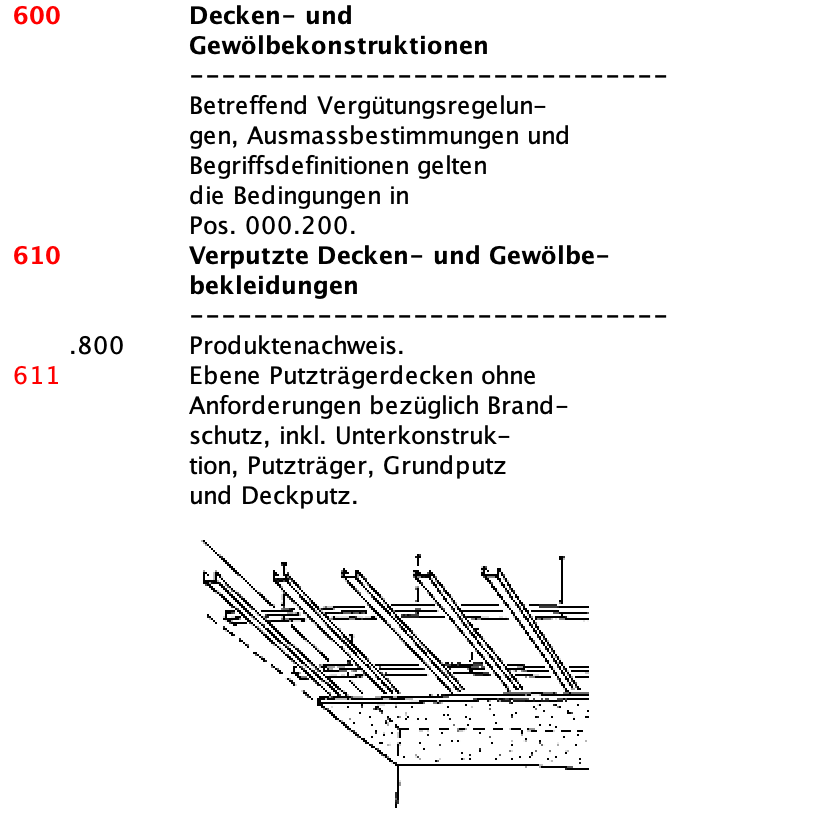
At the touch of a button, you can create a bill of quantities from an element with your own texts, organised according to NPK. Images of plan sections make the document more precise and help to keep the construction description short. you can use the SIA451 interface to obtain a reference quotation for the element from the contractor.


DELTAebkp offers even more.
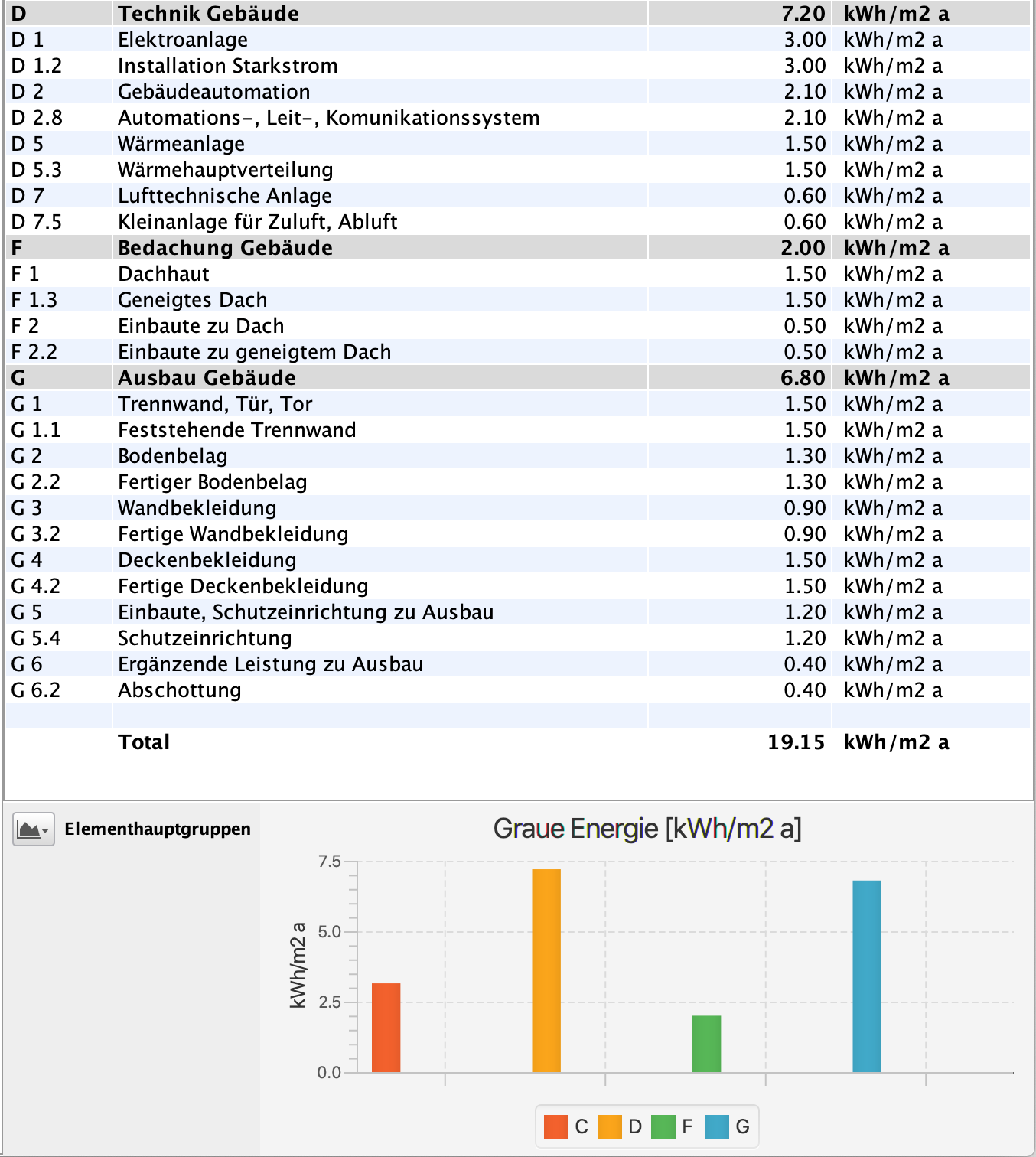
DELTAebkp expands the possibilities of cost calculation with powerful functions and seamless interfaces. The costs can be recorded in a structured manner according to sub-objects and analysed using flexible filter functions. Calculated objects can be used for precise post-calculation. DELTAebkp also offers an ecological assessment with information on the service life and maintenance costs of the individual components. The construction cost plans for building construction (eBKP-H) and civil engineering (eBKP-T) are optimally supported by the integrated eBKP gate.

Cost forecast using BKP.

The execution-oriented cost view.

The cost forecast is the basis for cost control in DELTAbauad. You calculate it based on the BKP (construction cost plan). Optionally, you can prepare multiple variants for the client to select before transferring to construction accounting.

Required modules: #DELTAbauad, #DELTAbaucost
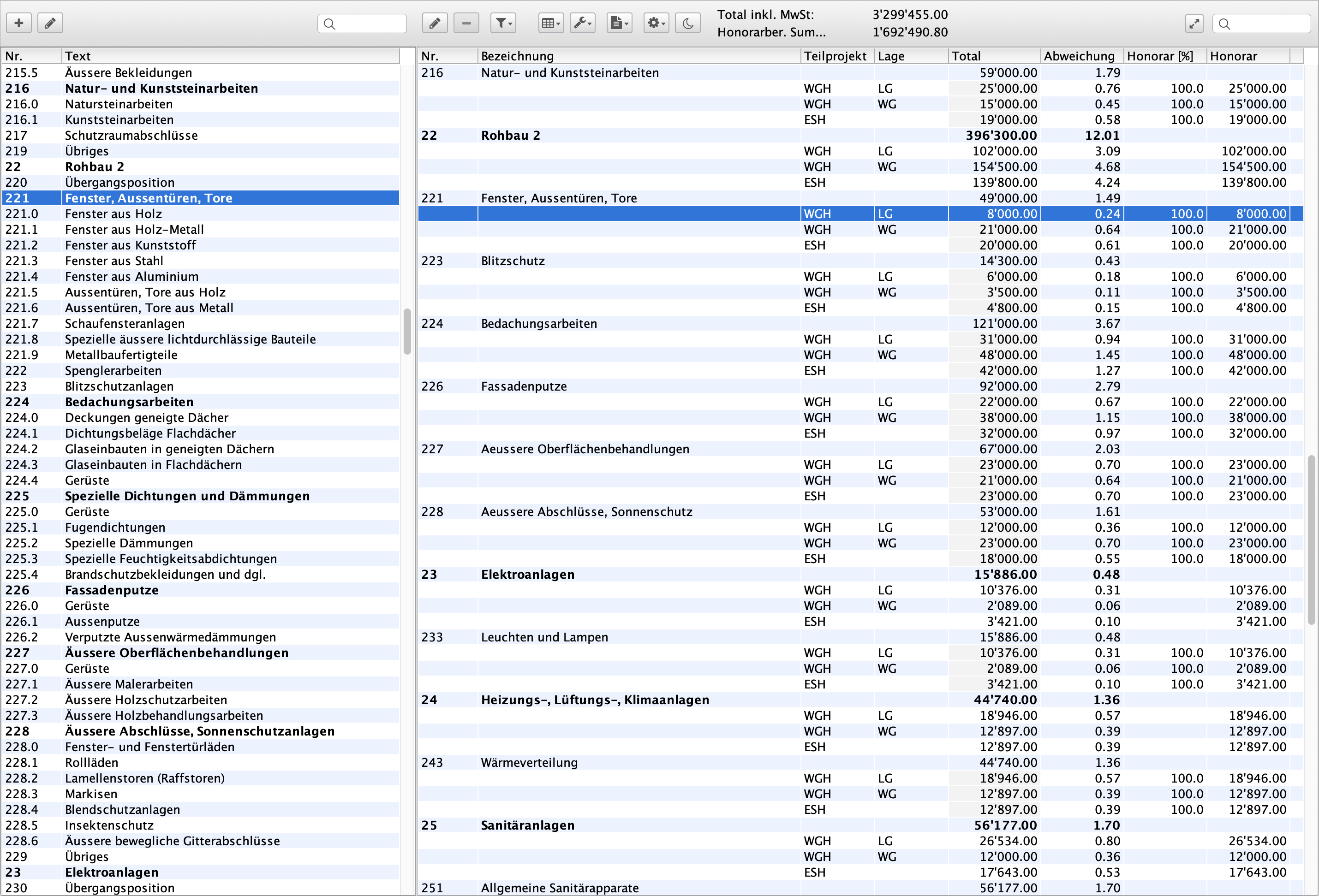

Create a cost estimate.
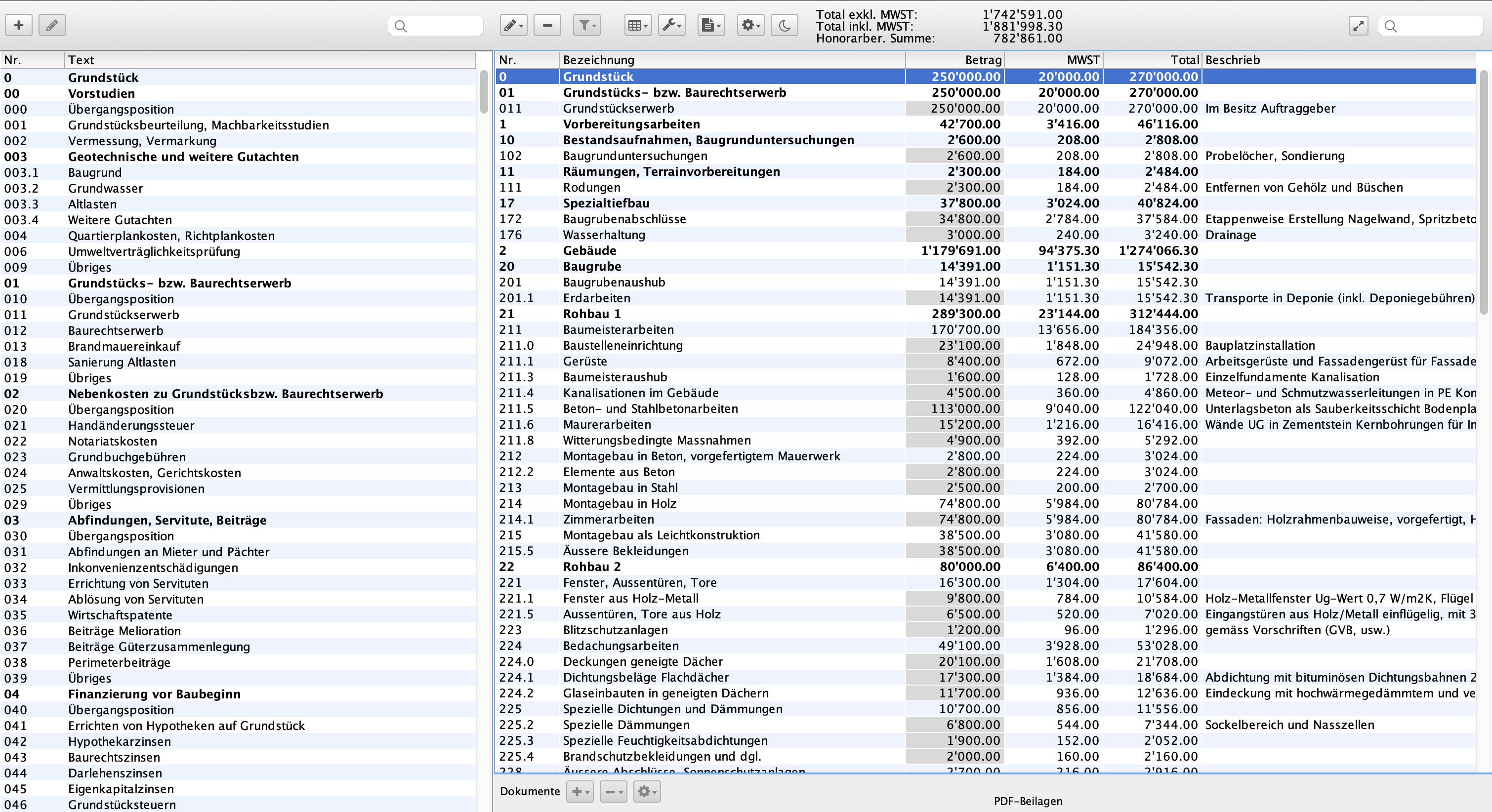
Simply double-click to transfer the desired work categories for your cost estimate directly from the BKP catalogue into the document.


Directly to the cost estimate according to BKP.
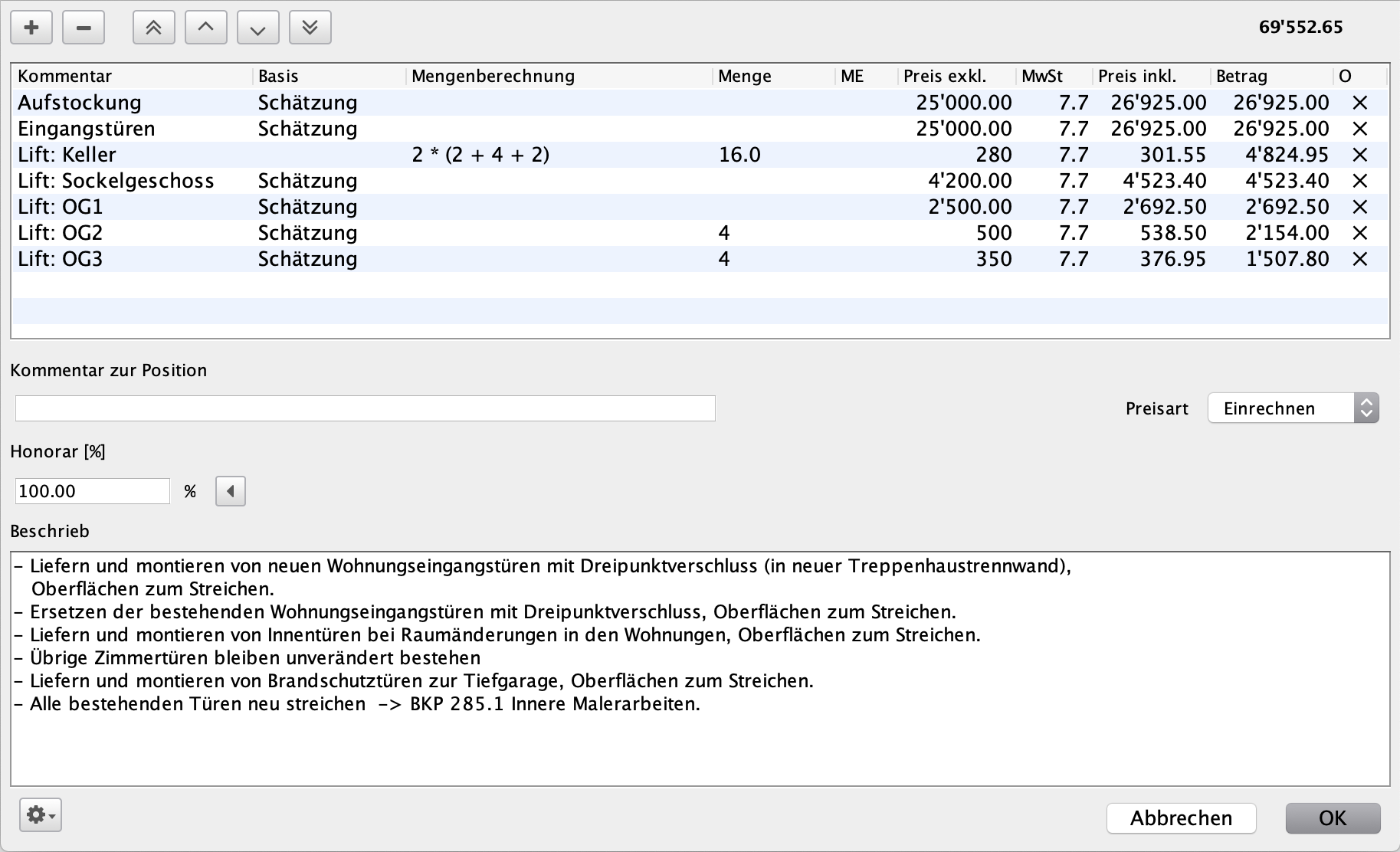
You calculate and comment on each individual item of the cost estimate and at the same time determine the fee rate for the construction sum. This means that all amounts and information in all documents are always up to date. You can print out the bill of quantities or cost estimate at the touch of a button.


DELTAkv offers even more.
DELTAkv offers extensive functions for the precise and flexible creation of cost estimates. The organisation by sub-objects and powerful filter functions enable targeted and clear processing. Compilations can be created for one-, two- and three-digit items. Extensive options are available at the level of the BKP item, the sub-object, the location and the calculation. The building description can be integrated directly into the cost estimate – even in the printout. DELTAkv also enables the management of several clients in one cost estimate.

NPK-based estimating.

Legally compliant billing.

With DELTAdevis, you handle all NPK-related tasks, including tender creation, price comparisons and works contracts. DELTAdevis is certified to IfA 18 standards.

Required modules: #DELTAdevis, #DELTAbauad


The tender.
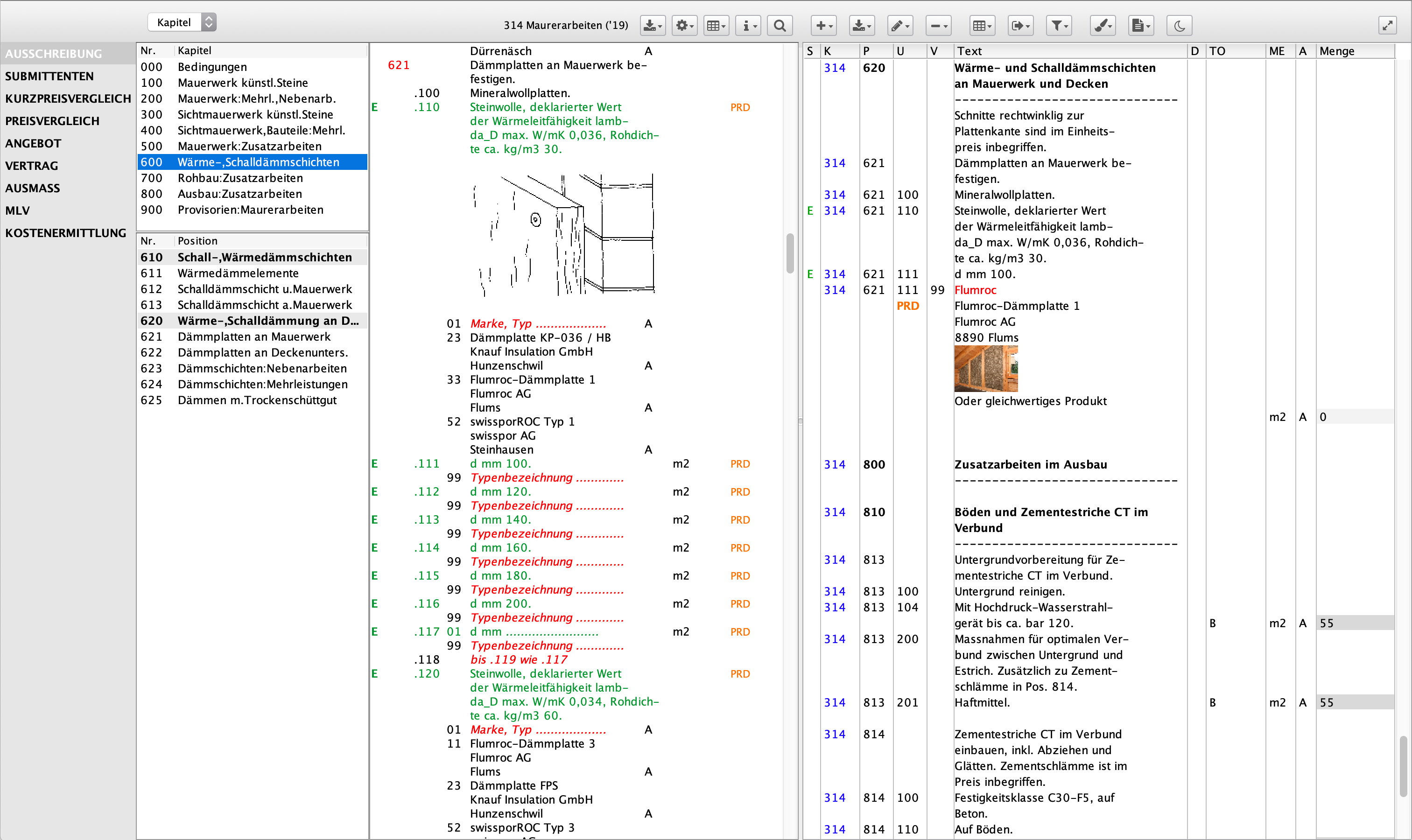
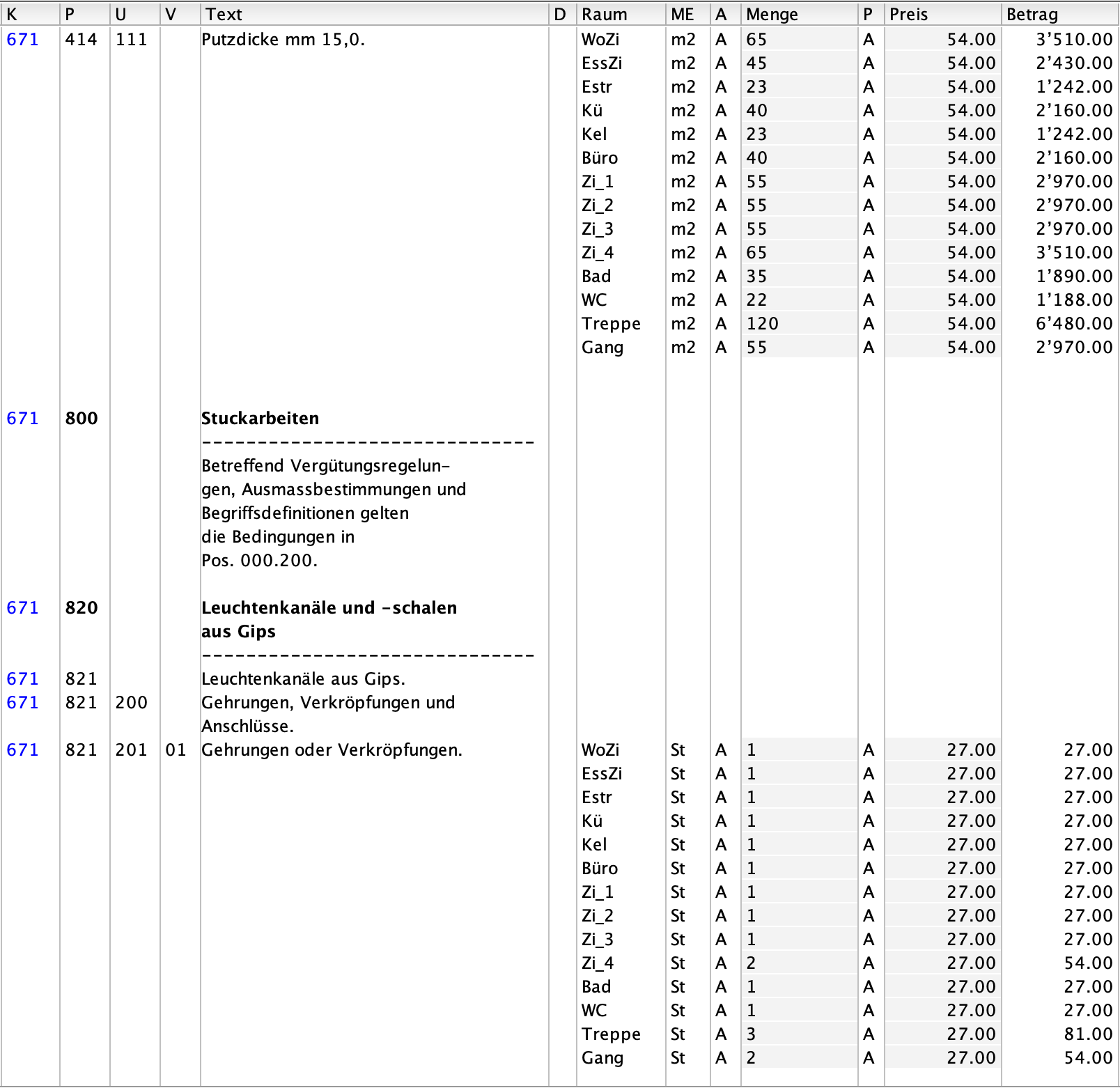
You select the desired items from the standard items catalogue NPK and simply double-click to transfer them to the Devis, where you can further specify the texts. You can add a quantity to service items or calculate the advance measurement directly. You can retrieve products from the CRB product database on a daily basis and transfer them to the document with data sheets and images. Eco-Devis describes ecologically sensible items in the NPK. Illustrations and photos of the standard items make it easier for you to specify the specifications. You send the tender together with the accompanying letter to the contractors via the SIA451 interface.


Compare the tenders.
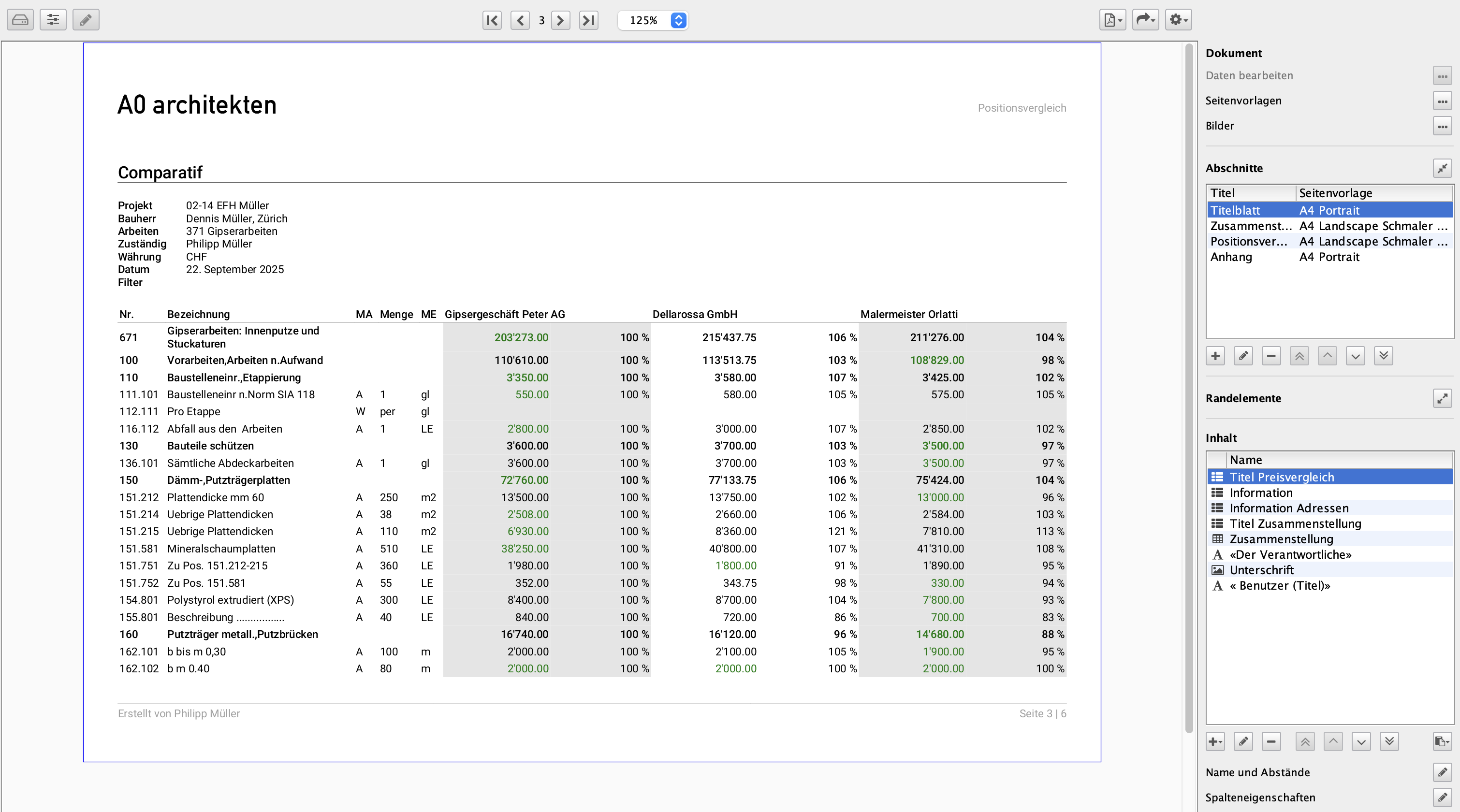
You read the contractors' tenders via the SIA451 interface and create the price comparison directly from them. changes to the tender are logged. An intelligent analysis function shows you the items with the greatest influence on the total sum. This minimises the effort required to analyse the price comparison. Using a sophisticated points system, you can evaluate the quality of the subcontractors' offers and thus substantiate your proposal to the client.


Even more in the quote comparison.
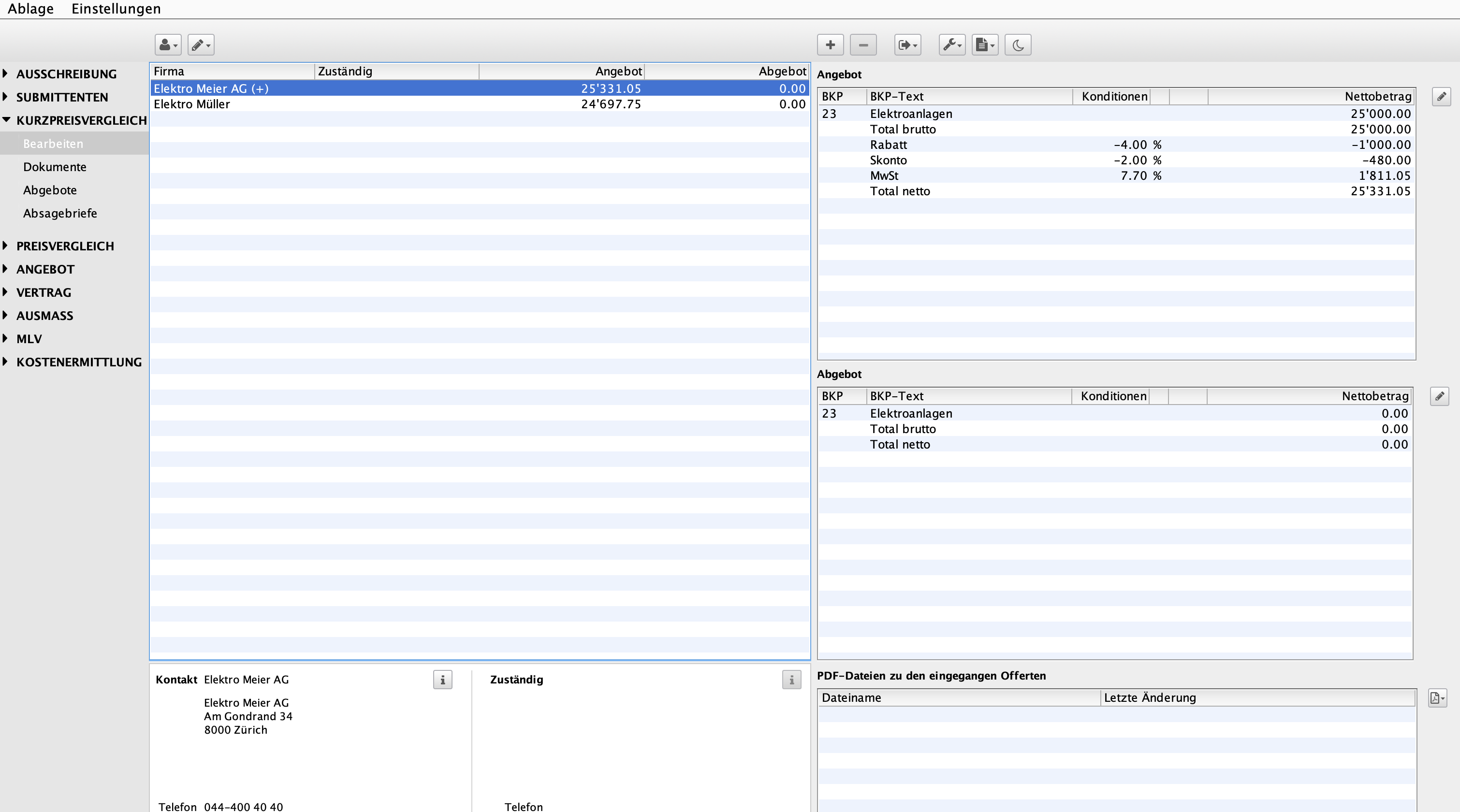
The price comparison in DELTAdevis offers comprehensive functions for efficient and transparent evaluation of tenders. With the short price comparison, prices can be compared specifically by BKP and sub-objects – even without using NPK. Summaries can be created at the BOS, chapter, sub-object and section levels. A clear list of subcontractors with an accompanying letter supports tender management. DELTAdevis also includes functions for the creation of tenders, award applications and order confirmations with acceptance letters. Rejections can also be processed professionally and quickly using form letters.


The contract for work.
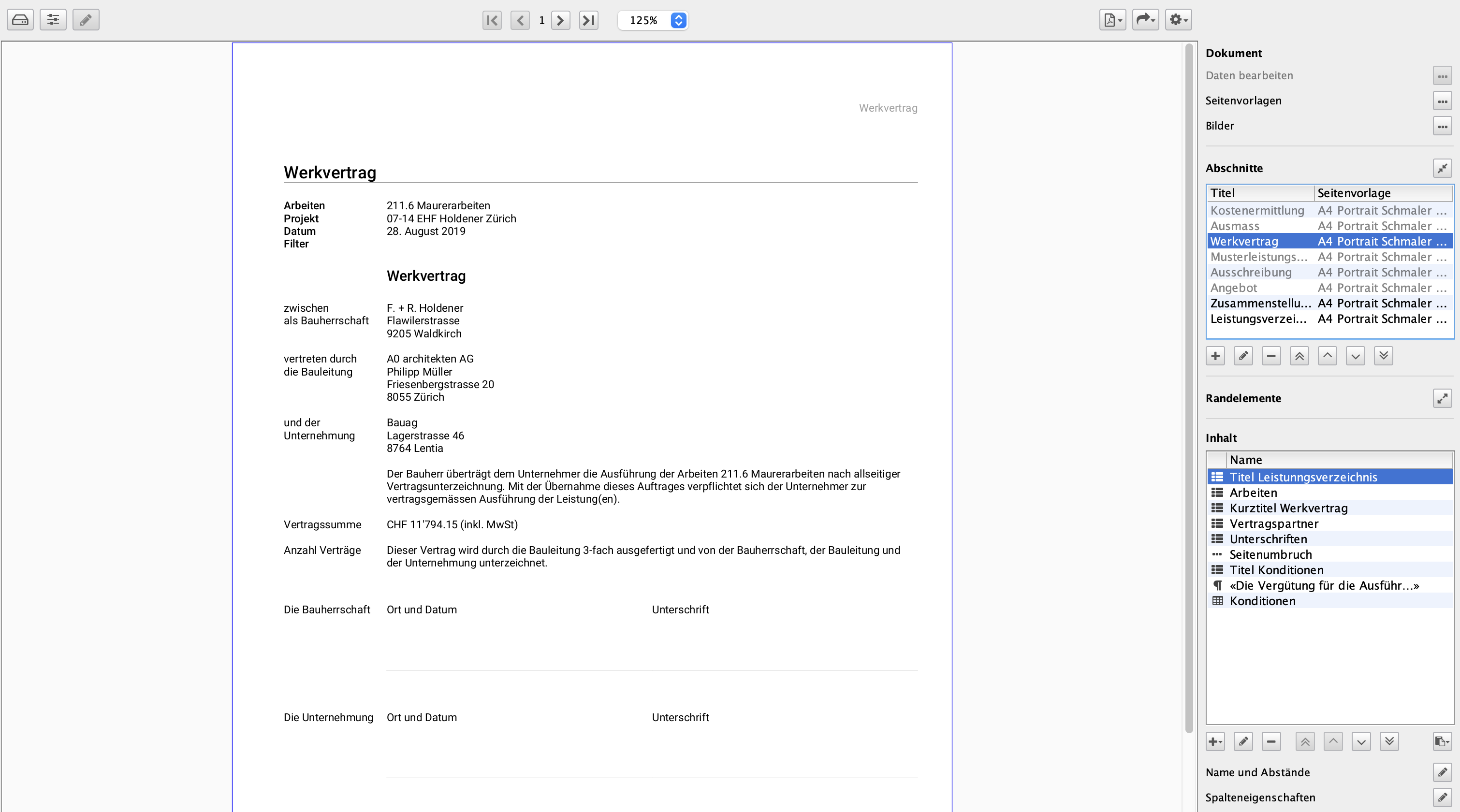
Once you have determined the desired contractor together with the client, you create the contract for work and labour. Once it has been signed by all contracting parties, you post the contract directly to the construction cost control system. The works contract document can be structured and sorted by item. This makes it suitable for use later on the construction site as a checklist for monitoring the contractor's work. On the basis of the work contract, you record the dimensions and thus check the contractor invoices.


DELTAdevis offers even more.
The devisation in DELTAproject impresses with its versatility and structure. Sub-objects, locations, BKP, EKG, variants as well as room and usage classifications enable precise organisation of the bills of quantities. These can be flexibly sorted according to different structures and filtered as required. Functions such as price files, advance measurements and dimensions support precise cost planning. Eco-Devis is also a tool for the ecological evaluation of NPK items. Chapters, structures and sections can be put together in a targeted manner, and the use of sample bills of quantities and element types makes work even easier.

Construction accounting.

Costs under control.

With construction accounting, you monitor and manage your project costs. Create mutations, works contracts, variations and payments, and compare cost forecasts against actuals.

Required modules: #DELTAbauad, #DELTAbaucost

Monitor construction costs.
The cost control shows all important cost centres from the cost estimate to the award of contract and payment. These figures are used to calculate the forecast and the cost status of the construction project. Colours support the legibility of cost control in construction accounting. You work directly in the construction cost overview. If required, you can add columns or display detailed information on the bookings.


Contractor accounts.
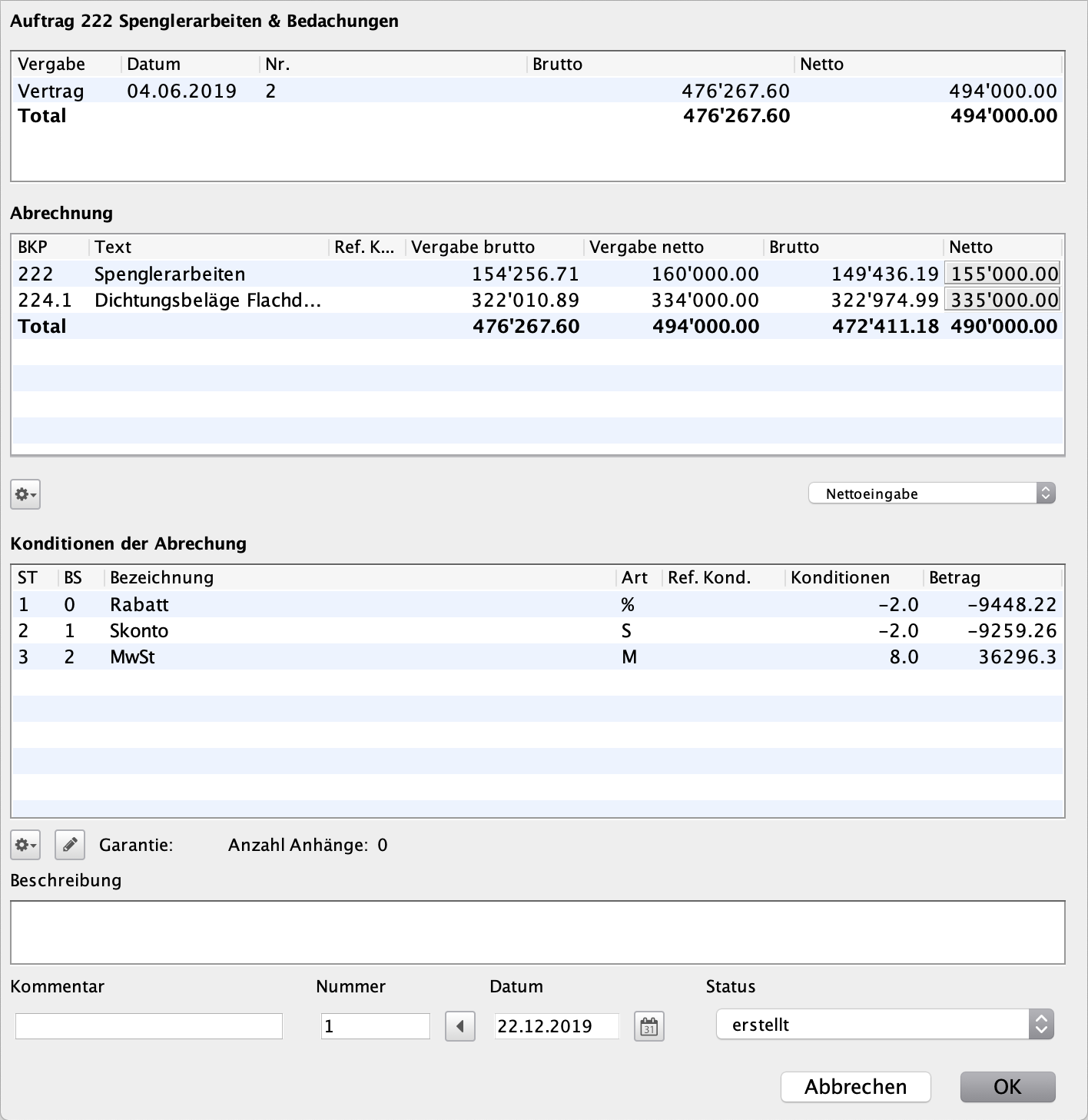
The contractor account in construction accounting shows you all contracts, addenda and payments of a contractor in a clear overview so that you have an immediate overview. You can create the contractor's final account from the contract and any addenda. The guarantee list is created directly from the contractor's statement.


Payment instruction and payment order.
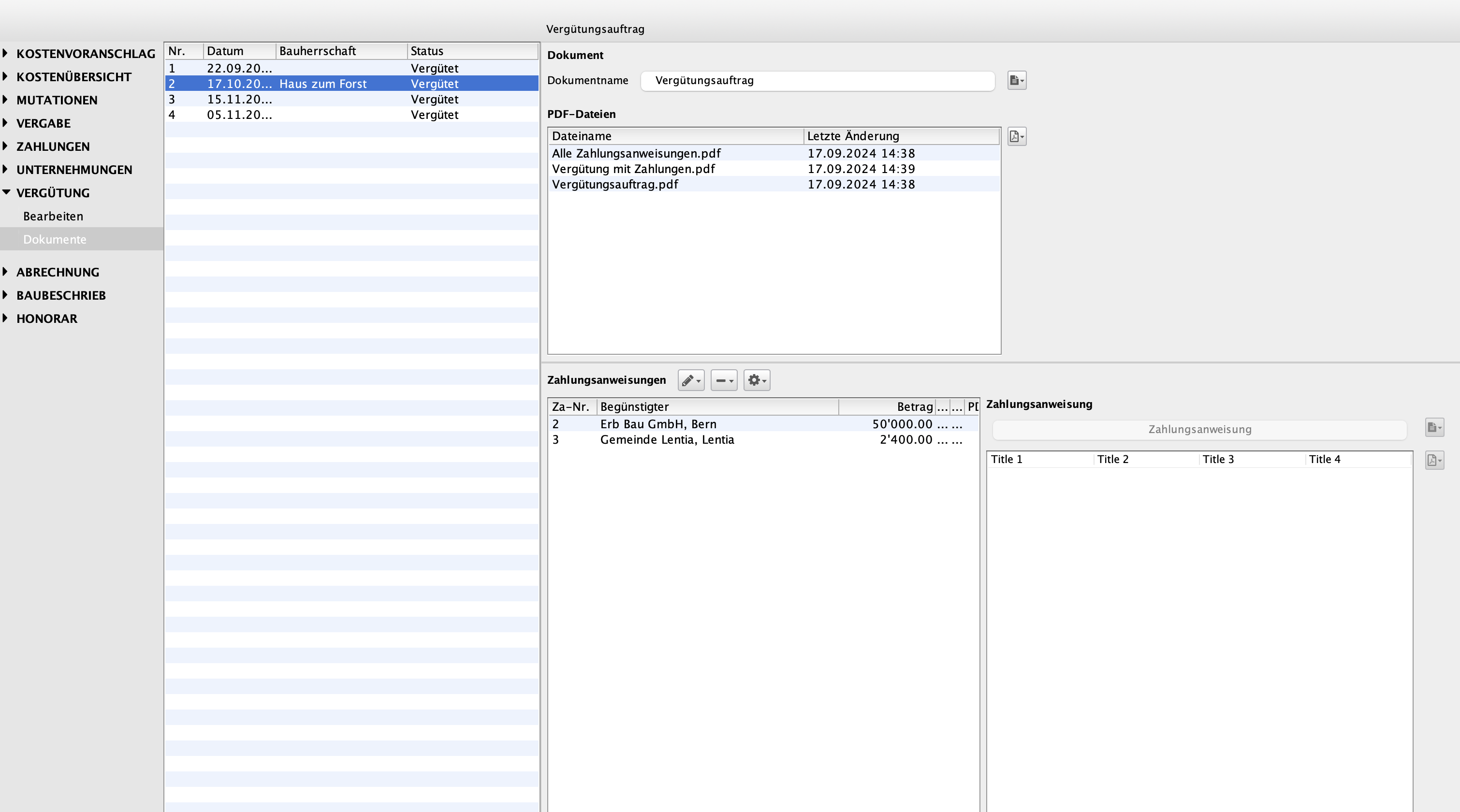
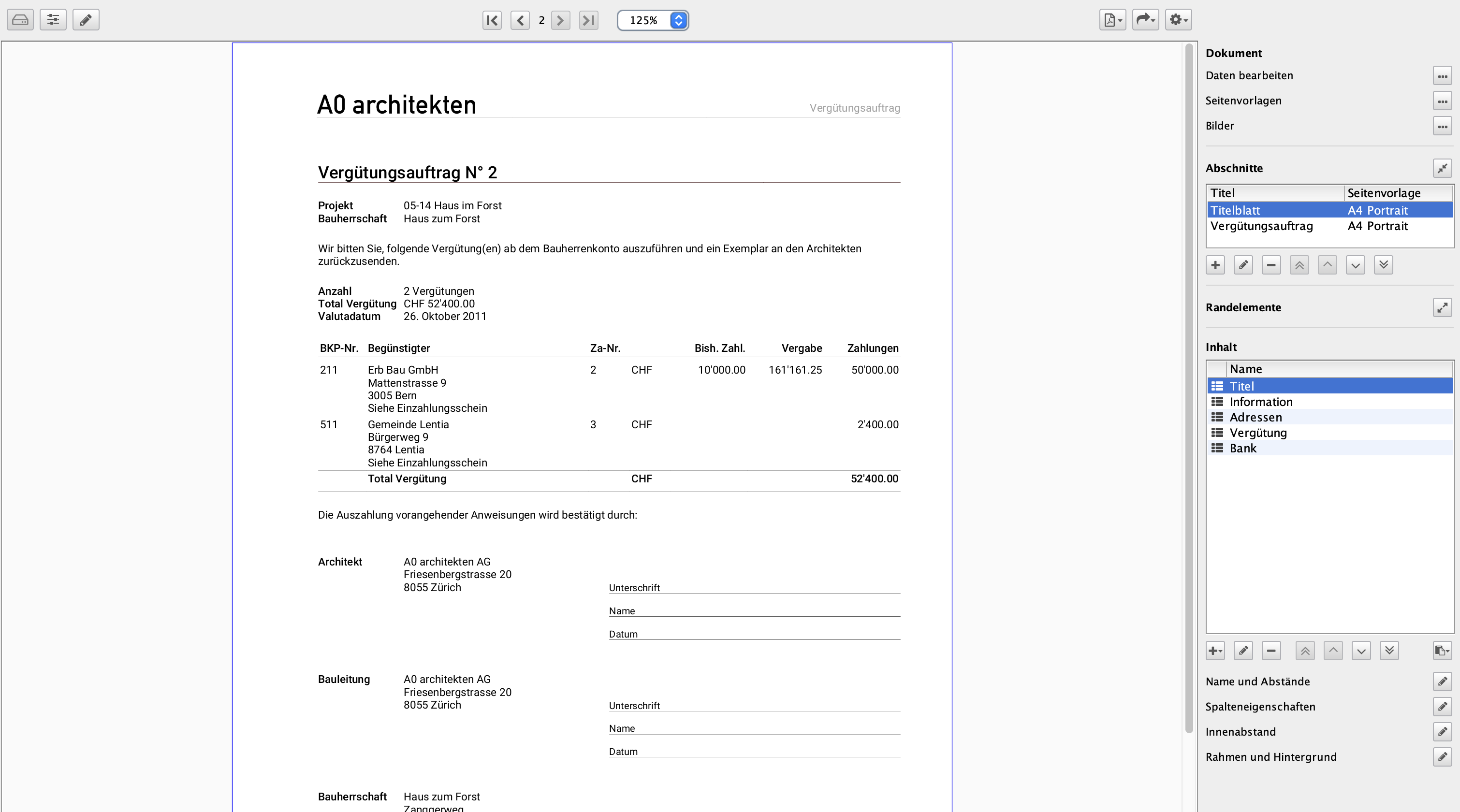
You create the payment orders from the payments posted in construction accounting. At the touch of a button, you can print out a payment order with all the associated payment instructions. If you wish, you can enclose a payment report with the client, which you can filter by any period of time.


Even more in DELTAbaucost.
Construction accounting in DELTAbaucost offers powerful tools for precise and flexible cost control. Several clients and client accounts can be managed within a construction project. Payments with different VAT rates are possible without any problems. Functions for mutations, transfers, cost changes and inflation ensure maximum transparency. An indexed cost estimate takes inflation into account from the contract agreement to the award of contract. The final contractor invoice contains a detailed list of guarantees. Own calculations with individual cost centres as well as powerful filter and grouping functions round off the module.

Modules

DELTAproject

Core program for office and project administration.

DELTAhonorar

Calculate, manage and control fee agreements.

DELTAbaucost

Calculate cost forecasts quickly and accurately and maintain full cost oversight.

DELTAplanning

Plan resources and staff deployment.

DELTAfaktura

Create invoices efficiently and monitor incoming payments.

DELTAebkp

Accurately determine construction costs.

DELTAcontrol

Powerful control tool for management.

DELTAbauad

Perfectly structured construction administration with DELTAdevis and DELTAbaucost.

DELTAserver

Server service.

DELTAreport

Meaningful productivity KPIs and staff time statistics.

DELTAdevis

Efficient and legally compliant estimating.

Resources

System requirements

Current version: 16
As of: July 2025

All DELTAproject modules are available in German, French and Italian.

macOS

  • Client: Intel processor (64-bit) or Apple Silicon (M1/M2/M3) / macOS Big Sur (version 11) or later / min. 2 GB free RAM
  • Server: Intel processor (64-bit) or Apple Silicon (M1/M2/M3) / macOS Big Sur (version 11) or later / min. 2 GB free RAM
  • Internet connection

Windows

  • Client: 64-bit Windows PC / Windows 11 or Windows 10 (64-bit) / min. 2 GB free RAM
  • Server: 64-bit Windows PC / Windows 11 or Windows 10 (64-bit) / min. 2 GB free RAM
  • Internet connection

DELTAservice

  • Synology NAS with DSM 7.2 and “Container Manager”
  • DELTAservice as Docker container

DELTAproject enables our company to efficiently handle all administrative aspects of the construction process. As a mid-sized company, we particularly benefit from the flexibility to assemble and expand software modules according to our needs. Thanks to the constant drive for improvement and the competent support, DQ Solutions has proven to be a reliable partner, always taking our concerns seriously and offering solutions tailored to our needs.

Janosh Roux | CEO | Riesen Roux Architektur GmbH

We are thrilled with the collaboration with DQ Solutions in the DELTAproject area. The support includes licenses, maintenance, and support, as well as device leasing for our MacBook, Mac Studio, and iPad infrastructure. The team works precisely and quickly, always delivering satisfactory results and impressing with their helpful and friendly approach. This combination ensures smooth support and makes DQ Solutions a reliable partner.

Christian Messerli | Architect/Managing Director | Akkurat Bauatelier AG

We appreciate the good collaboration in system support. Especially noteworthy is the fact that the contact persons are quickly and reliably available in emergencies. The low staff turnover also ensures continuity and strengthens the foundation for long-term, successful cooperation.

Roman Brantschen | Managing Director | Adrian Streich Architekten AG