Manage BYOD & mixed fleets securely
Flexible device management for modern work environments
We combine maximum security with efficient management – for every
Device fleet, every operating system, and every usage scenario.
Whether company-owned hardware or employees' private devices – manage them with the appropriate solutions Manage all devices centrally, securely, and efficiently. We combine Unified Endpoint Management (UEM) with proven Processes to successfully implement BYOD and multi-OS strategies.
The challenge of modern equipment fleets
More diversity, more complexity – and more security needs.
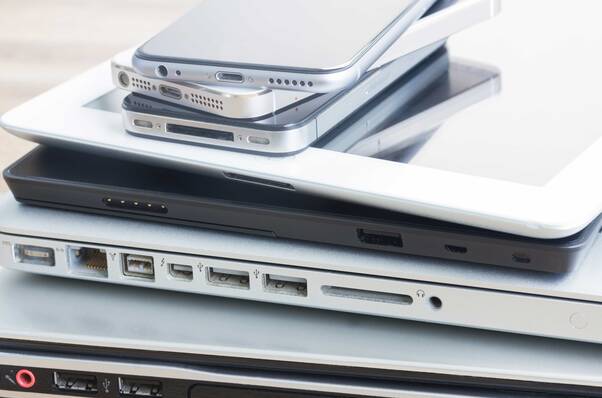
- Different operating systems (macOS, iOS, tvOS, iPadOS, VisionOS, Windows, Android)
- Private devices with variable security configuration
- Increasing demands on data protection & compliance
- Increased support and administration effort
Our approach to secure BYOD
Unified management for all end devices.
We combine with clearly defined processes and guidelines. Unified Endpoint Management (UEM)

per MDM-Enrollment & Zero-Touch Deployment
Secure Integration of Private Devices

through containerization
Separation of private and business
Data

for real-time compliance
Automated security policies

for all platforms
Centralized administration & updates
Our solution modules
Modular, flexible, and aligned with your business objectives – for maximum efficiency and security

Device management for all platforms
Management of Apple, Windows, Android, and Chrome OS in a centralized solution.

BYOD integration without security gaps
Separation of private and business data, compliance with data protection and compliance requirements.

Automation & Self-Service
Simplification of onboarding, app distribution, and updates through automated processes.

Security and compliance checks
Continuous monitoring and enforcement of security policies in real time.

Integration into your IT landscape
Seamless integration with existing systems such as MDM, AD, SSO, or Mobile Threat Defense.

Scalability & Future-proofing
Solutions that grow with your company and can respond to new requirements.
Your advantages with DQ Solutions
More security, less effort.
- Maximum data security through cross-platform policies
- Consistent user experience across all devices
- Relieving the IT team through automation
- Reduced support costs & scalable solutions for growing fleets
Best Practices for BYOD
This is how the implementation succeeds without security gaps.
- Clear guidelines and training for employees
- Transparent communication regarding the use of private devices
- Regular security and compliance checks
-
Monitoring & Reporting with UEM Solutions
BYOD successfully implemented in everyday business life
A Swiss company from the financial sector implemented a BYOD strategy together with DQ Solutions:
- predominantly private iPhones and iPads, supplemented by company-owned Macs. Device mix:
- clear separation of business and private data via UEM. Security architecture:
- Automated onboarding and self-service app portal. Processes:
- Seamless integration into the corporate network, significant relief for the internal IT department, and improved user experience. Result:
DO YOU HAVE QUESTIONS
FAQ
Safely implementing BYOD & mixed fleets
BYOD increases flexibility, but requires clear rules and central management over . In practice, companies combine for private devices with for company-owned hardware. This keeps , policies are consistently applied, and updates are distributed automatically. Crucial is the integration into existing systems like as well as a transparent onboarding process with . less support effort, higher security, better user experience – regardless of .
UEM/MDM
MAM/Containerization
(Tail)Enrollment
Company and personal data kept separate
SSO/IDP (e.g., Entra ID), PKI, VPN
Self-Service
Typical destinations:
macOS, iOS/iPadOS, Windows or Android